





Choose between compact initials or wider full name BLF panel.
The latest Windows Softphone Beta 4, now available for download, comes with additional viewing options in the BLF Panel. We’ve also embedded more context menu options across the app to help users manage calls, voicemails and contacts effortlessly.
New in this release is the voicemail transcription icon. Simply right-click on the icon next to your voicemail and read the transcribed voicemail!
BLF Panel Viewing Options
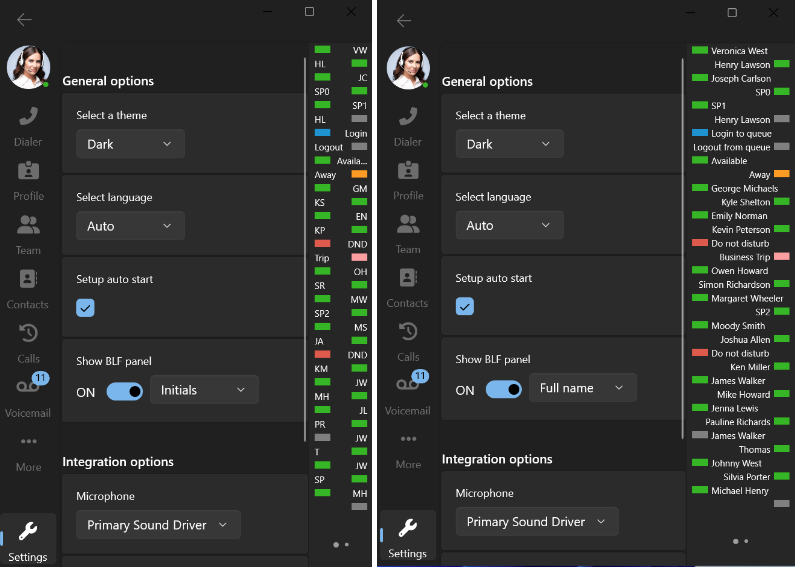
More BLF viewing options! Users can now choose whether to view a compact panel with initials only, or a wider panel with full names. With the compact panel, hovering over the initials will display the full name and status.
Voicemail Transcriptions
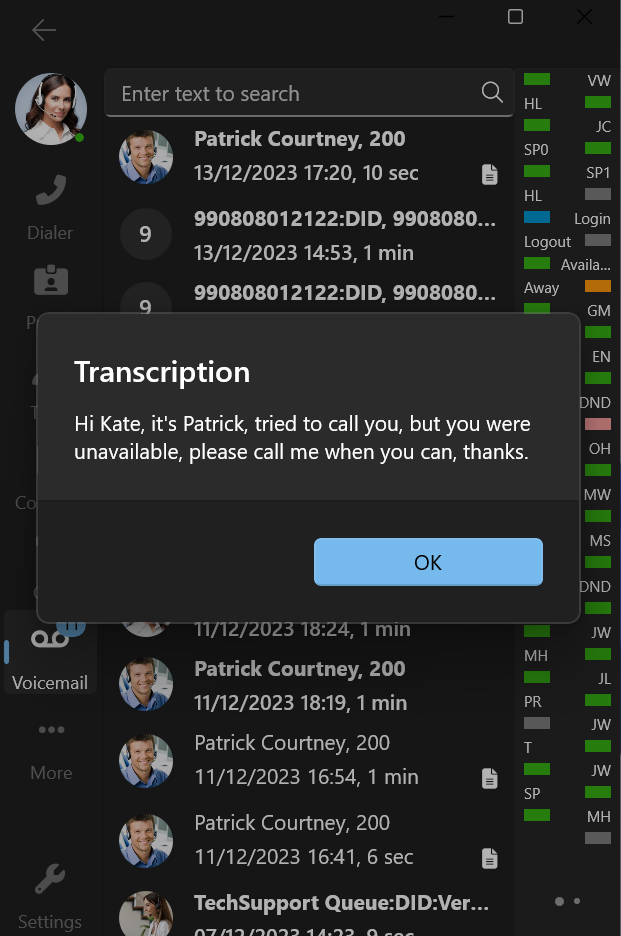
Instantly read voicemail transcriptions instead of listening to them. Voicemail transcriptions will now appear as a dedicated file icon located next to the voicemail, where available. Right clicking on an item with the file icon will now present you with a new context menu option to read the transcription.
Call History Context Menu
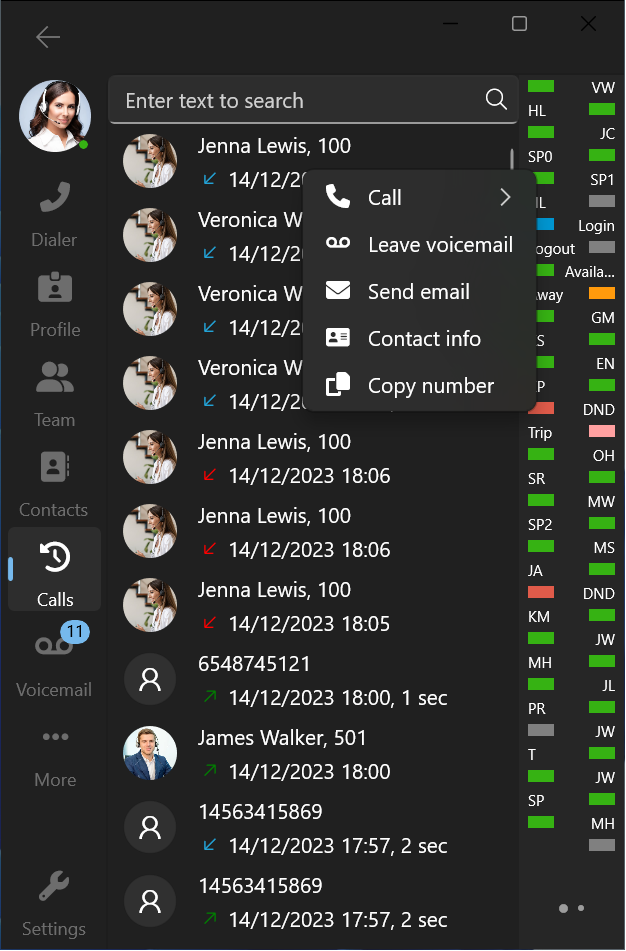
Right clicking on a contact in the Call History screen will now reveal a context menu with quick actions at your fingertips. Users will have the option to make calls, leave voicemails and send emails with just the click of a button. This context menu will also allow users to copy numbers and facilitate adding or editing contacts.
Contacts Call Options
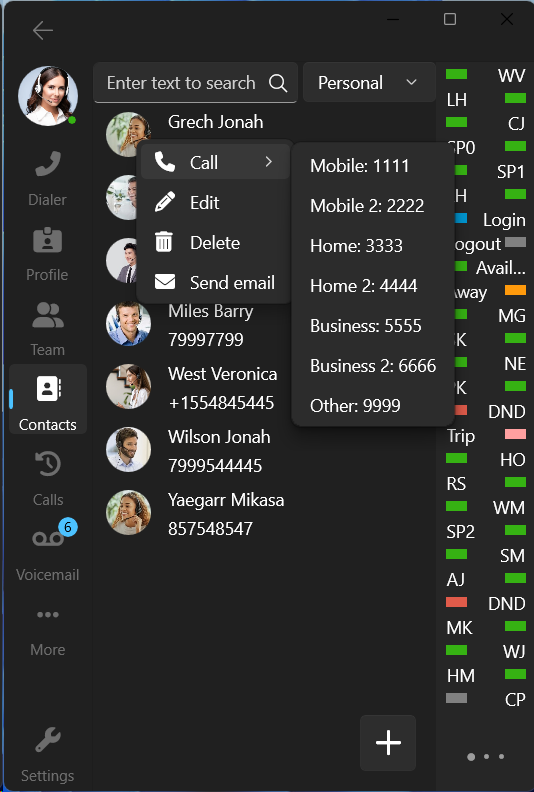
We’ve improved the context menu for Contacts, particularly for those with more than one phone number. When calling a particular contact, you’ll now be able to select the specific phone number you wish to make a call to.
Team Call Options
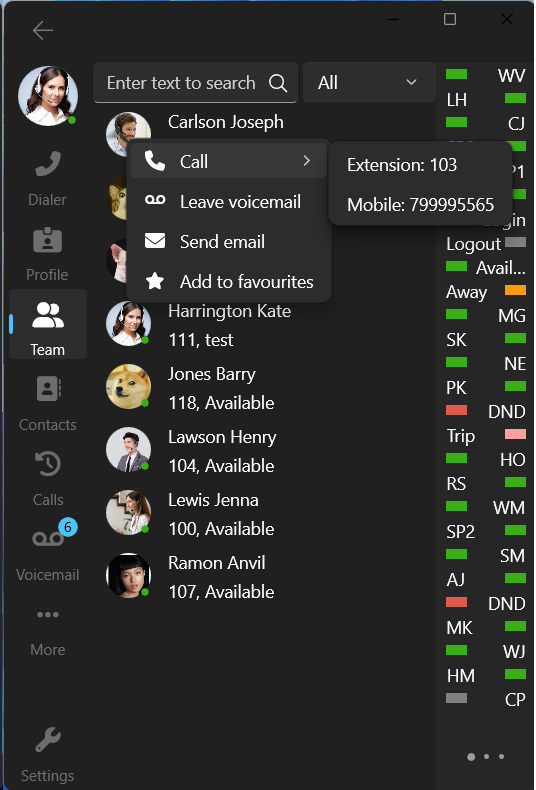
We’ve also fine-tuned the context menu options in Teams. Users will now be presented with the choice to make a call to the user’s extension number or a registered mobile number.
Other Changes / Fixes
We’ve made additional improvements throughout the app, namely:
- Sanitization of numbers
- Copying of numbers
- Calling using Telephone Link Protocol will not immediately perform a call
Try the Latest Beta
Try out the latest Windows Softphone today! Now available for download from the Microsoft App Store. Head over to the dedicated Windows Softphone Forum to let us know what you think.
For instructions on how to install and provision the new 3CX Windows softphone app you can also refer to our User Manual.









 Copyright © 2026