





Initiate calls to CRM contacts from the latest Windows Softphone.
The new Windows Softphone Beta release enables you to search for CRM contacts and initiate calls to them directly from the softphone! Saving you time looking for contacts who are not saved in your 3CX phonebook.
Incoming call notifications also show CRM contact details so you always know who is calling!
Always know who’s calling
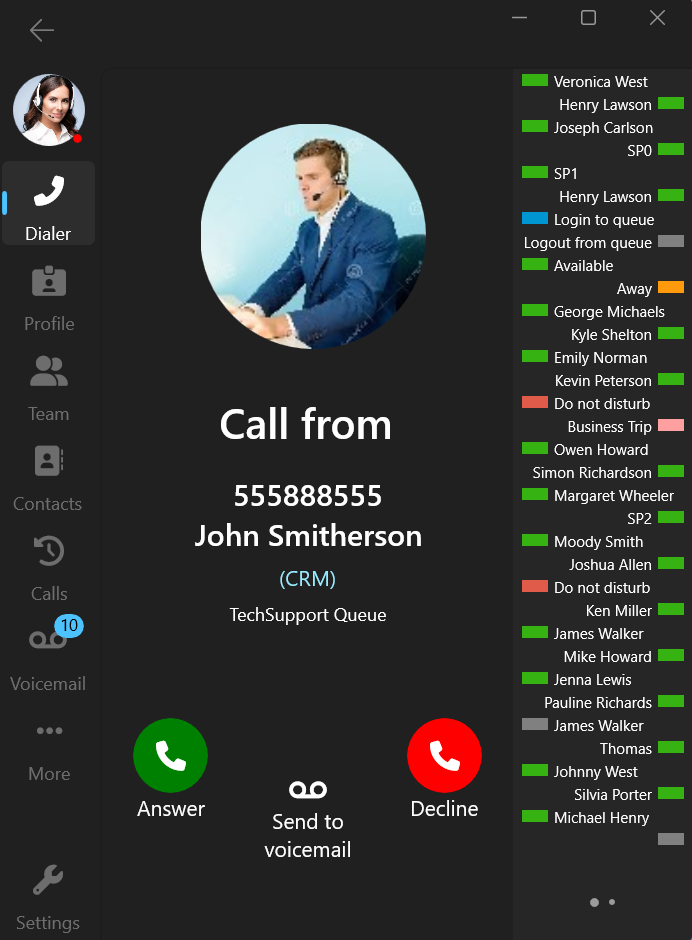
Incoming call notifications will now display contact information not only from the PBX’s phone book, but also from your CRM.
Another feature we’ve added is the new CRM hyperlink. Clicking on the link will lead you to the specific contact’s CRM page.
Search for CRM contacts from your Softphone
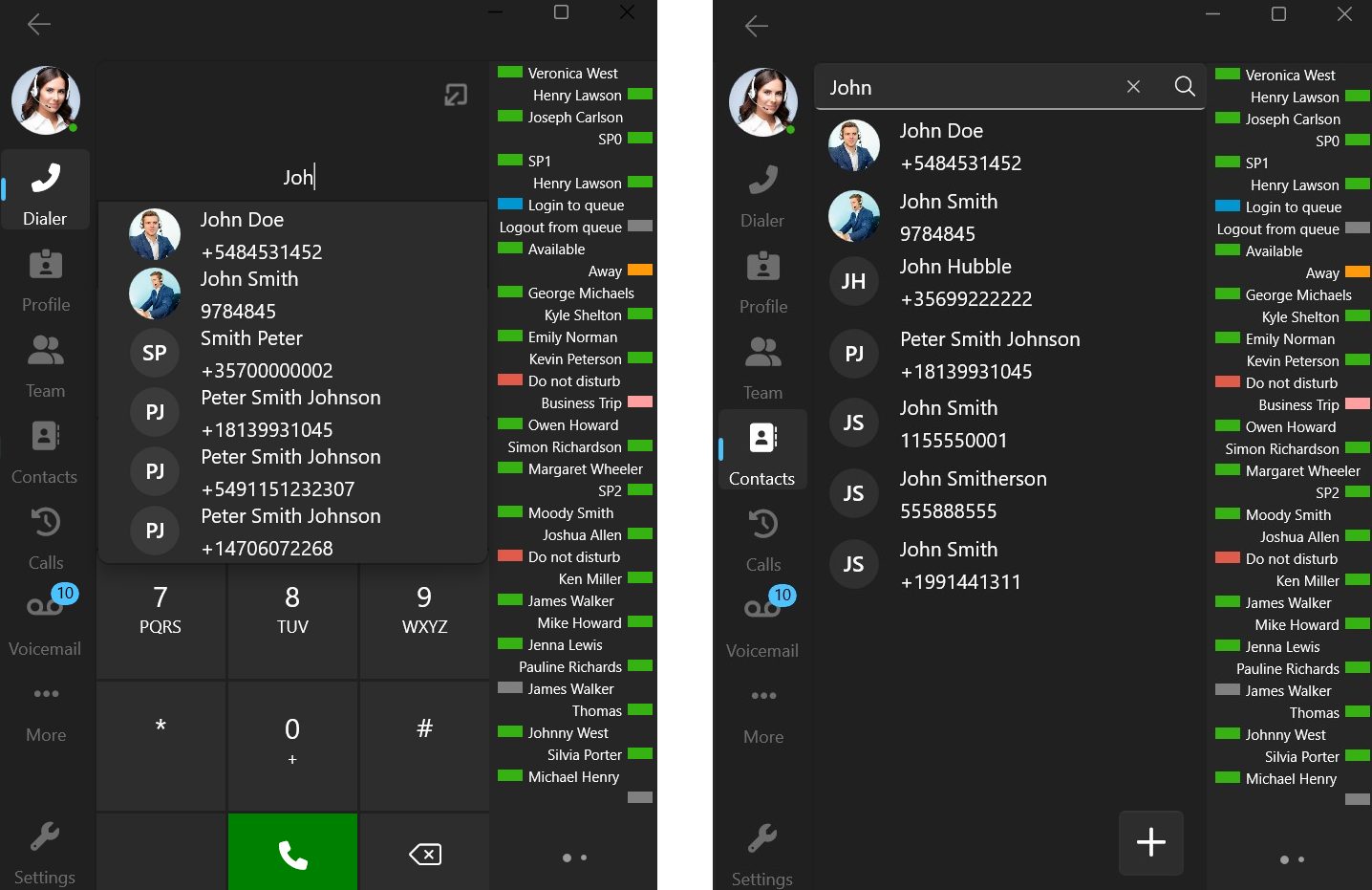
Users can now search and view CRM contact information directly from the 3CX Softphone. Typing in a name or a number will retrieve and display contact information.
Access this function by:
- Typing in the dialer
- Searching from the Contacts screen
- Transferring an ongoing call
- Creating a conference
Other features & fixes
- Show unregistered team extensions
- BLF speed dial now allows for Attended Transfer, Blind Transfer & Conferencing
- Display the temporary status of team extensions
Try it out today
Download the latest Softphone app from the Microsoft Store and head over to the new dedicated Windows Softphone Forum to let us know what you think.
For instructions on how to install and provision the new 3CX Softphone for Windows app, you can also refer to our User Manual.









 Copyright © 2026