





New Windows Softphone Beta supports Jabra headsets.
The Windows Softphone Beta 6 is now available for download - with Jabra Headset Integration.
This latest release will allow users to answer, drop, decline, hold, mute and switch calls via the buttons on their Jabra headset or the docking station.

Known Issue
The app may not respond in the case of multiple phone calls. We have already reported this issue to Jabra who have confirmed that they’re aware of it and are working towards a solution.
Scenario:
- A user makes a call using the softphone and gets connected (Call #1)
- Softphone receives an incoming call (Call #2)
- Call #1 gets dropped by the callee while Call #2 is neither rejected nor accepted.
- This will cause an exception by Jabra which will crash the Softphone
Should you encounter this issue, report it directly to Jabra Support.
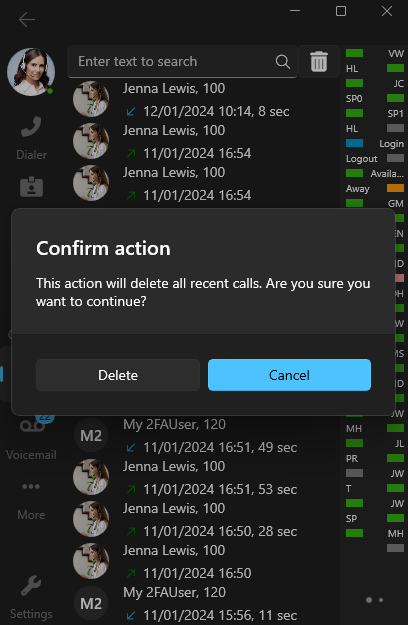
Delete / Delete all Call History
It is now possible to delete items from the Call History.
Right clicking on a single item will present you with the option to delete it. We’ve also added a Trash Icon should the user need to delete all calls in Call History.
Other Features & Fixes
- Instead of initials avatars are shown for team members/extensions.
- Ignore html spaces when dialing a number from a webpage.
- Clickable voicemail transcript icon.
- Added TAPI installer link to settings for easy download.
- Taking into consideration the Codec priority from the server.
- Added CRM hyperlink in the contact card.
Try it out today
Download the latest Softphone app from the Microsoft Store and head over to the new dedicated Windows Softphone Forum to let us know what you think.
For instructions on how to install and provision the new 3CX Softphone for Windows app, you can also refer to our User Manual.









 Copyright © 2026