Yealink W60B Phone provision

Status
Not open for further replies.

Tyler Oz

Free User
Joined
May 24, 2018
Messages
9
Reaction score
0
I have been trying to provision our new phones which are W60B. It was way too easy to have our phones provisioned in the old version. I would just plug the phones in then it would pop up. However, now I have to do it myself and it does not work. I have followed the steps on the 3cx page and did the whole process a few times. It still does not work.
 
I have done the steps 2 times. I am having difficulties to understand why 3CX is not added auto provision to any updates for these products. It works just fine for the sites that has 12.5V but wont work for V15 and up. I did not even do provisioning for the old versions.

Please advise if there is
 
I'd recommend setting Option66 - the W60Bs will auto provision then, provided you pre-register them in the console.
 
I came to work and I saw that provision was done. Not sure what caused it but I was able to see the phone under phone tab. However the system wont let me assign an extension to the phone.

Please help me out to assign an extension. is there any specific way to do it ?
 
Hi Tyler
take care not to publish sensitive infos on public forum , for your pbx safety, if you can remove screen copy in your previous post
 
All the info on assigning extensions is in the url,posted above,

You create the extension, do not add any phone type - as you are using stun you need to untick 'Block Remote Tunnel Connections (3CX App connections with Tunnel enabled & SBC will be blocked)' under options.

On the FXS/DECT config , under extension tab - add the required extension
 
Last edited:
I have generated a testing extension and did as suggested. Then added the extension to the phone under FXS/DECT config, extension tab.

The extension is not getting assigned.

Please advise
 

Attachments

  • test ext options.jpg
    test ext options.jpg
    106.3 KB · Views: 82
  • test ext options1.jpg
    test ext options1.jpg
    79.7 KB · Views: 81
I have generated a testing extension and did as suggested. Then added the extension to the phone under FXS/DECT config, extension tab.

The extension is not getting assigned.

Please advise
You need to manually force provision on the device itself. FXS/DECT templates are configured to never update automatically. They recommend you download the config then upload it to the device.
 
Have you re provisioned the dect unit,

Log into the dec base web front end (the password will have changed - Device Web Page Password under the FXS/DECT Details). and click on the 'Auto Provision Now' under Settings -> Auto Provision

See step 2 for screenshot - https://www.3cx.com/sip-phones/manually-provision-yealink-dect/
 
I have done all of these steps but the extension is not still getting assigned to the phone.
 
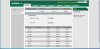
could be this the problem ? I have installed an other phone. It shows up on the 3CX management console but It does not allow me to assign any extension.


12251
 
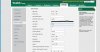
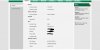
Please see the attached files. It looks like headset is registered.
 

Attachments

  • 3cx mng.jpg
    3cx mng.jpg
    79.1 KB · Views: 62
  • Account rgs.png
    Account rgs.png
    54.6 KB · Views: 63
  • Auto-provision.jpg
    Auto-provision.jpg
    145.3 KB · Views: 61
  • firmware.jpg
    firmware.jpg
    92.8 KB · Views: 58
  • handset.jpg
    handset.jpg
    136.5 KB · Views: 58
The base unit has not provisioned with the 3cx server

1. Check the MAC address of the base unit, against what you have entered for the device under FXS / DECT

3. Check 3cx blacklist, and delete any ip’s

2. Check the provisioning url entered in the dect base unit. If OK, click on “provision now’ . If this works, the password for the web front will change . see my previous post, to get the password
 
I have checked the MAC address and they match.
No blocked IP address on the system.

URL is correct as well. Not sure why the password is not changing. I have tried to paging the handset from webpage and it ranged.
 
which provisioning method should I use ? one screen shot shows LAN but an other one shows DIRECT SIP
 
If the phone on the same network as the 3cx server ?. If so it should be setup for lan
 
Status
Not open for further replies.

Forum statistics

Threads
112,360
Messages
592,109
Members
165,535
Latest member
bosdorf