





Add more participants to ad-hoc conferences and merge calls.
This latest Android release sees the rollout of intuitive ad-hoc conferencing after last week’s successful BETA. You can now not only turn a single call into a conference, but also add more participants and merge ongoing calls into an existing conference.
Better Conferencing
This release focuses primarily on improving the ad-hoc conferencing feature in the Android app:
Merge an Incoming Call
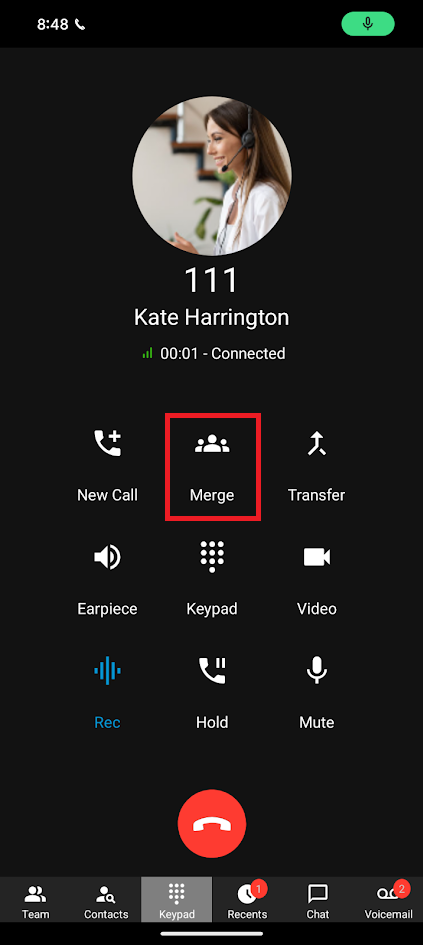
If you’re already in an active conference - and receive an incoming call - you can add this caller to your conference by tapping on the ‘Merge’ button. This feature is only available on V20, Update 3 and above.
Turn an Existing 2-way Call Into a 3-way (or more) Conference
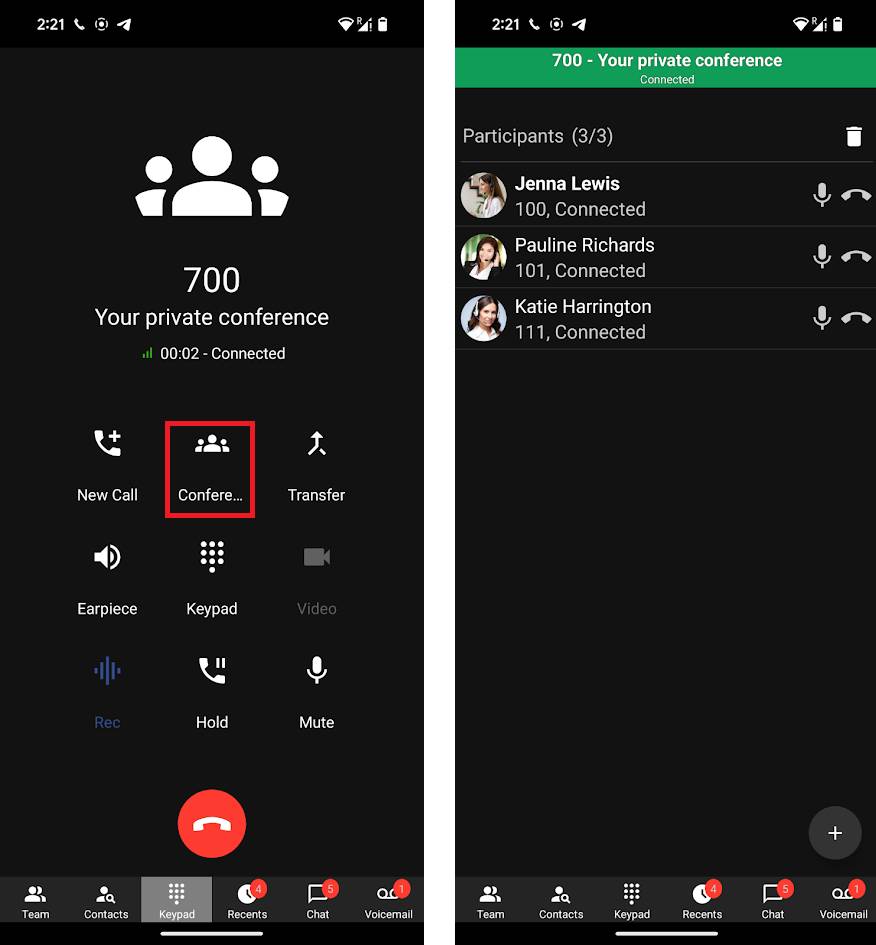
Whilst on a call, simply tap on the ‘Conference’ button, and dial in your second participant. Once they answer, you’re in a three-way conference call.
To add more participants, simply tap on the ‘conference’ button again, ‘+’ at bottom right, and select participants -you will see these sorted by extension, bridged extension and phonebook contacts - click the green arrow to call them in.
You can only have one private conference running at any point.
Get the App
- Download the new 3CX Android app through the Google Play Store.
- Read our Android app user guide for more info on its features and functionality.









 Copyright © 2026