





Use the 3CX MCP Server to turn useful call transcripts into Knowledge Sources for your AI Agent.
Companies already have useful knowledge inside their 3CX call transcripts. The challenge is turning those conversations into information an AI Agent can use.
With the 3CX MCP Server, you can use an AI client such as ChatGPT or Claude to review selected transcripts, extract useful information and save it as a Markdown ( .md) file. Once reviewed, that file can be added as a Knowledge Source for a 3CX AI Agent, helping it answer future calls and chats using information based on real customer conversations.
Read on to see how to extract the right information, turn it into a Knowledge Source and keep it accurate over time.
Start with the 3CX MCP Server
Connect an AI client such as ChatGPT or Claude to your 3CX MCP Server and use it to review selected call transcripts. From there, you can extract the information that matters to your team and organise it into a Markdown file.
See Connect ChatGPT or Claude to the 3CX MCP Server for setup guidance, and 3CX MCP Tools and Permission Levels for details on the available tools and access permissions.
The generated file can include:
- Calls and recordings related to a team, queue or period
- Common customer questions and objections
- Product explanations that help move conversations forward
- Reasons why opportunities are delayed, lost or sent for follow-up
- Customer language and responses worth reviewing
Markdown is the recommended format because it keeps headings and related information clearly structured. Text, PDF and CSV files can also be used where appropriate.
Use a Clear Prompt
Tell the AI tool which calls to review, what to leave out and what to extract. Example prompt:
Turn the Collected Data into a Knowledge Source
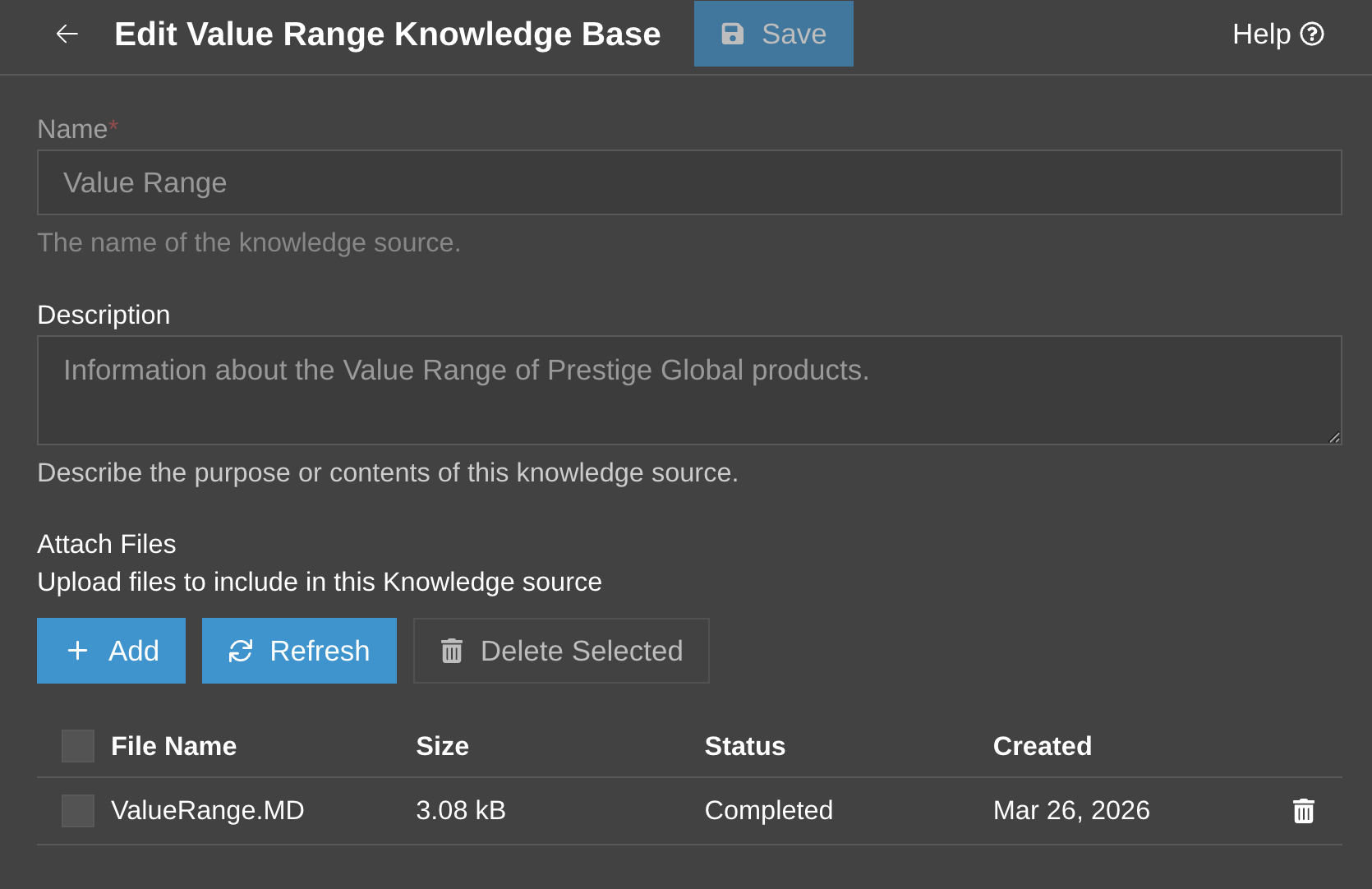
Once the Markdown file has been reviewed, add it as a Knowledge Source for your 3CX AI Agent. The Agent can then use this company information during calls and chats. The Knowledge Sources page also gives authorised users one place to manage and update these files.
Recommendations for your Knowledge Source files:
- Each file should have a single and clear subject. See Structuring your 3CX AI Agent's Knowledge Sources for guidance on organising larger Knowledge Sources.
- Use smaller, clearly named files instead of one large collection of transcripts. Clear headings also make the content easier to review and maintain.
- If other team members need to manage the files, see Grant Managers Access to AI Knowledge Sources.
- For help setting up a 3CX AI Agent to use your knowledge sources, see 3CX AI Agents Configuration.
For example, a Sales team could create separate Knowledge Source files for:
- Sales objections and useful replies
- Questions that help qualify a customer
- Product and competitor notes
- Reasons recent deals were won or lost
Review and Keep the Knowledge Source Useful
Test the AI Agent with real questions based on the information in the Knowledge Source. Its answers should match the reviewed files and stay within what the Agent is expected to handle. For example, a Sales AI Agent could be asked about common objections, product explanations, qualification questions or points that need human follow-up.
If an answer is wrong, unclear or missing, update the Knowledge Source rather than relying on the raw transcript as final guidance.
Keep the source focused and easy to maintain. Start with one team and a selected set of useful calls rather than trying to include every transcript. Before adding or updating a file:
- Check facts against current product and support information
- Remove personal information such as names, email addresses, phone numbers and IP addresses
- Remove internal-only information such as temporary prices and internal comments
- Keep each file focused on one subject with clear headings
- Test the AI Agent again after each update
Review recent calls periodically and add useful new questions, answers and examples as they appear.
Join the Discussion
Join the 3CX discussion in our dedicated Partner or Customer Forums. Follow us on X and LinkedIn to stay-up-to date on latest news and feature releases.









 Copyright © 2026