


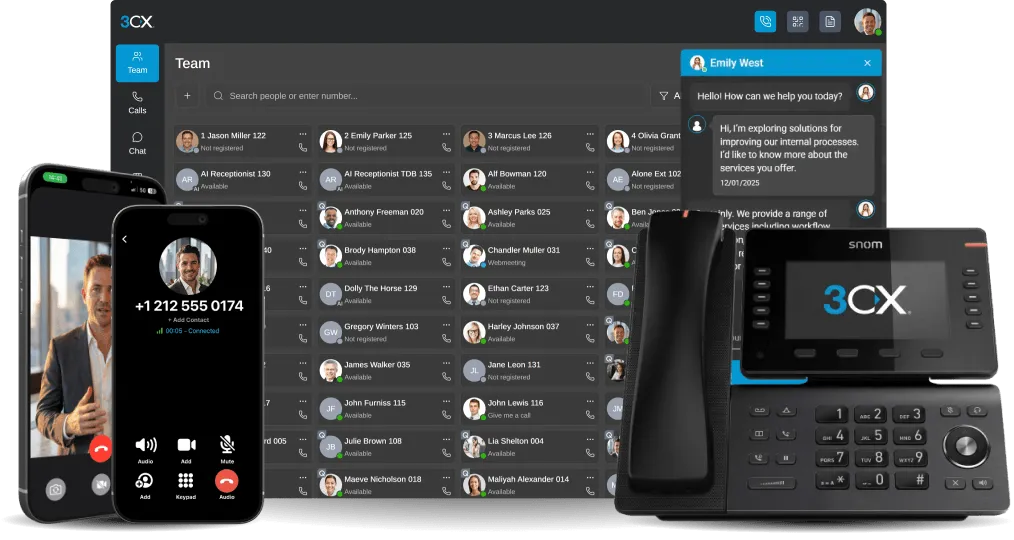


Answer common support questions automatically, reduce support costs and route complex requests to your specialist team.
Handling repetitive support calls takes up staff time and increases the cost of customer service. When employees spend their day answering the same questions or explaining basic troubleshooting steps, they have less time for customers who need more specialised help.
With 3CX V20 Update 10, the Customer Service AI Agent can answer routine questions using your own documentation, guide callers through basic troubleshooting and transfer more complex requests to your team. This can reduce time spent on repetitive calls and help businesses manage support costs without compromising access to human assistance.
Read on to see three ways the 3CX Customer Service AI Agent can help your support team work more efficiently.
Reduce Repetitive Support Calls
Many customer enquiries involve information already available in your company's FAQs, product guides or support documentation. Yet employees still spend time explaining the same instructions to individual callers.
The 3CX Customer Service AI Agent uses your approved Knowledge Sources to answer these questions directly. It can explain procedures, provide product information and guide callers through basic troubleshooting.
Imagine a technology company regularly receiving calls from customers asking how to reset their devices. Instead of transferring every caller to a support employee, the AI Agent can use the company's reset guide to walk callers through the process.
This reduces the number of routine enquiries requiring human attention, saving staff time and potentially lowering support handling costs.
By automating repetitive questions, businesses can use their existing support resources more effectively.
Route Complex Issues to Specialist Teams
Not every customer issue can or should be resolved by AI. Billing disputes, technical faults and requests requiring investigation still need a person with the right knowledge.
With 3CX, Admins can configure two important routing options:
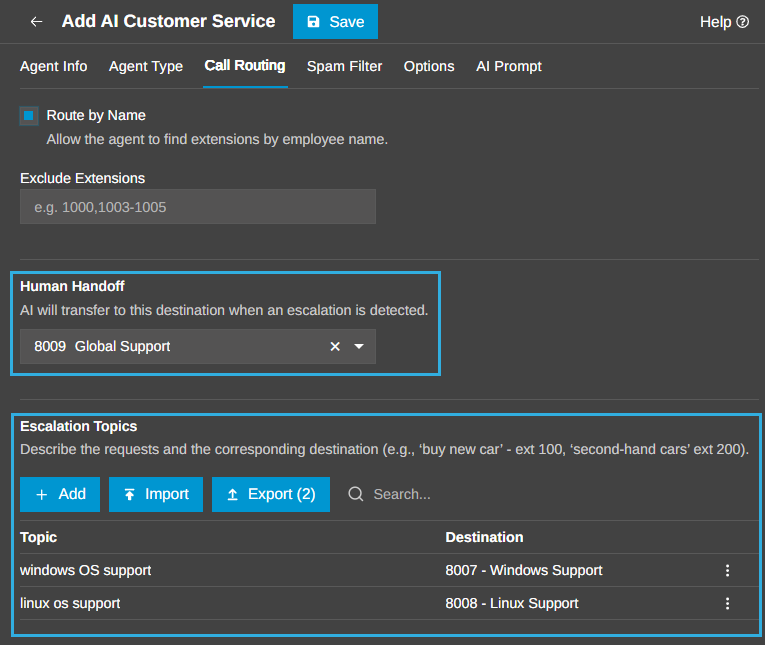
- Human Handoff: Transfers unresolved requests or callers asking for a person to a designated destination, such as a support queue.
- Escalation Topics: Directs specific requests to specialist employees, queues or another Customer Service AI Agent.
For example, a customer calling about a device reset can receive instructions from the AI Agent. But if the customer reports a more complex technical problem, the call can be transferred to the appropriate support team.
The same applies to billing enquiries. Rather than sending every request to general support, the AI Agent can identify the topic and route the caller to the relevant department.
This helps reduce unnecessary transfers and allows specialist employees to spend more time resolving issues that require their expertise.
The result is a more efficient support process, with AI handling routine enquiries and employees focusing on cases that need human attention.
Start Small and Expand as Needed
A focused AI Agent is easier to manage, test and improve before a wider rollout. Rather than expecting one AI Agent to handle every possible customer request, start with a specific support task and relevant documentation.
A business could begin with an AI Agent dedicated to product troubleshooting. Give it access to approved product guides, configure a support queue for Human Handoff and define where specialist requests should go.
Before making the Agent available to customers, test common scenarios:
- Routine questions: Can the Agent find the correct answer in your documentation?
- Complex requests: Does it transfer callers to the correct team?
- Requests for a person: Can callers reach human support when needed?
- AI unavailable: Are calls routed to the configured backup destination if the AI service cannot respond?
The AI unavailable destination is separate from Human Handoff and should be tested independently.
Once the Agent performs as expected, you can expand its responsibilities or introduce additional agents for other support areas, such as billing or general enquiries.
Focused AI Agents can also support after-hours enquiries or busy queues, giving callers access to routine information when employees are unavailable.
Starting with a limited scope helps businesses improve the caller experience while reducing unnecessary work for support teams.
Get Started with 3CX Customer Service AI Agent
The Customer Service AI Agent is available with 3CX AI Edition on V20 Update 10 or later and requires a supported Realtime API provider.
To get started, prepare your Knowledge Sources, create a Customer Service Agent in the 3CX Admin Console and configure the appropriate handoff destinations. For complete setup instructions, see our AI Customer Service Agent configuration guide.
With 3CX, businesses can reduce repetitive support work, lower potential handling costs and keep specialist staff focused on customers who need them most. Start with routine enquiries, test your workflows and expand as your requirements grow.
Join the Discussion
Join the 3CX discussion in our dedicated Partner or Customer Forums. Follow us on X and LinkedIn to stay up to date on the latest news and feature releases.









 Copyright © 2026