Ruth Elizabeth Abbott

About Ruth Elizabeth Abbott - Page 97

Operations Director, 3CX

Ruth brings more than 20 years of experience in business operations. At 3CX she’s part of the Management team, leading the Recruitment, Operations, HR & Marketing departments. She has a background in Law. Ruth is passionate about helping drive 3CX to the next level.

Phoenix ME Brings its Communications Up-to-Date with 3CX Phone System

LONDON, UK 12 MARCH, 2015 – 3CX, developer of the next generation software PBX 3CX Phone System announces that Phoenix ME, a London based company which specializes in mechanical and electrical installations, has brought their communications up-to-date with the cutting edge technology of 3CX Phone System. Old & Costly PBX in Need of Replacement Phoenix ME found that their pr [...]
By |March 12th, 2015|Comments Off on Phoenix ME Brings its Communications Up-to-Date with 3CX Phone System

How to Make Calls Using Polycom Soundpoint IP 335

In this example we will demonstrate how to make calls using a Polycom Soundpoint IP 335. Making a Call Dial the number you wish to call using the keypad and press "Dial". The phone will dial the number and your call will be connected. [...]

By |March 11th, 2015|Comments Off on How to Make Calls Using Polycom Soundpoint IP 335

Salespeople Not Meeting Your Expectations? They Might Not Have the Right Tools

If you feel as though your sales team is falling short of greatness lately, some of the responsibility can likely be attributed to the limitations of your outdated phone system. Sales agents are, perhaps, the most mobile professionals of the business world. As such, for your sales team to reach its highest potential, your salespeople will need high-performing communications too [...]

By |March 11th, 2015|Comments Off on Salespeople Not Meeting Your Expectations? They Might Not Have the Right Tools

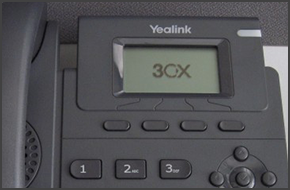
How to Make Calls Using Yealink T19P

In this example we will demonstrate how to make calls using a Yealink T19P. Making a Call Dial the number you wish to call using the keypad and press the "Send" or "Ok" soft key. The phone will dial the number and your call will be connected. [...]

By |March 11th, 2015|Comments Off on How to Make Calls Using Yealink T19P

KOMSA appointed as a New 3CX Distributor for Germany

3CX Expands its Presence in the German Market with New Distributor KOMSA MUNICH & HARTMANNSDORF, GERMANY, 10 MARCH 2015 - 3CX, developer of next generation software-based PBX 3CX Phone System for Windows, today announces the appointment of German-based company KOMSA to its growing list of German distributors. 3CX continues to expand in Germany, one of the largest VoIP marke [...]

By |March 10th, 2015|Comments Off on KOMSA appointed as a New 3CX Distributor for Germany

How to Make a Conference Call Using Polycom Soundpoint IP 650

In this example we will demonstrate how to make a conference call using a Polycom Soundpoint IP 650.         Conference Call Make or Answer a call. Press the "Confrnc" soft key. The first caller will be put on hold. Dial the number of the caller you wish to add to the conference call and press the "Confrnc" soft key. The caller will be added to the conferenc [...]

By |March 9th, 2015|Comments Off on How to Make a Conference Call Using Polycom Soundpoint IP 650

Announcing New Improved 3CX Pricing

3CX maintains a global pricing policy so as to ensure that pricing is fair for all our customers - worldwide. Due to the recent devaluation of the euro against the dollar we have had to alter our pricing. Furthermore, we have adjusted prices for the smaller editions downwards and increased maintenance pricing a little as it now includes 10 free 3CX WebMeeting participants. The [...]

By |March 9th, 2015|Comments Off on Announcing New Improved 3CX Pricing

How to Make Calls Using Polycom Soundpoint IP 650

In this example we will demonstrate how to make calls using a Polycom Soundpoint IP 650. Making a Call Dial the number you wish to call using the keypad and press "Dial". The phone will dial the number and your call will be connected. [...]

By |March 9th, 2015|Comments Off on How to Make Calls Using Polycom Soundpoint IP 650