


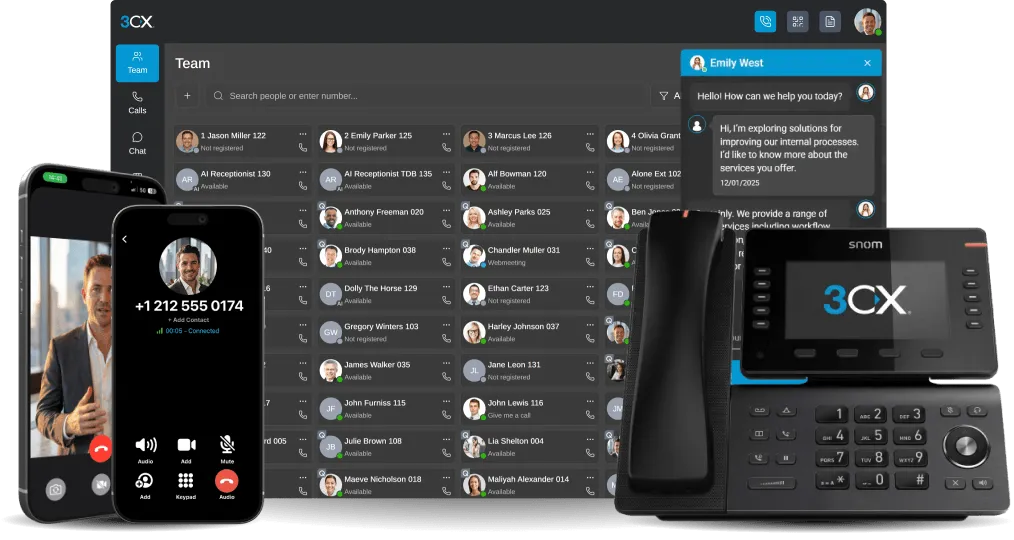


As you might have heard already, we have just released a new 3CX app for Android Version 16 BETA, and are working round the clock to add the last remaining features…yes, including video calls!!! Those of you that have not tried the app yet can opt in to become a beta tester. And, do not forget to rate the app and give us your feedback! Comments and ratings from the Google Play [...]

LONDON, UK & NICOSIA, CYPRUS, 21st JUNE 2019 - 3CX, developer of the innovative business communications software, and Cypriot telecommunications provider Cyta, have joined together in a partnership which sees Cyta as a preferred SIP trunk provider for 3CX customers in Cyprus. The collaboration of the two companies concerns the connection of the 3CX software solution with Cy [...]

3CX is built with ease of use in mind. Easy for resellers, easy for administrators, and easy for end-users. But no matter how intuitive and user-friendly a system or application is, a little guidance to get started could never hurt! So we put together a quick reference guide for end-users to get to grips with the basics of the 3CX apps and web client. The 3CX cheat sheet goes t [...]

Have you upgraded to v16? And do you have an Office 365 account? Well then, read on to try out the updated Office 365 integration module and test-drive syncing users, personal contacts and 3CX extension statuses based on calendar entries: Office 365 users to 3CX extensions. Keep it simple, keep it tidy: No need to separately manage two systems and create Office 365 users as ext [...]

Added Integration for Microsoft SQL Server, PostgreSQL, MySQL and MongoDB 3CX v16 is really elevating server-side integration with CRM (Customer Relationship Management) systems to maximize your flexibility and potential. Keeping up with our open standards and barrier-breaking tradition, we are also adding integration with the popular Microsoft SQL Server, PostgreSQL, MySQL and [...]

The Interesting Case of the Tiny PBX Developing a world-class PBX system has its own challenges, especially when targeting bigger and ever-growing installations. But the real power and efficiency of a PBX becomes apparent when given minimal generic hardware resources to run. So, when designing v16 we decided to test how lean we could make the new 3CX version... by deploying on [...]

We would like to introduce FL1 Telecom as an officially supported SIP trunk provider for 3CX! FL1 is the national carrier of Liechtenstein and the first in the country that we have partnered with. The provider offers its reliable and cost-effective solutions to customers throughout Liechtenstein and also caters to the Swiss market as well. FL1's services include internet, commu [...]
One of the most prominent 3CX v16 features is its enhanced integration with Office 365, making a powerful combination even better. The updated v16 integration module enables easy configuration for: Office 365 users one-way syncing to 3CX extensions, Personal contacts syncing from Office 365 to 3CX phonebooks, and Setting 3CX users’ status based on their Office 365 calendar. Syn [...]

3CX’s PBX Express tool can restore backups of existing installations. This enables customers to: Move from an on-premise installation to the cloud Change cloud provider Use it as a disaster recovery method. The only requirement is a backup of the current installation, with the options “Include License Key Information & FQDN” checked. Pre-Flight Checklist Before moving do be [...]

You've downloaded the 3CX app for iOS or Android, or maybe you're using the web app, and now you're wondering "where do I start?". We get it! Changing the applications that you work with on a daily basis is scary. But 3CX is about to make your communications more pleasant and easier than ever before, we promise! To make the transition even easier, we've condensed our user manua [...]

 Copyright © 2026