





You can manage your voicemail using any Desk Phone, make or model, configured on your extension, by dialing “999” (3CX Phone System default). A voice menu system will ask you to enter your Personal Identification Number (PIN) followed by "#". The initial options you are presented with, are the following: Dial * to play your messages. Dial “9” to go to options. Dial pound “#” to [...]
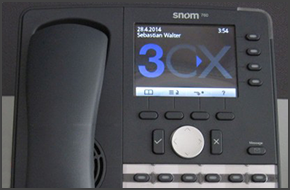
In this example we will demonstrate how to perform a blind and attended (consultative) transfer using a Snom 760. This procedure applies to Snom 760, 720, 715 and 710. Note: A Blind Transfer is a transfer to another extension without actually initiating a call to the end destination. The call is blindly transferred to the destination. By comparison, an attended transfer is a tr [...]

In this example we will demonstrate how to perform a blind and attended (consultative) transfer using an Aastra 57i IP Phone.

Even though VoIP technology has been around for a while, businesses are now keener to switch their outdated and cumbersome phone systems for robust, UC featured PBX's like 3CX Phone System. An IBISWorld reports that the growth of industry VoIP users is going to increase by 15.3% yearly up until the year 2017 in the US alone. Why the sudden surge of VoIP? Before we can look at t [...]
This guide provides instructions on how to factory reset all the phones supported by 3CX Phone System. Factory reset will take the phone to the original device settings. This is useful when you cannot get the phone to work and would like to start with a fresh configuration. Most of the phone guides on our blog assume that the phone has been factory reset. Search for the model o [...]
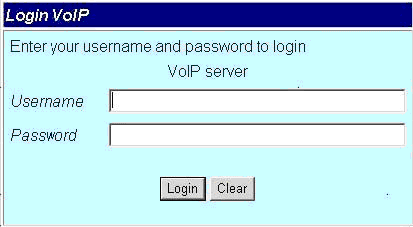
Important Notice: This article is not currently maintained and is here for archival/informational purposes. This device is no longer supported. Portech MV374 has been tested for Voice using firmware version “Mobile VoIP4 s10.115”. This guide and template may not work for earlier or later versions of the firmware! Configuration is a 2 step process. First you need to configure 3C [...]

How robust will 3CX Phone System prove to be when handling a Denial of Service (DoS) attack or an Intrusion Attempt? If you have asked yourself this question before, then it means that you are thinking in the right way - trying to foresee the potential problems, and evaluate the solidity of your solution. One of 3CX's foremost resellers in the USA has, however, saved you the ne [...]
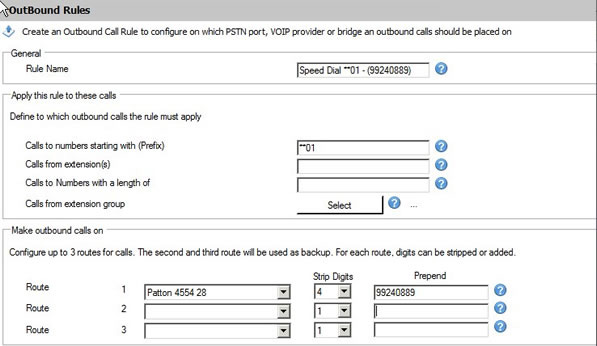
This step by step guide describes how to set up a speed dial, system based, using the "Outbound Rules" of 3CX Phone System. Open the 3CX Management Console and navigate to Outbound Rules. Click on “Add Outbound Rule”. Set the Outbound Rule as follows: Rule Name: "Speed Dial **01 – (Number)" Calls to numbers starting with (Prefix): "**01" Calls from Extensions: (use this only i [...]

IMPORTANT: This guide is NOT a supported device. This guide is intended as a guideline only, and will NOT be updated. This test was performed using Firmware Version 01.00.04f04 and Bootware Version 00.91. These steps may not work for earlier or later versions of the firmware. Configuration is a 2 step process. First you need to configure 3CX Phone System for use with the GSM [...]

This guide describes how to configure an AlphaTech Door Phone (also known as Moshi Door Phones in the UK) with 3CX: Ensure you have created an extension in the 3CX Management Console which will be used for the door phone. It is recommended that for security purposes, you should disable outbound (external) calls for this extension. Open the IPDP door phone and view the back as p [...]

 Copyright © 2026