





In this example we will demonstrate how to perform a blind and attended (consultative) transfer using a Polycom Soundpoint IP 335. Note: A Blind Transfer is a transfer to another extension without actually initiating a call to the end destination. The call is blindly transferred to the destination. By comparison, an attended transfer is a transfer where before actually transfer [...]
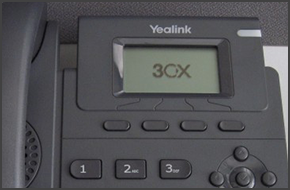
In this example we will demonstrate how to perform a blind and attended (consultative) transfer using a Yealink T42. This procedure applies to Yealink T19P. Note: A Blind Transfer is a transfer to another extension without actually initiating a call to the end destination. The call is blindly transferred to the destination. By comparison, an attended transfer is a transfer wher [...]
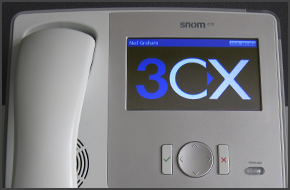
In this example we will demonstrate how to perform a blind and attended (consultative) transfer using a snom 870. Note: A Blind Transfer is a transfer to another extension without actually initiating a call to the end destination. The call is blindly transferred to the destination. By comparison, an attended transfer is a transfer where before actually transferring to the desti [...]
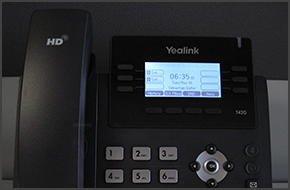
In this example we will demonstrate how to perform a blind and attended (consultative) transfer using a Yealink T42. This procedure applies to Yealink T42 and T41. Note: A Blind Transfer is a transfer to another extension without actually initiating a call to the end destination. The call is blindly transferred to the destination. By comparison, an attended transfer is a transf [...]
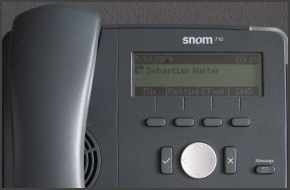
In this example we will demonstrate how to perform a blind and attended (consultative) transfer using a Snom 710. This procedure applies to Snom 715 and 710. Note: A Blind Transfer is a transfer to another extension without actually initiating a call to the end destination. The call is blindly transferred to the destination. By comparison, an attended transfer is a transfer whe [...]
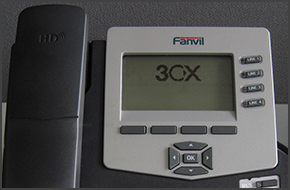
In this example we will demonstrate how to perform a blind and attended (consultative) transfer using a Fanvil C62. This procedure applies to Fanvil C62 and C58. Fanvil phones support CTI Mode. Note: A Blind Transfer is a transfer to another extension without actually initiating a call to the end destination. The call is blindly transferred to the destination. By comparison, an [...]
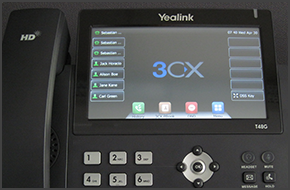
In this example we will demonstrate how to perform a blind and attended (consultative) transfer using a Yealink T48. The procedure stands for Yealink T46. Note: A Blind Transfer is a transfer to another extension without actually initiating a call to the end destination. The call is blindly transferred to the destination. By comparison, an attended transfer is a transfer where [...]
In this example we will demonstrate how to check your voicemail using Yealink T19P. Checking your Voicemail To check your voicemail, press the "Message" button and follow the voice prompts. [...]
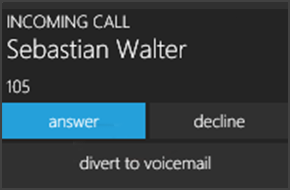
The Call Alert Popup notifies you of an incoming call without stealing focus and allows you to see who is calling. From the popup you can answer, decline or divert the call to voicemail. Using the Call Alert Popup To use the Call Alert Popup follow these steps: Minimize the 3CXPhone for Windows client to the notification area of the taskbar by clicking "X" on the upper right co [...]

Conference calls allow you to easily setup a call between multiple users – up to 32 callers (licence permitting). Although many conference call services exist, it’s often easier and cheaper to host your own audio conferences. You can set-up Ad-hoc conference calls, without the need to reserve a conference room. This has been done to simplify the set-up of conference calls. If y [...]

 Copyright © 2026