





This guide is outdated. In this post we describe the configuration of a Kerio Control appliance for use with 3CX Phone System. This configuration is based on version 8.3.0 build 1988. Status In general Kerio Control is known to work correctly and can be used as a gateway in front of a 3CX Phone System to connect VoIP Providers, Direct Remote Extensions (STUN) and 3CX Tunnel con [...]

The Internet is full of information about IP-PBX, or VoIP, phone systems. But, although some of this material can be quite useful, much of it is inaccurate or incomplete. As a business considering making the switch to an IP-PBX system, you need to get your hands on salient, and accurate, information before you decide to overhaul your communications infrastructure. Fortunately, [...]
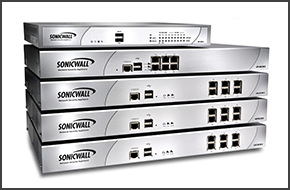
Following our previous post regarding Sonicwall's NAT limitation, 3CX is pleased to announce that a SonicOS update was released which enables clients and partners to use these devices in front of the 3CX Phone System as NAT device. With this change, VoIP Providers and direct remote extensions (STUN) can be connected to the 3CX Phone System and are covered by the 3CX Support tea [...]

Introduction In many cases an analog door module, an old analog phone, or a bell must be registered to the 3CX Phone System as an internal extension. This guide will guide you through the process of registering an FXS port on your Beronet Gateway, as an extension in the 3CX Phone System. Note: Following this guide you can connect a FAX to the FXS port. You will however need to [...]
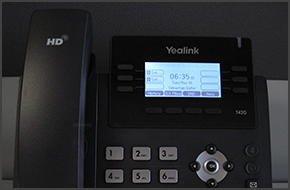
In this example we will demonstrate how to make calls using a Yealink T42 and T41. Making a Call Dial the number you wish to call using the keypad and press the “Send” soft key. The phone will dial the number and your call will be connected. [...]

In this example we will demonstrate how to make a conference call using a Polycom Soundpoint IP 335. Conference Call Make or Answer a call. Press the "Conf" soft key. The first caller will be put on hold. Dial the number of the caller you wish to add to the conference call and press the "Dial" button. Once the caller answers, press the "Conf" soft ke [...]
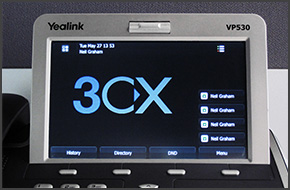
In this example we will demonstrate how to check your voicemail using a Yealink VP530. Checking Your Voicemail To check your voicemail, press "Connect" on the touch screen and follow the voice prompts. [...]
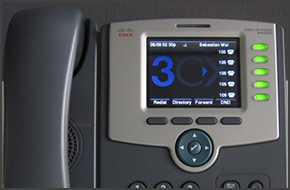
In this example we will demonstrate how to check your voicemail using Cisco SPA525G. The procedure stands for all Cisco SPA500 Series Phones. Checking Your Voicemail To check your voicemail, press the "Message" button and follow the voice prompts. [...]

In this example we will demonstrate how to make a conference call using Cisco 7961. This procedure stands for Cisco 7940/7941/7960/7961. Conference Call Make or Answer a call. Press the "More" soft key followed by the "Confrn" soft key. Dial the number of the caller you wish to add to the conference call and press "Dial". When the caller answers, press "Co [...]
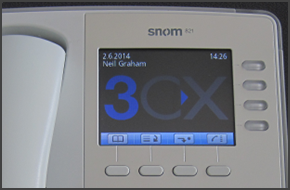
In this example we will demonstrate how to make calls using Snom 820/821. Making a Call Dial the number you wish to call using the keypad and press “OK” (check mark). The phone will dial the number and your call will be connected. [...]

 Copyright © 2026