





3CX Phone System offers the ability to park a call and for that call to be picked up from another extension. To park a call: BLIND Transfer Button followed by *00 to 09 to specify the parking orbit. For example *01 will place the call in the parking orbit 1. *02 will place the call in the parking orbit 2. To pick up a parked call: *10 to 19 where the 0 – 9 is the park orbit num [...]
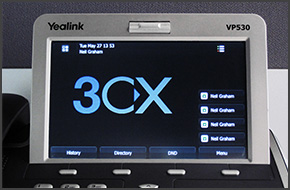
In this example we will demonstrate how to make calls using a Yealink VP530. Making a Call Dial the number you wish to call using the keypad and press "Send" on the touch screen. The phone will dial the number and your call will be connected. [...]
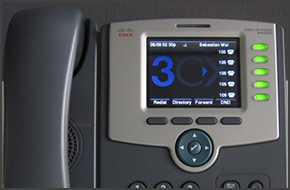
In this example we will demonstrate how to make calls using a Cisco SPA525G. This procedure stands for all Cisco SPA500 Series Phones. Making a Call Dial the number you wish to call using the keypad and press the “Dial” soft key. The phone will dial the number and your call will be connected. [...]
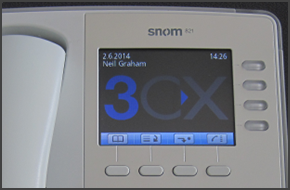
In this example we will demonstrate how to check your voicemail using a snom 820/821. Checking Your Voicemail To check your voicemail, press the "Message" button and follow the voice prompts. You might need to enter your voicemail PIN number followed by "#" to listen to your message. For additional information on managing your voicemail from your IP Phone, such as the numbers y [...]
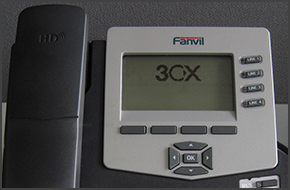
In this example we will demonstrate how to check your voicemail using Fanvil C62 and C58. Fanvil phones support CTI Mode. Checking Your Voicemail When your extension receives a voicemail, the "Message" button on your phone will light up. To listen to your voicemail, press the "Message" button then the "Dial" button and follow the voice prompts. You might need to enter your voic [...]
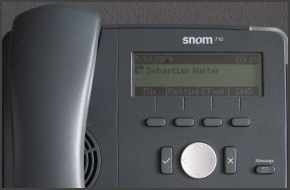
In this example we will demonstrate how to make a conference call using Snom 715/710. Conference Call Make or Answer a call. Press the "Line 2" button to make another call. The caller in Line 1 will be put on hold. Dial a number and press "OK" (check mark). Press the "Cnf.On" soft key to merge the calls from Line 1 and Line 2. To end the conference call, while "Conference" is s [...]
In this example we will demonstrate how to make a conference call using Yealink VP530. Conference Call Make or Answer a call. Press the "Conference" button on the touchscreen. Dial the number of the caller you wish to add to the conference call and press "Send" on the touchscreen. When the called party answers, press "Conference" on the touchscreen. The call will be added to th [...]

In this example we will demonstrate how to perform a blind and attended (consultative) transfer using a Cisco 7961. This procedure also applies for Cisco 7940/7941/7960. Note: A Blind Transfer is a transfer to another extension without actually initiating a call to the end destination. The call is blindly transferred to the destination. By comparison, an attended transfer is a [...]

Is your company still relying on a legacy PSTN? Are your phone bills saddled by excessive fees for long-distance and international calling? Well, based on the numbers, there’s a good chance neighboring businesses have made the switch to an IP-PBX service and they are reaping the benefits. The VoIP industry is on the rise, with the market expected to pull in $88 billion by 2018 [...]
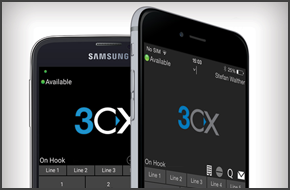
By deploying software telephones (softphones), your employees can make and receive VoIP calls from their smartphones or laptops over your local network, Wi-Fi or cellular data network, such as 3G and 4G. The ability to take your phone extension with you anywhere will enable your employees to improve their productivity and provide better service to your customers. No longer will [...]

 Copyright © 2026