




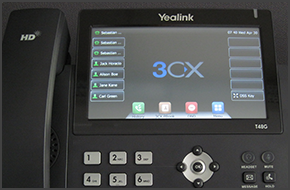
In this example we will demonstrate how to make a conference call using Yealink T48/T46. Conference Call Make or Answer a call. Press the "Conference" button on the touchscreen. Dial the number of the caller you wish to add to the conference call and press "Send" on the touchscreen. When the called party answers, press "Conference" on the touchscreen. The call will be added to [...]
In this example we will demonstrate how to make calls using a Yealink T48/T46. Making a Call Dial the number you wish to call using the keypad and press "Send". The phone will dial the number and your call will be connected. [...]

In this example we will demonstrate how to make a conference call using Fanvil C62 and C58. Fanvil phones support CTI Mode. Conference Call Make or Answer a call. Press the "Conf" soft key. The first caller will be put on hold. Dial the number of the caller you wish to add to the conference call and press "Dial". When the caller answers press the "Conf" soft key to add them to [...]
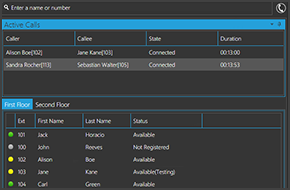
The 3CXPhone Expanded Presence screen provides you with extended information on the presence and status of your colleagues. Know if a colleague is available to talk, or away from their desk. You can also view and manage active calls, and monitor call queues. This feature is only available for 3CXPhone for Windows. View active calls View and manage active calls through an intui [...]

With the increase of mobile devices running 3CXPhone on iOS, Android or Windows PCs the importance of a fast and reliable wireless infrastructure becomes more and more a key point within networks. Even more the handover from one access point to the next while beeing in a call (also known as roaming) brings more challenges as the ARP cache of switches needs to learn as fast as p [...]
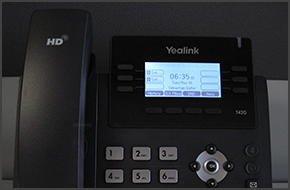
In this example we will demonstrate how to check your voicemail using Yealink T42/T41. Checking Your Voicemail To check your voicemail, press the "Message" button and follow the voice prompts. [...]
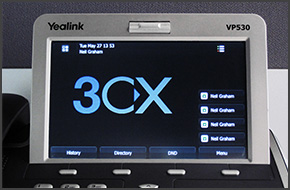
In this example we will demonstrate how to perform a blind and attended (consultative) transfer using a Yealink VP530. Note: A Blind Transfer is a transfer to another extension without actually initiating a call to the end destination. The call is blindly transferred to the destination. By comparison, an attended transfer is a transfer where before actually transferring to the [...]
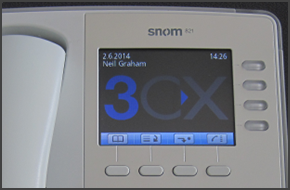
In this example we will demonstrate how to perform a blind and attended (consultative) transfer using a snom 820/821. Note: A Blind Transfer is a transfer to another extension without actually initiating a call to the end destination. The call is blindly transferred to the destination. By comparison, an attended transfer is a transfer where before actually transferring to the d [...]
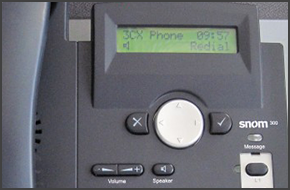
In this example we will demonstrate how to perform a blind and attended (consultative) transfer using a snom 300. Note: A Blind Transfer is a transfer to another extension without actually initiating a call to the end destination. The call is blindly transferred to the destination. By comparison, an attended transfer is a transfer where before actually transferring to the desti [...]

WebRTC is a technology supported by the World Wide Web Consortium (W3C) that allows open standard browsers to communicate with each other and exchange audio, video and even files using a simple Javascript based API. WebRTC effectively gives users the ability to make audio or video calls with each other without requiring a plugin or any additional software to be installed. The W [...]

 Copyright © 2026