





iOS BETA brings improved Apple CarPlay Support to call, chat & more from your dashboard.
A new iOS BETA is available for download and this is one you definitely don’t want to miss! We’ve completely reworked the Apple CarPlay Support and now not only can you answer calls, you can initiate calls and chats with Siri, access teams and have the 3CX logo beautifully displayed on your dashboard!
Watch it in action:
Master the powers of Siri and initiate a call or chat using voice commands. For example:
- “Hey Siri, call Kate Harrington using 3CX.” - This will initiate a call via Apple CarPlay.
- “Hey Siri, call 79804848 using 3CX” - This will also initiate a call.
- “Hey Siri, send a chat to Kate Harrington using 3CX.” - Siri will ask you for the contents of the chat and will then send the chat for you - no more texting and driving!
Send & Reply to 3CX Chats
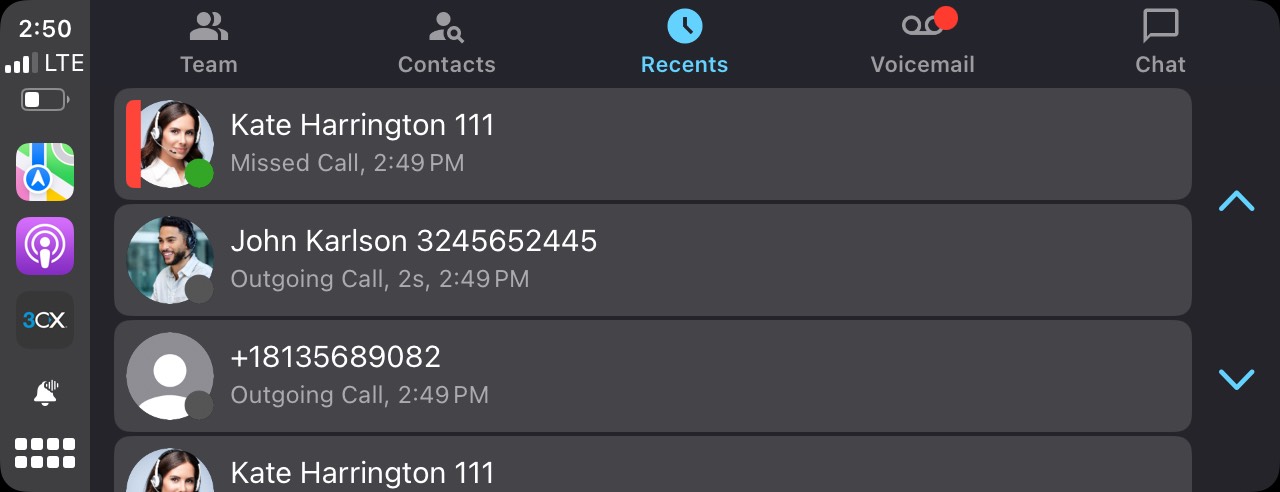
This BETA also notifies you of incoming chats. Siri will read out the chat to you and ask if you would like to reply. Chat handling is done via voice.
View your Teams and Contacts
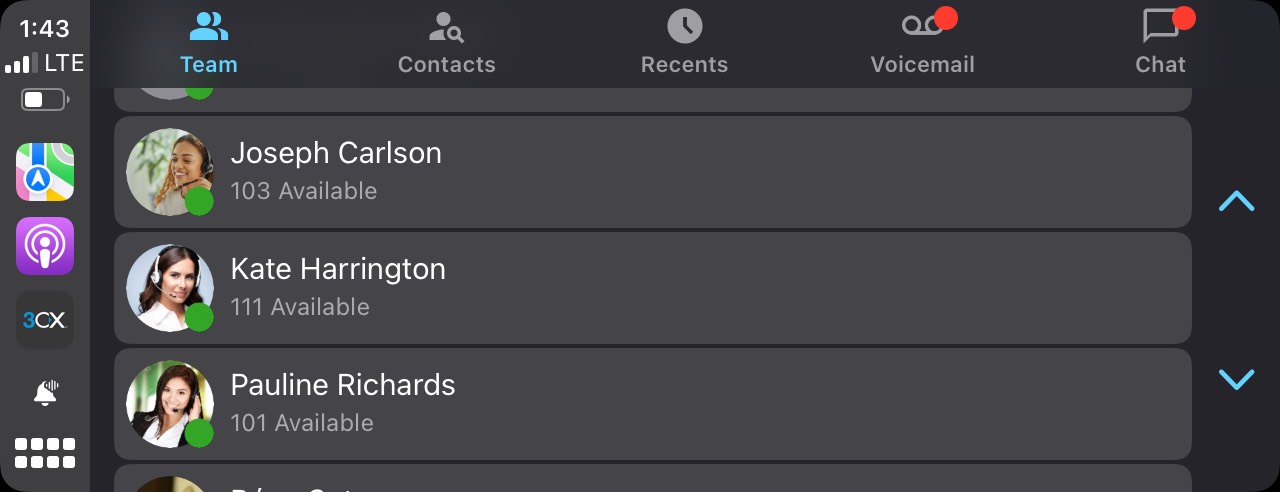
The new Apple CarPlay Support allows you to access your colleagues’ extensions and phone book contacts. From here you can choose to call or chat with a contact.
Listen to your Voicemail
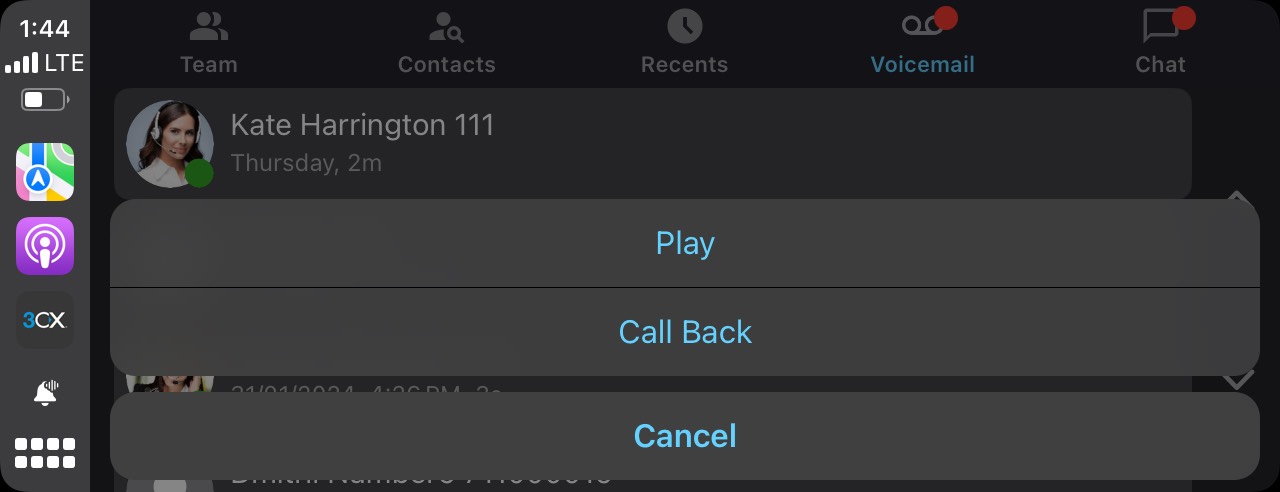
Access your voicemail messages from your car’s dashboard and listen to the message and/or call them back.
Call History
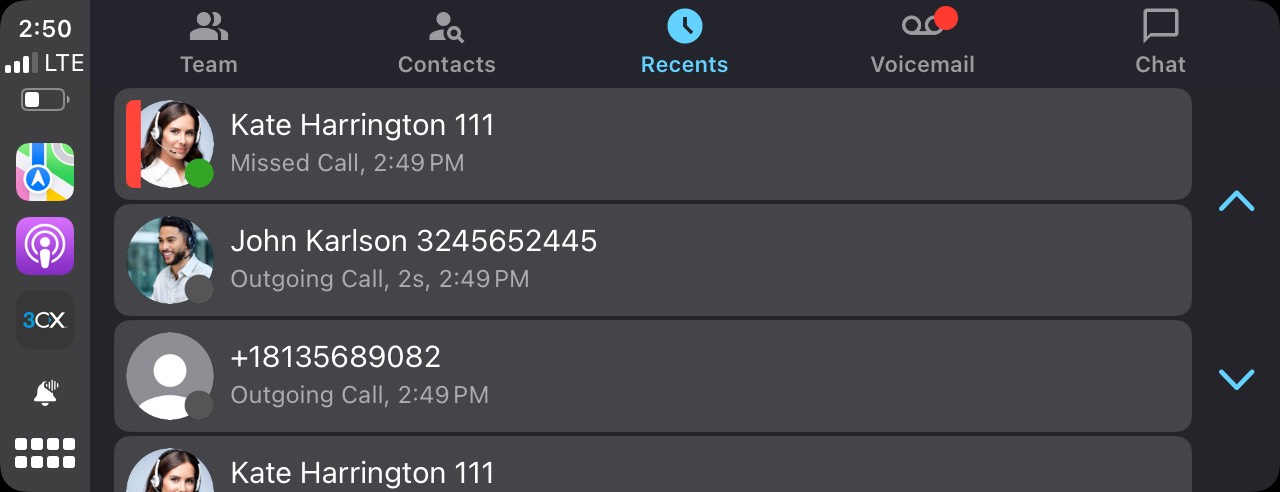
All call types are presented under the Recents tab for easy access and call back.
CarPlay Settings
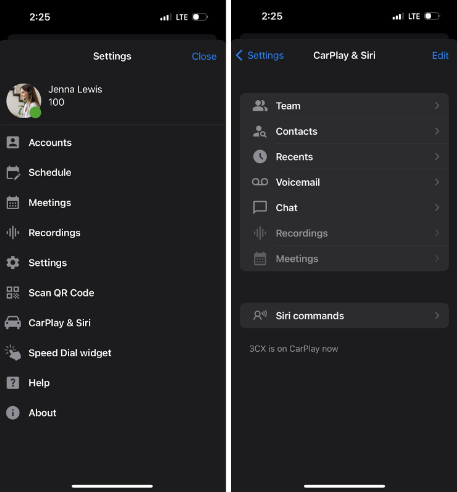
In the drawer menu of your iOS device (top left corner) you will see the new “CarPlay & Siri” option.
From here you can customize the views and behaviors of each tab. For example, in Teams you can decide to only show your Favorite extensions. You can also customize the ‘On Tap’ (default) behavior of CarPlay - whether to show menus or make a call.
You also have access to a list of Siri commands, with examples and explanations.
Add a Contact to CRM/M365
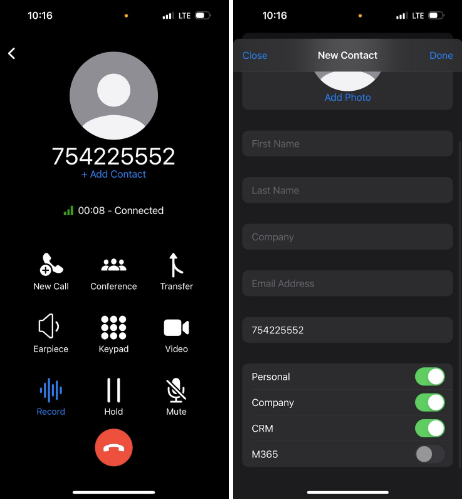
Apart from Apple CarPlay Support, this latest release includes the ability to add a new contact to your Personal, Company, CRM and M365 phonebooks. This is done directly from the Dialer via the Add Contact label.
You can also access this option from the Contacts screen.
Try the New Apple CarPlay with iOS Beta
Try out this BETA and any future BETAs by joining our iOS TestFlight program.
Our TestFlight program enables you to provide feedback directly to our development team from within the app.
View the Change Log.









 Copyright © 2026