





Ad-hoc conferences & connection monitoring tool in new iOS Beta.
With the latest iOS Beta app you can initiate a conference, from your car, with two or more people by simply saying “Hey Siri, call Katie and Iris using 3CX''. If more than 2 participants are to be called, ensure you say the word “and” before each person’s name.
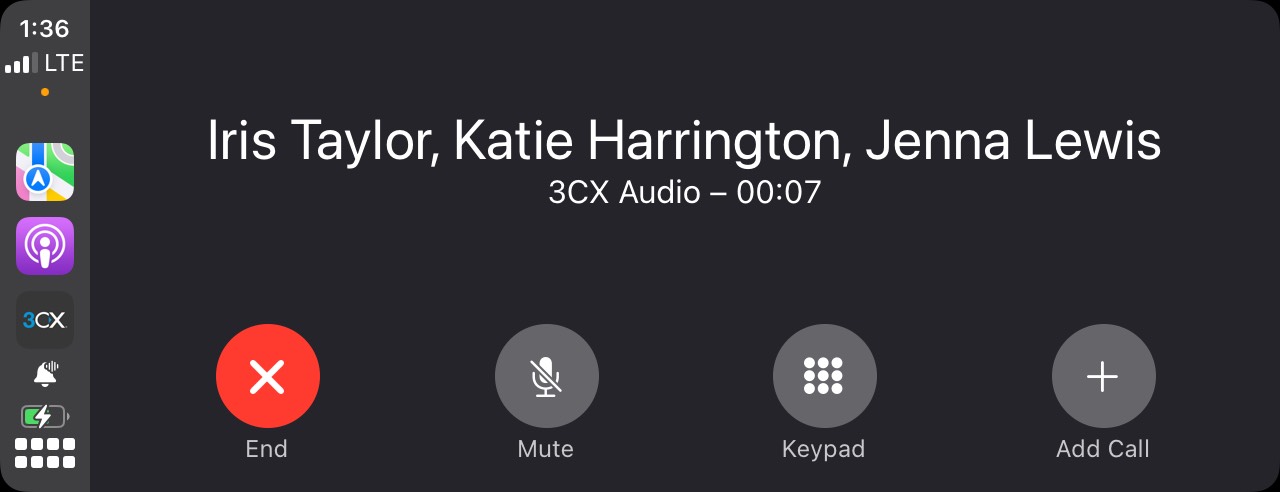
Note: If multiple contacts in your phonebook have the same name or a contact has multiple numbers, they will be listed on your car’s display. Tap the correct one to begin the call.
Starting an Ad-hoc Conference
Prerequisites:
- A vehicle that supports CarPlay
- iPhone running iOS 16 and above
- The 3CX app for iOS
Steps:
- Launch the 3CX app on CarPlay
- Say ‘Hey Siri, call Iris Taylor and Katie Harrington and Jenna Lewis using 3CX’
- You and your participants will receive a conference call
Connection Quality Monitoring Tool
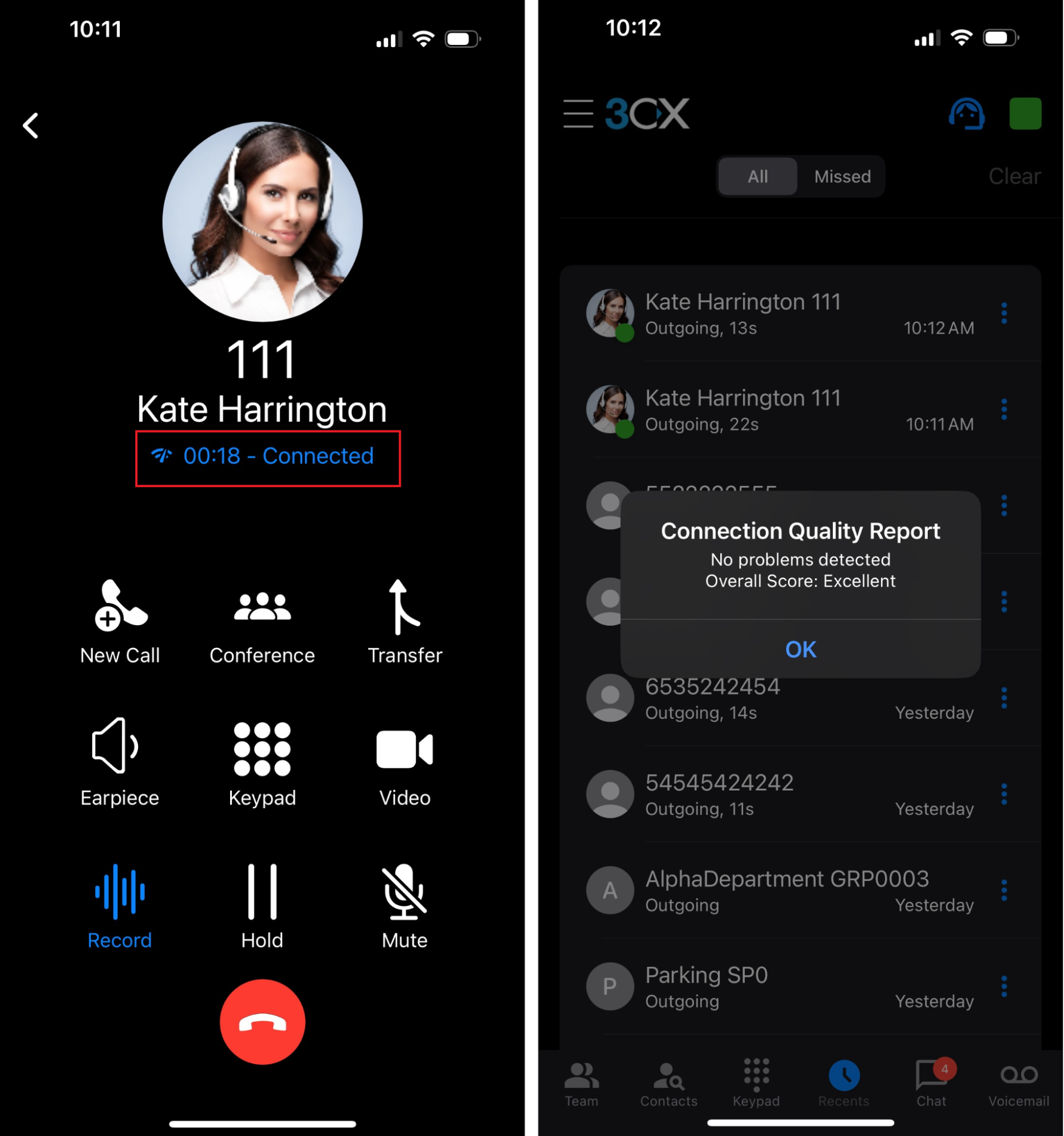
A new tool has been included in this release; “The Connection Quality Monitoring tool”. It allows users to monitor a call if issues arise.
It’s done by simply tapping on the quality indicator label on the iOS app’s dialer. The user becomes aware the call is being monitored via a metering icon next to the call duration. Once the call has ended, simply navigate to your ‘Recents’ tab, swipe to the left on the monitored call and tap on ‘Quality Report’.
Using the Tool
During a call:
- Tap on the call duration label within your dialer
- A dialog will appear prompting you to start monitoring. Tap on ‘OK’
- Once the call has ended, go to your ‘Recents’ tab
- Tap on the menu button next to the recent call and tap on ‘Quality Report’ to review
Note: A more extensive report can be found in the Web Client. Login to your Web Client and go to ‘Calls’. Next to your call you will see a button ‘Show call quality report’, click on it.
Try the Beta
Try out this BETA and any future BETAs by joining our iOS TestFlight program.
Our TestFlight program enables you to provide feedback directly to our development team from within the app.
View the Change Log.









 Copyright © 2026