





Our new version has reached another release milestone: 3CX v16 is now in Beta and well on its way to reach stable release status. The new v16 Beta release adds new functionality, features and... new hardware platforms. Find out what's included and how to try out the Beta version.
Install 3CX on Raspberry Pi
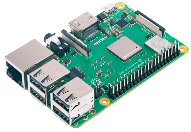
It's not often that a software can be expanded to embrace a new hardware architecture, especially a complex real-time system like 3CX. We are proud to announce that the new 3CX v16 is adding the credit card-sized Raspberry Pi 3B+ to its list of supported hardware! Read our guide for more info on how to install v16 on Raspberry Pi and take advantage of this ground-breaking development.
Upgraded Recordings Management
3CX v16 introduces off-site archiving, filtering and purging for your call Recordings with the latest v16 Beta 1. Now you can off-load your recordings to Google Drive or an FTP server by enabling the "Remote Archiving" options and schedule, to free your PBX from old recordings gnawing at your storage space and make upgrades and updates much faster.
On the same note, the new "Purge" function in “Recordings”, enables you to remove locally stored or archived call recordings or move everything to the remote archive. These new features radically reduce storage usage, enabling you to off-load recordings to cheaper remote storage and make your 3CX v16 setup more cost-effective. Also, the new “Filter” function makes quick work of locating the recordings you need to find. Check out our guide to learn how to do more with your 3CX v16 PBX.
Pop-out Switchboard
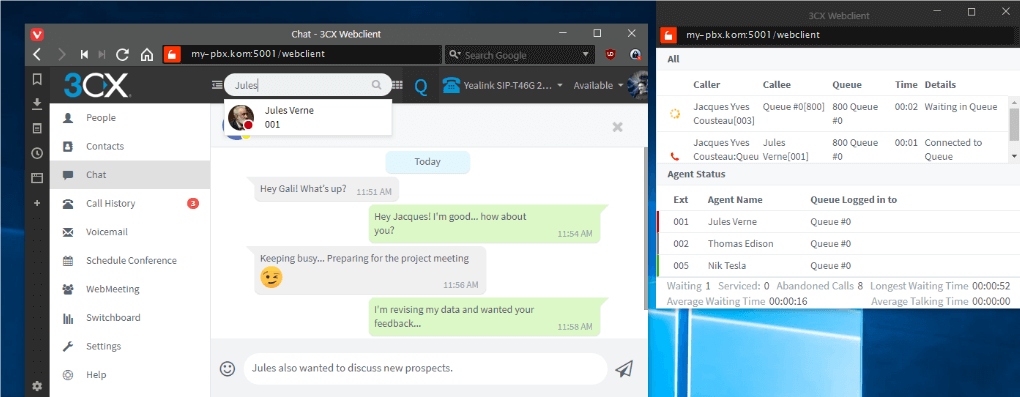
The latest Web Client in v16 Beta 1 includes a major functionality and usability improvement in the form of the new pop-out Switchboard. Queue managers and agents can now take advantage of a separate Switchboard view, inherited from the highly-valued Switchboard function in the Windows client, enabling them to perform their role right from the Web Client. This means that they can monitor and manage their calls and queues from a browser window on their PC or Mac. This is simplicity and functionality in practise.
How to Get the Beta 1
Download the v16 Beta 1 for Windows or Linux below or take it for a spin using our PBX Express tool and we’ll configure a brand new PBX for you to try!
Download links:
Windows: 3CX
Linux: 3CX v16 on Debian 9 ISO - choose “Beta” on the “3CX Update Channel” screen.
View the change log for this version and give us your feedback via the community forum.
Important: The Beta version must be installed only for evaluation purposes and is not recommended for production systems. This version is not covered by any support SLA.
Known Issues & Requirements
- Users cannot filter out their recordings and group users’ recordings in Web Client, to be addressed in the final v16 release.
- Missing progress notification for background archiving of recordings in Management Console, to be resolved in the final v16 release.
- Queue Failed Callbacks are not included in “Failed Callbacks” report when callback is requested and call goes to “Destination no Answer”.To be addressed in the final v16 release.
- Audio Conferences created using “Google” as calendar don’t have the calendar description populated with the conference details, to be addressed in the final v16 release.









 Copyright © 2026