





Improved remote archiving, call transcriptions & multi-edit of users.
Update 3 is now ready for BETA after the successful ALPHA release a few weeks ago.
Update 3 BETA - Call Processing Script Store

New in the beta is the ability to quickly add a ready script from our call processing script store. For example, one of the frequently requested scripts is the holiday script which plays a different voice prompt for each holiday (to have a different message for easter holidays versus xmas holidays). This script requires no editing at all, you just have to:
- Go to Integrations > Call Scripts
- Select “Add from Store”
- Select the holiday script
- Now select on which trunk this script should run. i.e. to which incoming calls the script should be applied
- Click Save and ready
Now if you have configured multiple holidays with multiple custom voice prompts for a department, the script will automatically use your customized holiday prompt.
Multi Edit and Other Admin Features
Update 3 introduces many features that aim at improving not only the overall performance of your PBX but your team’s and admins as well:
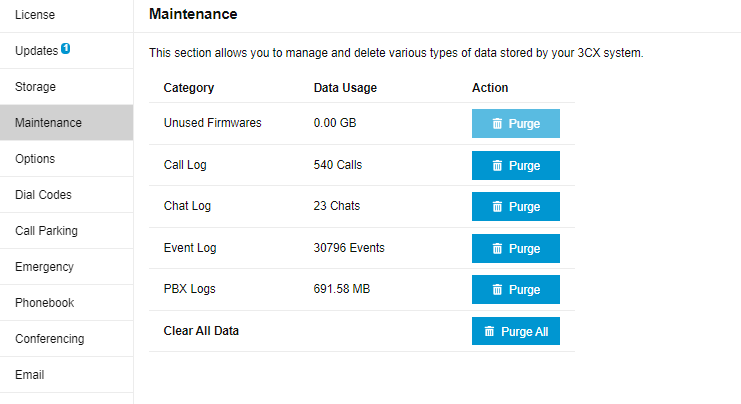
- Easier Remote Storage & Archiving. Recordings, chat and voicemails can now easily be backed-up off-instance - remotely in Google, Sharepoint, FTP/FTPS/SFTP. Backups are now saved in one central remote drive. Read the guide.
- Two-Way Syncing of 3CX & Teams Status. Users can set their status in 3CX and have it reflected in Teams and vice versa.
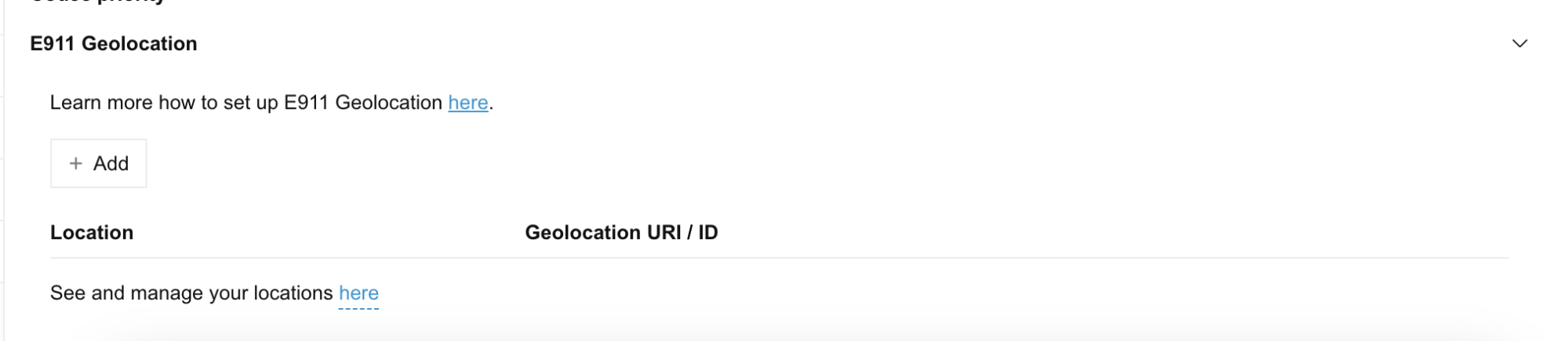
- Emergency E911 includes Geolocation which is a location URL record transmitted during an emergency call. This feature is available for US users and requires proper configuration and support from your provider. Read the guide.
- CRM Integrations add call transcriptions, this release adds the call transcription along with its summary to the customer record.
- Multi-Editing of users and their configurations. Copy the configuration from one extension to other extensions. Configurations include call forwarding, BLF, voicemail, view, and options.
- Ability to choose between Away or Custom 2 statuses for users hitting the DND button on the phone.
- Ability to select which status profiles the automatic scheduler will be set to according to opening hours, break times and closed.
Removed Restrictions for 3CX Hosted
The following restrictions have been removed:
- Allow Local MCU
- Allow templates includes Phones, Dects/FXS Templates and Providers
- Allow adding custom templates and select custom templates
- In update 4 the CFD restriction will be removed
For a detailed description of each feature read the ALPHA release notes.
Upgrade to V20, Update 3
⚠ Important: The BETA version should be installed for evaluation purposes only. It is not recommended for production systems. From the admin console click on the latest update: "New 20.0 Update 3 Release - BETA"
For a fresh, on-premise installation:
- 3CX Windows Installer
- 3CX Windows Installation Guide
- Download the 3CX ISO
- 3CX Linux Installation Guide
Start a new cloud deployment here.
View the complete change log here.









 Copyright © 2026