





In this example we will demonstrate how to check your voicemail using Cisco 7961. This procedure stands for Cisco 7940/7941/7960/7961. Checking Your Voicemail To check your voicemail, press the "Messages" button and follow the voice prompts. You might need to enter your voicemail PIN number followed by # to listen to your message. For additional information on managing your voi [...]
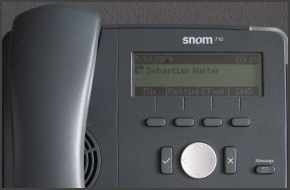
In this example we will demonstrate how to make calls using a Snom 715 and 710. Making a Call Dial the number you wish to call using the keypad and press “OK” (check mark). The phone will dial the number and your call will be connected. [...]

3CX Phone System offers the ability to park a call and for that call to be picked up from another extension. To park a call: BLIND Transfer Button followed by *00 to 09 to specify the parking orbit. For example *01 will place the call in the parking orbit 1. *02 will place the call in the parking orbit 2. To pick up a parked call: *10 to 19 where the 0 – 9 is the park orbit num [...]
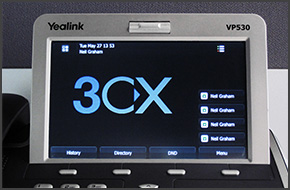
In this example we will demonstrate how to make calls using a Yealink VP530. Making a Call Dial the number you wish to call using the keypad and press "Send" on the touch screen. The phone will dial the number and your call will be connected. [...]
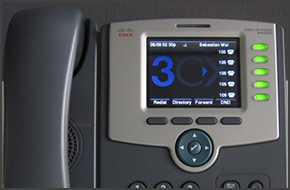
In this example we will demonstrate how to make calls using a Cisco SPA525G. This procedure stands for all Cisco SPA500 Series Phones. Making a Call Dial the number you wish to call using the keypad and press the “Dial” soft key. The phone will dial the number and your call will be connected. [...]

Communication is at the crux of any successful enterprise. The degree of collaboration between colleagues as well as engagement with clients is dependent on one key component: your phone system. Is your organization’s level of productivity dwindling due to poor communication technology? Phone systems have evolved into more than the legacy PSTN systems you currently employ; your [...]
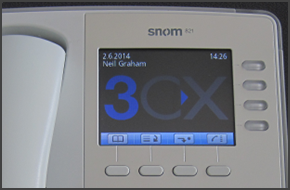
In this example we will demonstrate how to check your voicemail using a snom 820/821. Checking Your Voicemail To check your voicemail, press the "Message" button and follow the voice prompts. You might need to enter your voicemail PIN number followed by "#" to listen to your message. For additional information on managing your voicemail from your IP Phone, such as the numbers y [...]

LONDON UK, LOS ANGELES USA 25 FEBRUARY 2015 – 3CX, developer of the award winning Windows-based VoIP PBX 3CX Phone System, announces the successful interoperability testing with Broadvoice. 3CX customers can now activate Broadvoice SIP trunks for their 3CX Phone System. Broadvoice’s SIP trunk configuration is fully integrated with 3CX Phone System ensuring that setting up the S [...]

It’s unfortunate to admit, but many organizations today are ailing from a silo mentality. The major symptom being poor communication across departments brought on by a lack of comprehensive business solutions. Luckily, there is remedy for this corporate ailment in the form of unified communications (UC). A recent Gartner analysis discussed how the implementation of unified comm [...]

3CX WebMeeting Server offers affordable, easy to use & open standards, on-premise Video Conferencing solution. LONDON UK 25 FEBRUARY 2015 - 3CX, developer of next generation software-based PBX 3CX Phone System for Windows, today announces the release of its on-premise web conferencing solution, 3CX WebMeeting Server. 3CX WebMeeting Server revolutionizes video conferencing b [...]

 Copyright © 2026