





We are excited to announce that 3CX will be hosting a 3CX Advanced Product Training workshop in Limassol, Cyprus this April. New and active 3CX Partners, who have successfully achieved 3CX Certified Pro / Partner status and/or who have already successfully deployed commercial licences of 3CX, are welcome to join this must-attend event in order to acquire the necessary resources [...]

LONDON, UK and AMSTERDAM, NETHERLANDS 19 FEBRUARY 2015 – 3CX, developer of the award-winning Windows VoIP PBX 3CX Phone System, announces that the interoperability testing with the Dutch VoIP Service Provider, Motto Communications, has proven successful, allowing 3CX customers to use Motto Communications as a VoIP Provider. The success of the interoperability testing guarantees [...]

Today, we can complete a vast array of tasks straight from our personal devices. Due to the amount of productivity that is capable from the comfort of our own homes, many businesses are allowing more flexible work-from-home schedules; that is, if they are equipped with the right tools. If you are looking for a way to grant your employees with more freedom to work-from-home wit [...]
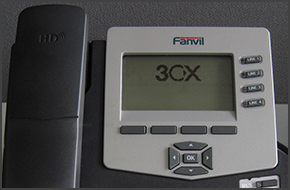
In this example we will demonstrate how to check your voicemail using Fanvil C62 and C58. Fanvil phones support CTI Mode. Checking Your Voicemail When your extension receives a voicemail, the "Message" button on your phone will light up. To listen to your voicemail, press the "Message" button then the "Dial" button and follow the voice prompts. You might need to enter your voic [...]

Sifting through piles of resumes in search of the most promising candidates can become stressful when trying to find the perfect fit. Often times for large enterprises, the most qualified applicant may live across the globe. How will the interview be conducted in this scenario? With the help of UC technology such as web conferencing, recruiting the best of the best for your tea [...]
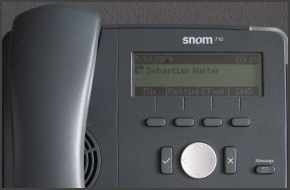
In this example we will demonstrate how to make a conference call using Snom 715/710. Conference Call Make or Answer a call. Press the "Line 2" button to make another call. The caller in Line 1 will be put on hold. Dial a number and press "OK" (check mark). Press the "Cnf.On" soft key to merge the calls from Line 1 and Line 2. To end the conference call, while "Conference" is s [...]

As the leader of an expanding enterprise, your last concern should be the cost and labor involved with adding phone lines to your telephony system. But, with an influx of new hires scalability is crucial to the success of your developing business venture. Rather than adding even more hardwires to your legacy PSTN, consider the benefits of switching to an IP-PBX phone system. An [...]
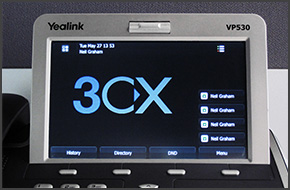
In this example we will demonstrate how to make a conference call using Yealink VP530. Conference Call Make or Answer a call. Press the "Conference" button on the touchscreen. Dial the number of the caller you wish to add to the conference call and press "Send" on the touchscreen. When the called party answers, press "Conference" on the touchscreen. The call will be added to th [...]

Industry trade show season is in full swing, and chances are at least part of your company’s workforce is out on the road attending conferences and networking up a storm. During this busy season of travel, having a reliable phone system with robust mobile capability is more important than ever. Remember, attendees at trade shows are the professional face of your company at thes [...]

In this example we will demonstrate how to perform a blind and attended (consultative) transfer using a Cisco 7961. This procedure also applies for Cisco 7940/7941/7960. Note: A Blind Transfer is a transfer to another extension without actually initiating a call to the end destination. The call is blindly transferred to the destination. By comparison, an attended transfer is a [...]

 Copyright © 2026