




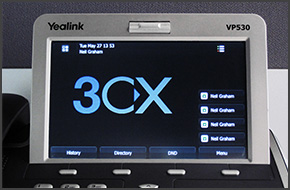
In this example we will demonstrate how to check your voicemail using a Yealink VP530. Checking Your Voicemail To check your voicemail, press "Connect" on the touch screen and follow the voice prompts. [...]
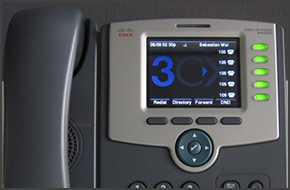
In this example we will demonstrate how to check your voicemail using Cisco SPA525G. The procedure stands for all Cisco SPA500 Series Phones. Checking Your Voicemail To check your voicemail, press the "Message" button and follow the voice prompts. [...]

In this example we will demonstrate how to make a conference call using Cisco 7961. This procedure stands for Cisco 7940/7941/7960/7961. Conference Call Make or Answer a call. Press the "More" soft key followed by the "Confrn" soft key. Dial the number of the caller you wish to add to the conference call and press "Dial". When the caller answers, press "Co [...]
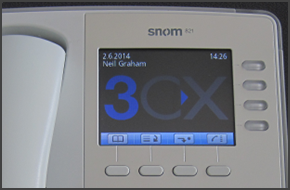
In this example we will demonstrate how to make calls using Snom 820/821. Making a Call Dial the number you wish to call using the keypad and press “OK” (check mark). The phone will dial the number and your call will be connected. [...]
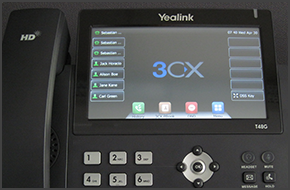
In this example we will demonstrate how to make a conference call using Yealink T48/T46. Conference Call Make or Answer a call. Press the "Conference" button on the touchscreen. Dial the number of the caller you wish to add to the conference call and press "Send" on the touchscreen. When the called party answers, press "Conference" on the touchscreen. The call will be added to [...]
In this example we will demonstrate how to make calls using a Yealink T48/T46. Making a Call Dial the number you wish to call using the keypad and press "Send". The phone will dial the number and your call will be connected. [...]
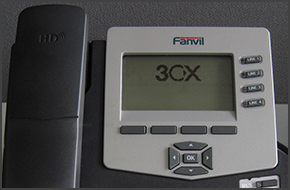
In this example we will demonstrate how to make a conference call using Fanvil C62 and C58. Fanvil phones support CTI Mode. Conference Call Make or Answer a call. Press the "Conf" soft key. The first caller will be put on hold. Dial the number of the caller you wish to add to the conference call and press "Dial". When the caller answers press the "Conf" soft key to add them to [...]

LONDON UK and BUDAPEST HUNGARY, 31 JULY 2014 - 3CX, developer of the award-winning Windows VoIP PBX 3CX Phone System, today announces that Procomp Telecom has been appointed as an authorized 3CX Distributor for Hungary. As a new distributor, Procomp Telecom will promote 3CX by hosting training events in which 3CX Partners will be shown how to install, configure and support 3CX [...]

3CX Academy has been re-vamped with new online trainings. Our online trainings are held using our very own 3CX WebMeeting software to make them as interactive and as educational as possible - it's as if you're physically in the same room with the rest of the class! In addition to the online trainings we have also refreshed our training materials. Our training videos have been u [...]

3CX recognised for award winning VoIP PBX and Partner Program benefits LONDON, UK JULY 28, 2014 – 3CX, developer of the award-winning Windows VoIP PBX 3CX Phone System, announced today it has been included in the prestigious CRN 2014 Network Connectivity Services Partner Program Guide (PPG), which highlights the service providers and technology vendors whose offerings provide t [...]

 Copyright © 2026