




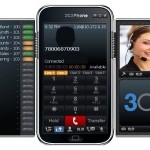
3CX’s popular free business soft phone does Unified Communications and becomes ‘Zero Admin’ London - November 30, 2010- 3CX today announced a new version of its popular free VoIP soft phone for Windows, 3CXPhone 5. New features added to 3CXPhone 5 include standards based video support, multiple SIP profiles, BLF and the ability to provision and manage all soft phone installa [...]

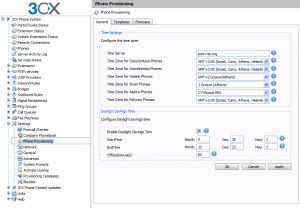
PLEASE NOTE: This blog post is only applicable for 3CX Phone System v12.5 and lower. 3CX Phone System includes functionality to easily set the Time Zone and DST (Daylight Savings Time) parameters on phones via provisioning. By default, 3CX Phone System is configured for US Eastern Time. You can manage Time Zone settings from the 3CX Management Console in the "Settings->Phone [...]

3CXPhone for iPhone is here! We’ve gotten the go-ahead from Apple and it is available immediately via the Apple Appstore. 3CXPhone for iPhone is a VoIP phone for Apple iPhone, iPads and iTouch devices running iOS 4.0 or higher. With it, you can make and receive calls via 3CX Phone System using Wifi or 3G and using your existing extension credentials. Since it’s a SIP client, yo [...]

Kerry Garrison, VP of Strategy for 888VoipStore and a 3CX Certified Professional has just completed his latest book titles "3CX Version 9". This is a comprehensive book on installing, configuring, maintaining, and even selling 3CX-based phone systems. The 3CX Version 9 book is completely up to date with its material covering even the latest service pack 4 release. [...]

3CX is pleased to announce service 3CX Assistant client installer for Terminal Services. This installer allows you to install the 3CX Assistant on a Windows Server operating system which has been promoted to a Terminal Server. [...]
[...]
Nicosia, Cyprus and Oslo, Norway - 12 November 2010 - 3CX, the international developer of the award-winning 3CX Phone System for Windows has completed full interoperability testing with VoIP service provider Phonzo and announced today a strategic partnership providing a fully integrated VoIP solution for SMB markets in Norway and Sweden. [...]
[...]Sometimes a user may wish to have a professionally-created greeting message for his VoiceMailBox, rather than create it from his phone handset or headset. When a user wants to create a greeting message for his VoiceMailBox, all he needs to do is log into his VoiceMailBox, press "9" for options, and then press "8" to change his greeting message. When he saves his greeting messag [...]
3CX is pleased to announce service pack 4 for version 9. This update allows you to perform all IP phone management functions from within the 3CX Management Console. This service pack is ready for download from the 3CX Winforms Management console / Service pack updates and will upgrade your 3CXPhone System V9 to build 14901. The update takes between 5-10 minutes once downloa [...]
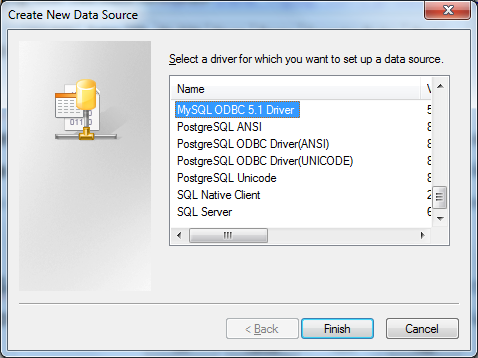
The 3CX Voice Application Designer (VAD) allows access to databases such as the SQL Server, Oracle and ODBC enabled database like MySQL. Pre-requisites In order to access a MySQL database through ODBC you need to install the ODBC driver for MySQL. This can be downloaded from the MySQL site. Once it is installed, you can continue with the creation of the “System DSN”. Creating t [...]

London UK, November 5 - GUSS-EX a Polish engineering company,operating in warehouse logistics, turns to 3CX when they finally decide to replace their outdated telephone system. [...]
[...]
 Copyright © 2026