





Android auto support and AI call screening.
Following the successful Beta release we’re now rolling out Beta 2 of the 3CX Android app V5.4. This update brings full Android Auto support for calls, AI call screening on devices running Version 20 Update 8 Beta, as well as shared voicemail for queues and ring groups. Read on to learn more!
Android Auto Support
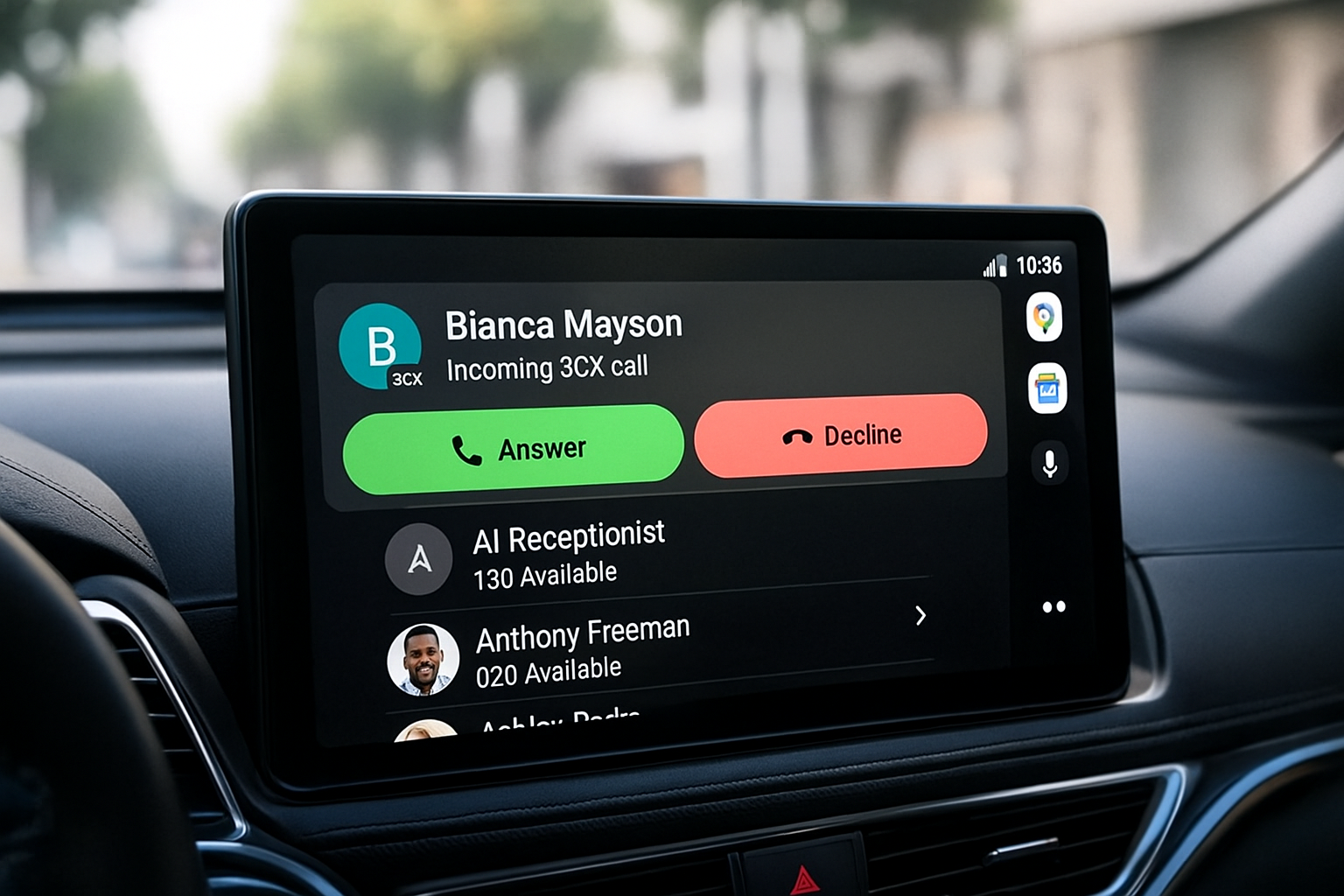
With Beta 2, users can now make calls from their car display and stay connected while driving. The goal has been to provide a clean and reliable interface that works naturally within the car environment.
Getting Started
To set this up connect your phone to your car either with a USB cable or through wireless Android Auto. Once connected your phone screen will appear automatically on the car display. Tap the 3CX App to open the interface and you can begin using:
- Team: Shows a list of extensions according to your selected filter. Tap a user to call their extension or mobile
- Contacts: Displays your PBX and Android phonebook contacts. Tap a contact to call
- Recents: Lists your call history for quick call backs
Searching for Users and Contacts
Google limits how many contacts can be shown on the car screen so using search is important. You can:
- Use the search button in Team or Contacts to find people not visible in the list
- Speak the name using the microphone button when the keyboard is disabled while driving
- Enter a number into the search bar and select the first result to call non-contacts
Android Auto support is available on devices running Android 9 or higher. Chat functionality will be added in a later update.
Note: Your device needs to support Telecom API and must be enabled. Click on the hamburger button (top left corner) > Settings > Advanced and make sure Car/Bluetooth support (Telecom API) is enabled.
Known Behaviours
We’re working closely with Google on a few reported items and updates are planned for future Android releases.
- Scroll bar may disappear periodically
- Contact names may not resolve on the ongoing call screen
- Calling via Google Assistant is not currently possible
AI Call Screening
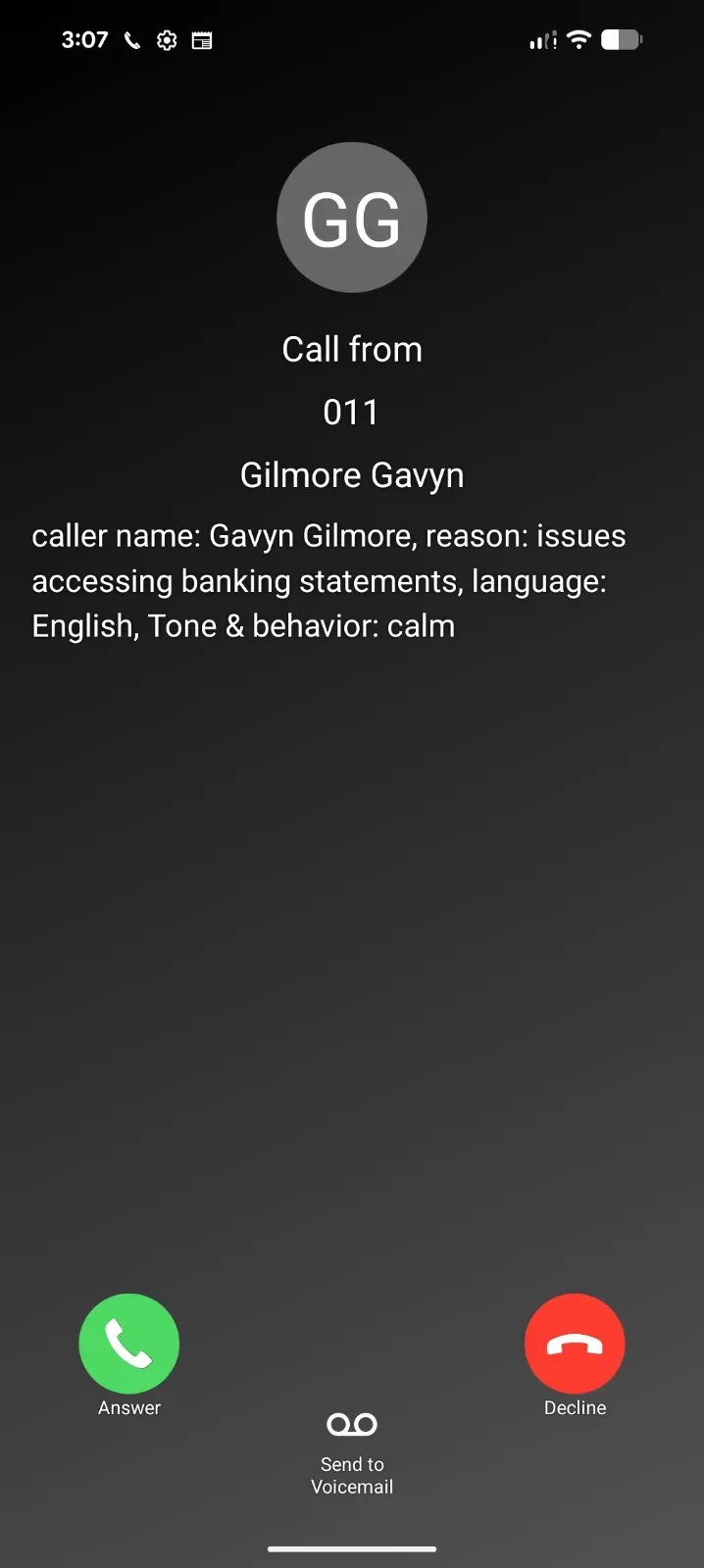
With the introduction of the AI Receptionist in Version 20 Update 8 we now bring intelligent call screening to the Android app. When a call is handled by the AI agent, users will see a clear summary of who is calling and why. This information is generated before the call reaches your team.
Note: Requires Version 20 Update 8 Alpha.
Shared Voicemail for Queues and Ring Groups
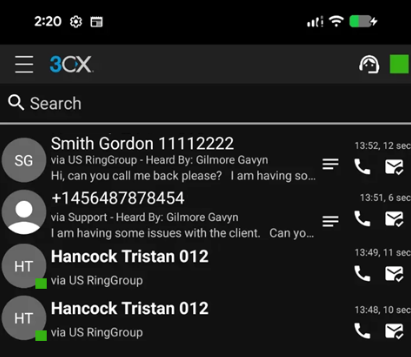
Agents assigned to a queue or ring group can now view voicemail messages left to that group. Each voicemail will include:
- Via Queue or Ring Group: The number called and the route it passed through
- Heard by: The agent who first opened the voicemail
Note: Requires Version 20 Update 8 Beta (coming soon).
View the Changelog for a detailed breakdown of updates in this latest build.
Get Involved
Test these new features by joining our Android Beta program. Provide feedback directly to our development team and help shape the future of the 3CX App.
For instructions on how to install and provision the 3CX Android app, see our configuration guide.
Android Forum
Head over to the dedicated Android Forum to let us know what you think.
Follow us on X and LinkedIn to stay-up-to date on latest news and feature releases.









 Copyright © 2026