





Boss-secretary support and Android Auto updates.
Following a successful BETA 2 release of the Android App, we’re now releasing a beta 3. Next stop - final! Read on for details on what’s new in this beta.
Updates to Android Auto
We’ve introduced improvements to the new Android Auto integration, refining core behavior and resolving several issues. The result is a more reliable, responsive and user-friendly in-car calling experience.
Team Screen
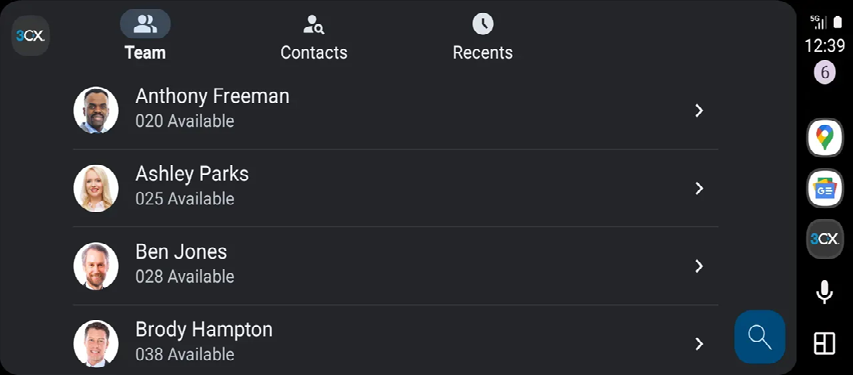
The Team screen now displays a list of your pre-configured favorite extensions. If you haven’t set any favorites yet, open the 3CX Android app, go to Team, and tap the star icon next to each extension to add it to your favorites.
- Android Auto can display up to 20 extensions, though some car manufacturers may impose lower limits.
- A Search button appears on the bottom-right. This opens a keyboard for locating any extension not marked as a favorite.
- When the vehicle is in driving mode, you can use the microphone button to search for an extension via Speech-to-Text.
Contacts Screen
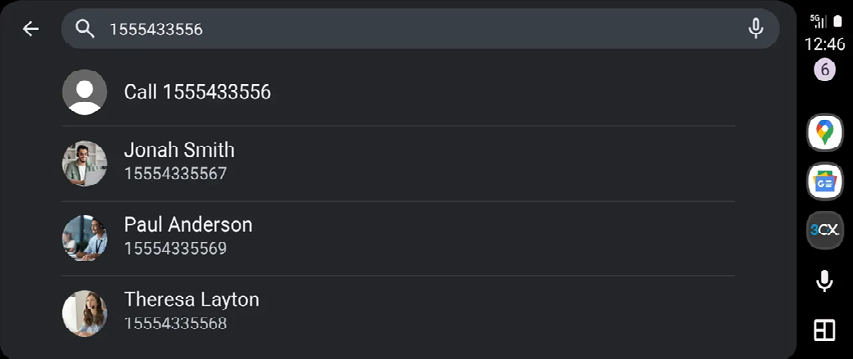
The Contacts screen shows both your PBX contacts and your Android phonebook contacts. Tap any contact to initiate a call. If a contact has multiple numbers, Android Auto will open a secondary screen where you can select the specific number to dial.
- As with the Team screen, up to 20 contacts/extensions can be displayed, depending on manufacturer limitations.
- The Search button opens a keyboard for finding additional contacts not currently listed.
- You can also use the search bar to dial a number that doesn’t exist in your phonebook - the first entry will show “Call +1548484555” (example).
- In driving mode, the microphone next to the search bar enables Speech-to-Text contact lookup.
Requirements
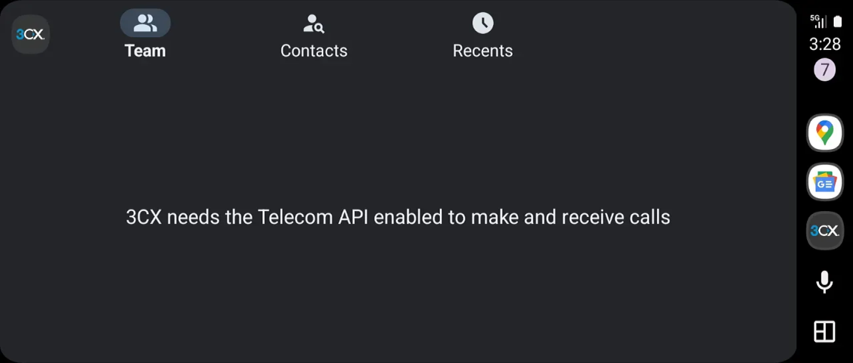
Your device must support and have the Telecom API enabled. If not enabled, you will see the above text on your car display.
To enable Telecom API support:
- Open the 3CX App
- Tap on the hamburger button (top left corner)
- Tap on Settings > Advanced
- Enable the switch for “Car/Bluetooth support (Telecom API)”
Boss-Secretary Support
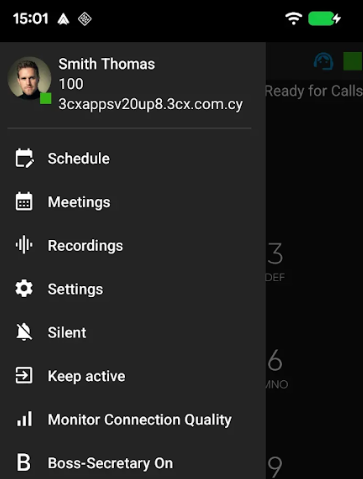
Following the release of Version 20 Update 8 Beta, the Android client now includes support for the new Boss-Secretary feature.
When a user is configured with the required settings in the Admin Console, an option in the hamburger menu appears. Tapping this icon lets you toggle the feature on or off, giving you more controlled management of incoming calls.
Note: This functionality requires the upcoming Version 20 Update 8 Beta 2.
View the Changelog for a detailed breakdown of updates in this latest build.
Get Involved
Test these new features by joining our Android Beta program. Provide feedback directly to our development team and help shape the future of the 3CX App.
For instructions on how to install and provision the 3CX Android app, see our configuration guide.
Android Forum
Head over to the dedicated Android Forum to let us know what you think.
Follow us on X and LinkedIn to stay-up-to date on latest news and feature releases.









 Copyright © 2026