





Beta 2 adds the ability for users to schedule their own reports.
Following on from the V20 Update 1, BETA, BETA 2 is now available for try-outs. We’re bringing back the Scheduled Reports feature, improved with a new per user reports scheduler.
Scheduled Reports Are Back
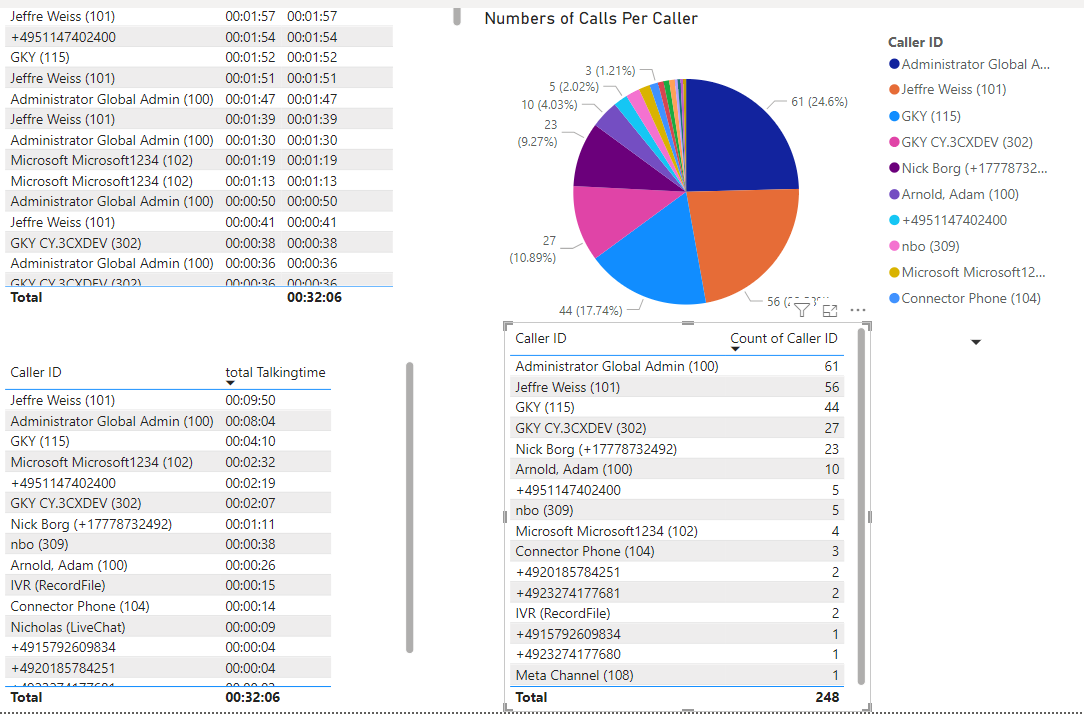
The scheduled reports feature is back and it’s better. Unlike in V18, where only admins could schedule reports now managers, owners and system owners are also able to. Each user has a "My Reports" section where all their created and scheduled reports are displayed. Reports can be scheduled daily, weekly or monthly or even on-the-fly. These are sent as CSV files and formatted in Power BI, read the guide.
Schedule Reports for:
- Queue statistics
- Agent statistics
- Ring Group statistics
- Extension statistics
- Chat statistics
- Call logs
- Chat logs
What Was Included in BETA 1
Here’s a recap of what we included in the previous BETA - all of which are also in this one.
- Improved failover with 50% faster backup & restore.
- The return of V18 features:
- Active Calls View
- Configure multiple Fax numbers that can route to different email addresses
- SRTP option per extension
- TLS for Generic SIP Trunks - upload a certificate and configure TLS on generic trunks
- Configure presence for Bridges
- Caller ID exceptions to working hours - guide.
- New integration with Pipedrive CRM - guide.
Here’s What We’ve Fixed
- Fixed calls not being initiated in case SRTP is Enforced
- Fixed crash in Admin Console due to parsing of user agents strings.
- Fixed issue with Generic IP Phones when requested from different roles.
- Fixed issue with “Ring My Mobile” when Authentication is changed.
- Fixed call manager building displayName from configured First/Last name in case of double (") with quoted-pair (\") as per RFC3261
- Fixed call manager handling of reason and response code to caller when call is terminated by forwarding rule.
- Fixed issue with SFTP for Backups & Recordings Location.
- Fixed missed call notification when another ring group agent answers the call and then transfers it.
- Fixed application for MS 365 when provisioning it the first time.
View the complete changelog here.
How to Get It
From the admin console click on the latest update: "New V20.0 Update 1, Beta 2."
Join the V20 discussion in our dedicated Partner or Customer Forums. Follow us on X and LinkedIn to stay-up-to date on further developments.









 Copyright © 2026