





Easier provisioning, auto-answer and ringer device selection.
The provisioning of the Windows Softphone has been made even easier with the possibility for users to provision from the softphone itself. Simply download the latest version from the Microsoft Store, enter your existing credentials and login! The softphone is now configured with your extension.
You’ll also recall the Jabra Integration from Beta 6, supporting all Jabra headsets. We’re pleased to report this integration has been a success, and we’ve received positive feedback from our users.
This Windows Softphone Release Candidate works with both V18 and V20, however, SSO requires V20 RC3.
Simplified Provisioning
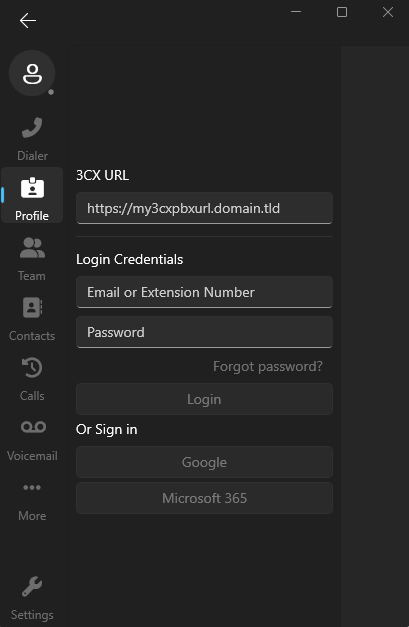
The provisioning of the Softphone is now done from the actual Softphone unlike previous versions where the Web Client was required. All you need to do is download the latest Softphone from the Microsoft Store and enter your login credentials (extension/email and password).
You can also choose to sign in using your Google or Microsoft 365 account - make sure this is the same account you use for your 3CX Web Client. To do this you must be running 3CX V20 RC3.
Note: If 2FA is enabled for your extension, you will be requested to enter your security PIN.
Learn more about how to configure your 3CX Softphone and all its features in the User Manual.
Ringer Device Selection
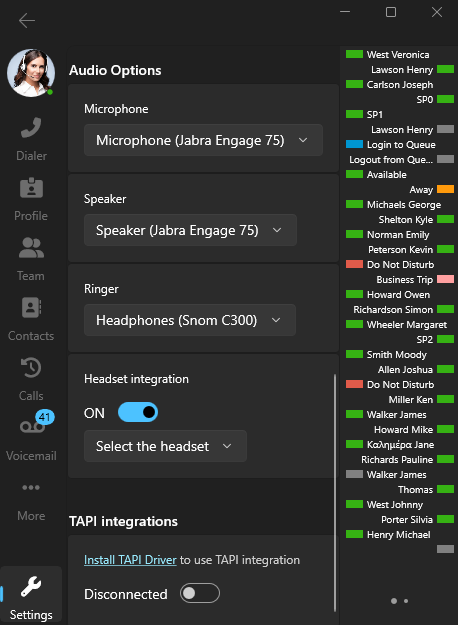
This update re-introduces the Ringer option, allowing users to separate the “Ringer” from the “Speaker”.
Especially beneficial for call centers, users can now have the call “ringing” on a specific device. When answered, the ongoing call audio will then switch to another device of your choice, as specified in the “Speaker” dropdown.
The Ringer option can be switched On or Off from your avatar image.
Added Options in Settings
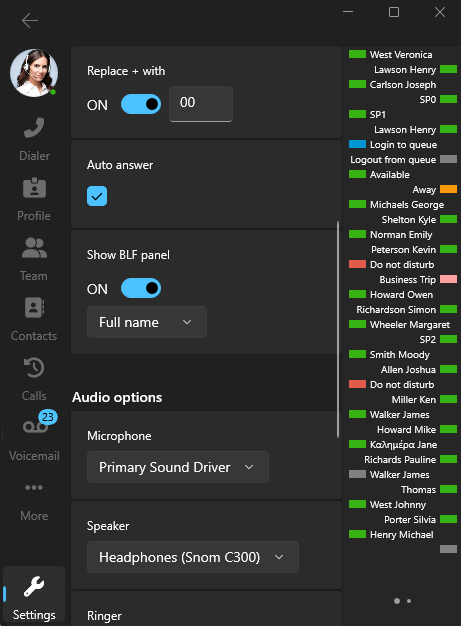
Users will notice two new features in the ‘Settings’:
- Replace +: This will automatically replace the + symbol in phone numbers with a specified country code of up to 4 digits.
- Auto answer: Incoming calls are automatically accepted after a number of rings, eliminating the need for manual answering.
Try RC1 Now
The latest Windows Softphone is available for try-outs from the Microsoft Store. It requires V20 RC3.
Head over to the Windows Softphone Forum to give us your feedback and/or ask questions.









 Copyright © 2026