





This beta introduces several updates focused on visibility, control and usability.
A new Beta update is available for the 3CX Softphone for Windows. This version includes general improvements, along with new features available from Version 20 Update 7, such as voicemail transcription previews, number blocking, and SMS restrictions based on country codes. Read on for more.
Transcription Snippets for Voicemails & Recordings
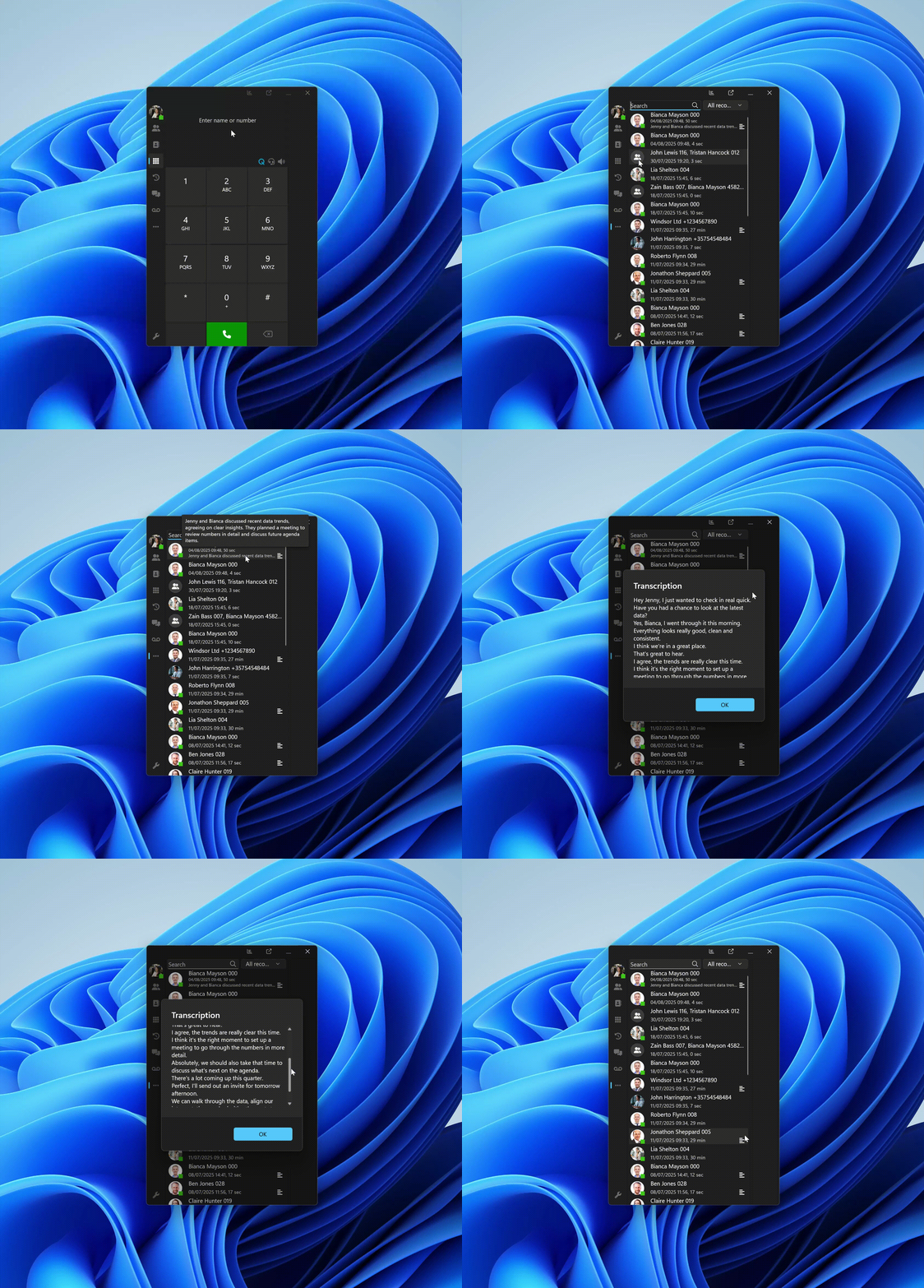
From Version 20 Update 7 onwards, voicemails and recordings will display transcription snippets directly in the call list.
- Voicemails show part of the transcription
- Recordings show a brief summary
- Click the transcription icon to view the full text
Block Numbers from Chats or Recents
With Update 7, users can now also block external and WhatsApp numbers from their chat or call history. Blocked contacts are added to the CID Blacklist and cannot call or send SMS.
From Chats:
- Right-click a chat or click the menu in the chat header
- Select Block number > Confirm
From Recents:
- Right-click a call entry
- Select Block number > Confirm
Enforce SMS Restrictions by Country Code
The “Allowed Country Codes” list has been extended to apply to SMS. If a user tries to start a conversation with a number outside the allowed codes, the action is blocked and an error is shown.
This feature is available from Version 20 Update 7.
How To Get 5.3 BETA
Go to the Microsoft Store to find and install 3CX BETA.
Note: Avoid running the production version alongside the BETA to prevent conflicts.
View the complete Change Log for a detailed breakdown of updates in this latest build.
Windows Softphone Forum
Head over to the dedicated Windows Softphone Forum to let us know what you think.
Follow us on X and LinkedIn to stay -up-to- date on latest news and feature releases.









 Copyright © 2026