





New conferencing modes & Department Phonebook.
The latest 3CX Softphone for Windows Beta is here! Version 5.4 introduces new conferencing options, Department Phonebook for department-level contact sharing and a range of updates to improve the app’s speed and reliability. Read on for more.
Consultative & Direct Conferencing
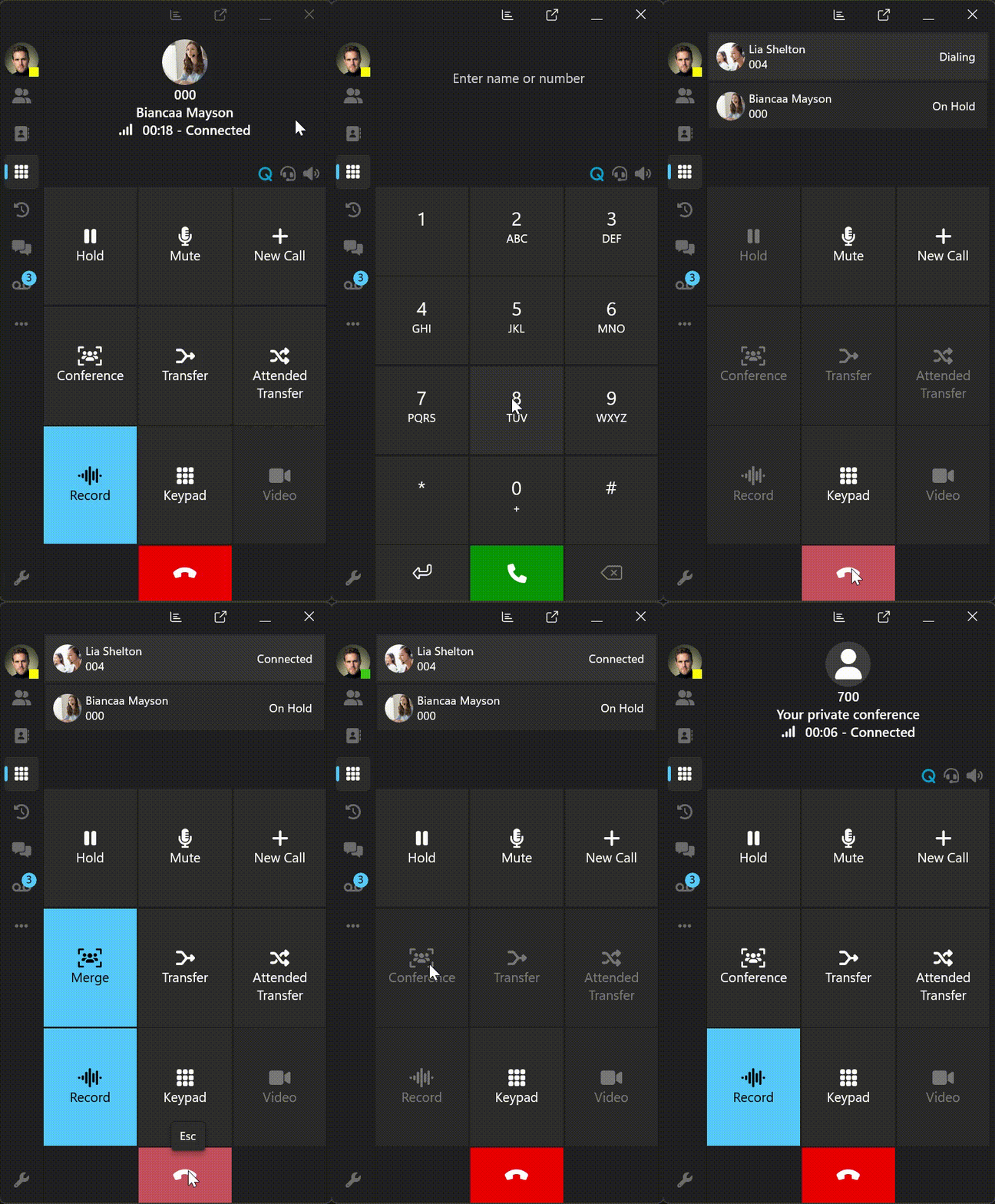
With the new Consultative and Direct Add modes, you can now decide how to bring participants into a call – whether you want to merge instantly or chat privately first.
- Direct Add – To start a conference instantly. Tap the Conference button, select Direct Add and dial or search for a contact. As soon as they answer, your call is automatically elevated into a conference call.
- Consultative – To speak privately before merging calls. Select Consultative, dial your contact and chat while your first call is on hold. You can switch between both calls until you’re ready to Merge them into one conference call.
Department Phonebook
The new Department Phonebook lets you add and manage contacts specific to your department. You can:
- Add contacts that are shared only within your department.
- Find department-specific entries under Contacts under Company filter.
- Use the new checkbox in the Add Contact form to save a contact as a Department contact type.
This feature also supports Multi-Company Mode, allowing each company to maintain its own internal contact list.
Note: Softphone V5.4 Beta requires Version 20 Update 8 or later.
Performance, Accessibility & Stability Improvements
We’ve made additional updates to improve the reliability and ease of use of the 3CX Softphone app:
- The app now retains your settings after closing and relaunching.
- Chat drafts are automatically saved when you leave the chat page.
- Resolved issues related to app stability.
- Added accessibility tooltips for better visibility of extension statuses.
- You can now add calls as contacts when managing multiple active calls.
View the complete Changelog for a detailed breakdown of updates in this latest build.
Compatibility Notice
This Beta release may not be compatible with 3CX Version 18 PBX and is not tested with it internally. Please refer to our V18 End of Support announcement for more details.
How To Get 5.4 BETA
Go to the Microsoft Store to find and install 3CX BETA.
Note: Avoid running the production version alongside the BETA to prevent conflicts.
Windows Softphone Forum
Head over to the dedicated Windows Softphone Forum to let us know what you think.
Follow us on X and LinkedIn to stay up to date on latest news and feature releases.









 Copyright © 2026