





This guide is outdated. Introduction This document describes the configuration of a Zyxel P-662 for the use with 3CX Phone System. We will take look into the NAT configuration necessary for 3CX Phone System and VoIP Providers, Remote Extensions or Bridges. The firmware version tested was ZyNOS Firmware Version V3.40(AGZ.9) dated 01/08/2010. Status In general the Zyxel P-662H-D1 [...]

Important! This guide applies only to 3CX Phone System 11, it does not apply to 3CX Phone System 12 since the setup wizard makes the procedure automated now. This guide describes how to configure HTTPS / SSL for 3CX Phone System 11 installed on an Abyss Web Server. You need to be running 3CX Phone System Version 11 Build 27011 or later. Note: If you have been running a previous [...]
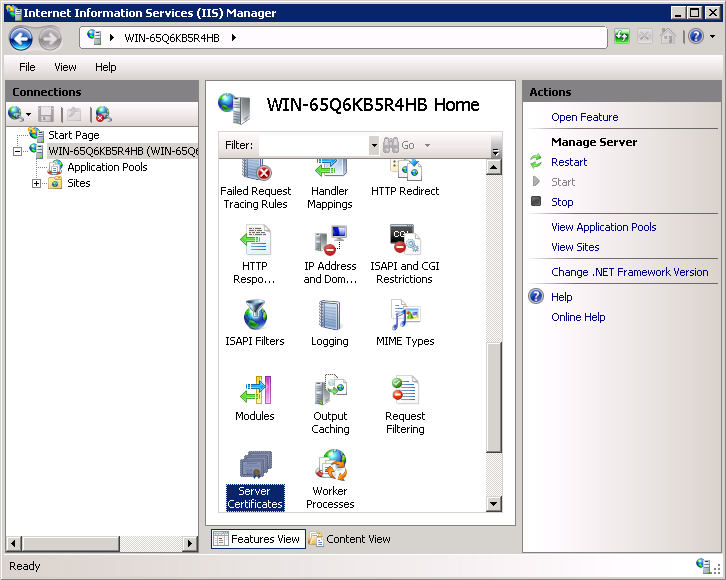
Important! This guide applies only to 3CX Phone System 11, it does not apply to 3CX Phone System 12 since the setup wizard makes the procedure automated now. This guide describes how to configure 3CX Phone System 11 installed on IIS Web Server with HTTPS / SSL. It's important to be running 3CX Phone System Version 11 Build 27011 or higher. This guide applies to 3CX Phone System [...]
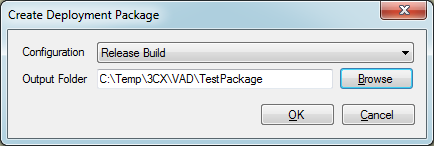
One of the features included 3CX Voice Application Designer is the ability to create a deployment package. This is a very useful tool for developers of voice applications, which simplifies deployment into production without having to establish a network connection between the developer's machine and the server. Here are the steps to deploy an application using this new tool. St [...]
The easiest way to capture network traffic is to use the build in capture feature of the 3CX Mangement Console which is elaborated here: https://www.3cx.com/docs/capture-network-traffic/. If the need however arises to capture differently use the howto guide below: Download the latest version of Wireshark from here. There are 32-bit and 64-bit versions - make sure to download th [...]
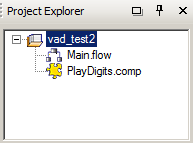
3CX Voice Application Designer (VAD) is a tool that allows 3CX users to easily create voice applications. Using the predefined functional blocks, you can easily design the call flow graphically, without requiring any programming skills. This article will illustrate how to create a voice application which reads out a sequence of numbers that have been pressed by the caller. Intr [...]

This guide illustrates how SIP, Audio and Data traffic is transmitted over the network when the 3CX Phone System is used. This will depend on the backend infrastructure and network topology, and this guide helps administrators understand how 3CX operates in different scenarios. If a combination of topologies is used, 3CX Phone System will route traffic as needed. Terms used in [...]
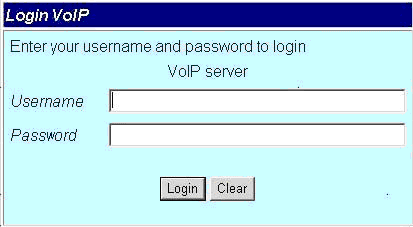
Important Notice: This article is not currently maintained and is here for archival/informational purposes. This device is no longer supported. Portech MV374 has been tested for Voice using firmware version “Mobile VoIP4 s10.115”. This guide and template may not work for earlier or later versions of the firmware! Configuration is a 2 step process. First you need to configure 3C [...]

3CX Phone System will log certain events in the Windows Event Log and in the 3CX Server Event Log within the 3CX Phone System Management Console. Together with the 3CX Server Activity Log, this information can be used to troubleshoot and verify the performance of 3CX Phone System. The following is a list of events that can be generated and logged by 3CX Phone System. Event ID E [...]

This is a guest post from 3CX Premium Partner, Charles Ambrosecchia of SigmaVoIP. In this article, Charles explains how to combat any attacks on your 3CX Phone System server. What should you do if someone attempts to hack your 3CX Phone System installation? A hacker will attempt to use your system to make calls to remote numbers (basically allowing the hacker to make calls a [...]

 Copyright © 2026