





This guide is outdated. A question we regularly get is "How can we set up Dialling 0 for operator?". The following documentation will show you how to set up an alias for an extension. This can be achieved as follows: Go to the 3CX Management Console > "Extensions". Select the extension you want to set as operator. Switch to "Other" tab. Set the SIPID to "0". Press "Apply" or [...]

How to make a 3CX Phone System Version 9 even more secure With the introduction of the new V9 3CX PBX we decided to add some extra security to the PBX. This new feature is called the "3CX Anti-Hacking" and located under Settings/Advanced/Anti-hacking tab. It's main purpose is to block any malicious attacks targeted to the 3CX Phone System server in case the administrator has [...]
Version 9 of 3CX PhoneSystem introduces a more powerful control set for Forwarding Rules. Each extension can be in any one of 5 different statuses: Available Away Out of Office Custom #1 Custom #2 Version 9 also allows us to define, for each extension number, the user's mobile number (cell phone number). [...]
[...]A correct Router configuration is a key element in ensuring correct communications between 3CX Phone System and external entities such as external extensions, VoIP Provider services, and other Bridged PBXs. NAT and PAT Why are they necessary? Network Address Translation (NAT) When network host A sends a request to another network host B, network host A will be expecting a reply [...]
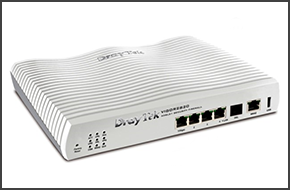
This guide is outdated please refer to the latest guide. Introduction This document describes the configuration of a Draytek 2820 for the use with 3CX Phone System. We will take look into the NAT configuration necessary for 3CX Phone System and the QoS configuration to prioritize SIP and RTP traffic. The firmware version tested was version 3.3.3 dated 23 October 2009. Status In [...]

Integrating Exchange Server 2007 2010 unified Messaging capabilities with 3CX Phone System

IMPORTANT This device has been tested for Voice using firmware version of “Wed Jun 10 11:53:59 2009”. The guide and template may not work for earlier or later versions of the firmware! Configuration is a 2 step process. First you need to configure 3CX Phone System for use with the Portech. Then, you need to configure the Portech to register and communicate with 3CX PhoneSyst [...]

Internet Service Providers typically rate their connectivity services based on download and upload bandwidth. So for example you may subscribe to an aDSL connection rated at 2 Mbps (Megabits per Second) download and 1 Mbps upload. The traffic reaching the provider’s network from an aDSL modem is then routed to its eventual destination by traversing an ATM (Asynchronous Transfer [...]

This guide is outdated please refer to the latest guide. Introduction This guide will show how to configure an AVM Fritzbox router / firewall as a border device with 3CX Phone System in the LAN. The tests were made using a FritzBox 7170 with firmware version 29.04.76 Note: This document will show screenshots in German as we could not upload an English language firmware on the d [...]

Note 1: This guide has been tested with version 3.0.4. Be aware that different version may have different interface formats and functionality Note 2: Not all providers allow calls over 3G. If your calls are working as an external extension over WIFI, but not on 3G, the ports may be blocked Installing Acrobits SoftPhone on your iPhone Go to the Apple AppStore. Download the Ac [...]

 Copyright © 2026