





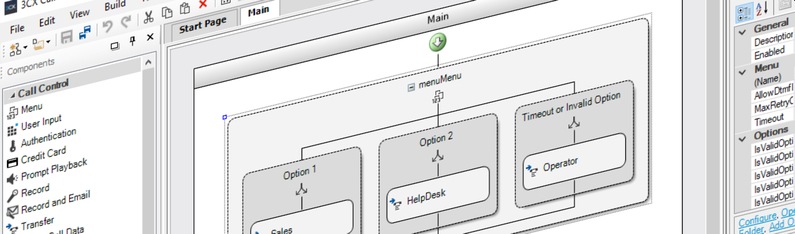
On the chase for the usability holy grail, the updated 3CX Call Flow Designer (CFD) adds a refreshed User Interface (UI) and a radical drag-and-drop Expression Editor. Add to that the usual mix of core improvements and fixes, and you have reason enough to install the latest CFD!
Visually Expressive
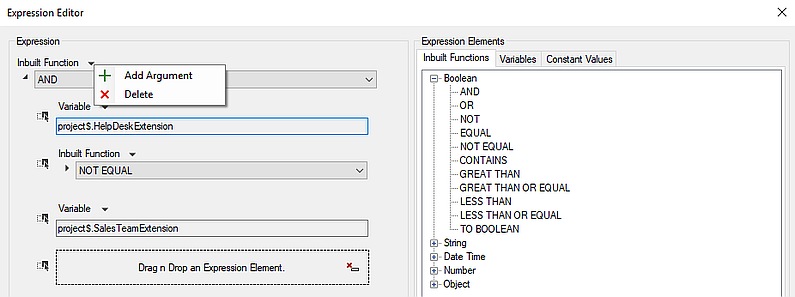
Based on a cooler icon set and at the same time more technical look-and-feel, the new CFD's refreshed UI lets you focus more on the task at hand. All without distracting from the re-designed Expression Editor, the star of the latest CFD release, bringing:
- Visual expressions - drag-and-drop inbuilt functions, variables and constant values from "Expression Elements", to intuitively construct complex expressions without opening a myriad of nested Expression Editor windows.
- Easy-to-find functions - inbuilt functions are now grouped into easy to reference categories.
- Dynamic constant values - available constant values are now dynamically included in the "Expression Elements" when components are added to the CFD canvas.
Requirements & Known Issues
- New “Transfer” component option for transferring to an extension’s voicemail requires 3CX v16 Update 2.
How to Download
Download the new 3CX Call Flow Designer or use the built-in “Check for Updates” function to install, and test drive your Call Flow apps with the latest 3CX v16 Update 2 for Windows or Linux:
- Windows: 3CX v16 Update 2
- Linux: 3CX v16 on Debian 9 ISO – choose “Stable” on the “3CX Update Channel” screen.
- Debian & Raspbian manual install: follow the instructions in the Debian and Raspberry Pi install guides.
View the change log and give us your feedback via our dedicated community forum.









 Copyright © 2026