





A new Beta version of the Call Flow Designer (CFD) is available! Released to be in sync with Update 6 Alpha, the new features include extension numbers for CFD apps, Google TTS (Text to Speech) and STT (Speech to Text), lexicon and neural voice support for Amazon Polly. To try it out, install Update 6 Alpha and get the latest CFD to give your voice apps that extra boost!
Multilingual with Google TTS and STT
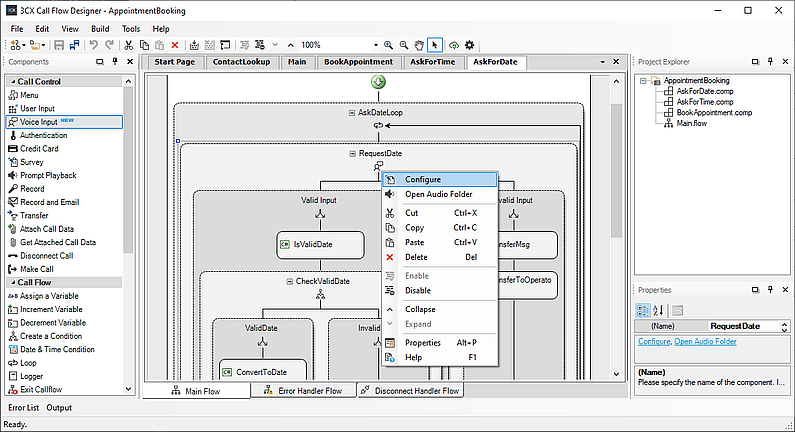
CFD is all about automating your call flows. This new version takes voice recognition to a whole new level with:
- Google Voice Input - Converse with your customers in their language! With the addition of Google’s STT services, your CFD apps are empowered with NLP (Natural Language Processing) capabilities, able to recognize more than 120 languages and their variants.
- Google Voice Output - Use Google’s multilingual speech synthesis services to automate your audio prompts and voice menus.
Read our guide on how to enable Google TTS and STT services for your voice apps.
Setting the Right Pronunciation
Now you can customize the pronunciation of words with new options for supporting Amazon Polly’s pronunciation lexicons. Also added support for Amazon Polly neural voices that can make your TTS prompts sound more natural and familiar to your customers.
For more info on using Amazon Polly in your CFD app, check out this guide.
Call Your App!
Building on the latest additions introduced in Update 6 Alpha, the new CFD introduces extensions for your voice app, so you can call it directly or route calls to it like a typical extension. Just open your voice app project with the new CFD and set its extension in "Build" > "Project Extension". After building your app, deploy on an Update 6 installation and your App gets its own extension.
Get the Beta
The new CFD requires 3CX V16 Update 6. To install the new Call Flow Designer:
- Download 3CX v16 Update 6 or update your PBX to this version via the built-in update function.
- Windows: 3CX v16 Update 6 Alpha.
- Linux: 3CX v16 on Debian 9 ISO or Debian 10 Tech Preview ISO.
- Download the CFD and install it, using the instructions in the install guide.
View the change log and give us your feedback via our dedicated community forum.









 Copyright © 2026