Make 3CX calls on the road with the new iOS App.
The latest update to our iOS app includes complete Apple CarPlay support. Enhancing the user experience is central to this functionality - particularly if you need to stay connected whilst driving. In a nutshell, you can now make calls, read and reply to messages, and access your voicemail using simple voice commands - staying connected with your customers and your team from the comfort of your car. Read on to learn more - or see it in action for yourself in the YouTube video here:
Make Calls via Siri & Apple CarPlay
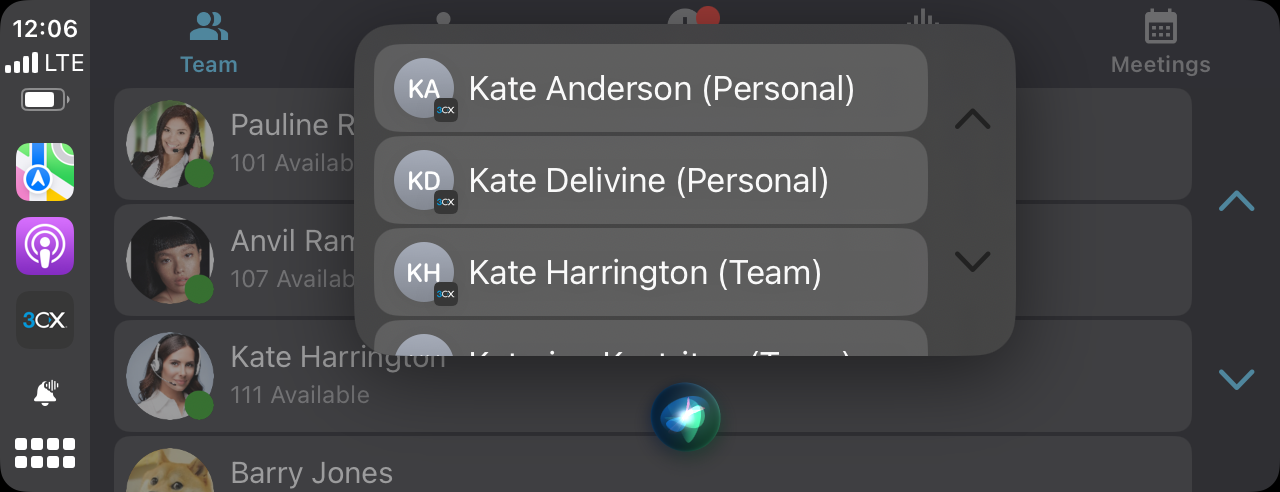
You’ll recall from our first BETA release you now have the ability to call any single contact or number by saying: “Hey Siri, call Kate using 3CX” or “Hey Siri, call 07769834653 using 3CX”.
If you have more than one Kate in your contact list, Siri will ask you to select which one.
Send, Reply & Search for Messages
You can also send messages to contacts and phone numbers by simply telling Siri who will then repeat the message and send it. Before sending, you have the option to cancel or edit the message.
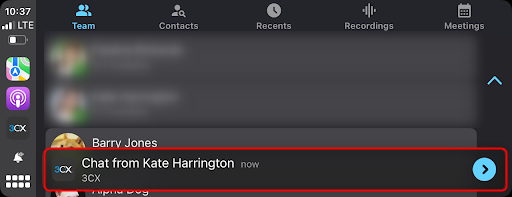
Upon receiving an incoming message, a notification will appear on your dashboard and the message will also be read out to you. To reply, tap on the notification and choose ‘reply.’ Siri will prompt you to dictate the message and will then send it.
You can also find messages via Siri by saying: “Hey Siri, find messages from Kate.” Siri will find the 15 most recent messages from Kate and repeat them back to you. Select to reply, repeat or skip any one message.
Check your Voicemail
You can also call the digital receptionist and retrieve your voicemails on-the-go. Simply say “Hey Siri, call voicemail using 3CX”.
Setup 3CX with CarPlay
Connect your phone to your car using either a USB cable or via wireless Apple CarPlay. Your device screen will automatically appear on your car’s display. Tap the 3CX app to get started. From here you can do all of the above, as well as manage and see your team’s status, access your contacts and call history, view chats and more.
- Team: includes all local extensions. Tap on a user to call or send a message.
- Contacts: includes iOS device phonebook. Tap on a contact to call.
- Recents: your call history. Tap on an item to call back or leave a voicemail.
- Voicemail: a list of all your voicemails. Unheard voicemails are denoted by a blue header indicator. Tap on the item to listen to the voicemail or call back.
- Chat: All chats from the last 24 hours. Tap on a chat and Siri will read it out to you and then prompt you to reply via Siri voice commands.
Note: You’ll recall from our Beta 2 blog lists have a limit of 24 items or less, according to the car manufacturer.
Key Benefits of iOS CarPlay Integration
iOS CarPlay offers a safer and more convenient way to stay connected whilst driving. Use Siri voice commands to handle calls and messages without taking your hands off the wheel - or your eyes off the road. Here’s a recap of the key benefits:
- Hands-free operation: minimal manual interaction
- Access your essential communication tools directly through your car’s infotainment system
- Quick access to contacts, messages, voicemail and calls
Get Apple CarPlay for 3CX Today
Download the new app from the App Store or upgrade your existing app from your device.
Prerequisites
- A vehicle that supports CarPlay
- iPhone running iOS 16 and above
- The 3CX app for iOS
View the complete changelog here.
Let us know what you think in the iOS Forum.