





Select an assigned DID before each external call, with no extra outbound rules to maintain.
Calling from the right business number matters when users represent multiple brands, offices or services. With V20 Update 10, Admins can let users choose which of their assigned DIDs to use before placing an external call.
This means one user can call on behalf of different brands, departments or locations without needing separate extensions or additional outbound rules for every identity. Select the number and 3CX automatically routes the call through the associated SIP trunk and presents the selected DID as the outbound Caller ID.
This option is available in supported 3CX Apps and remains fully controlled by the Admin. Read on to learn more.
Switch Outbound Numbers Without Switching Extensions
Users can keep the Default route and let the PBX apply its existing outbound rules, or pick one of the DIDs assigned to their extension. Selecting a DID sets both the outbound trunk and the caller ID for that call.
For example, a user supporting two regional offices can call each customer from the relevant local number without switching extensions, using custom prefixes, or asking an administrator to maintain a separate set of outbound rules.
How Call Routing Works
When an assigned DID is selected, 3CX bypasses the normal outbound-rule match for that call and looks for the trunk that contains the DID. Then the call is placed through that trunk and the selected number is used as the outbound caller ID.
Selecting the default route keeps the current outbound rules in control. If the trunk containing the DID is deleted, the dialer returns to the Default route.
Enable Users to Select Outbound Caller ID
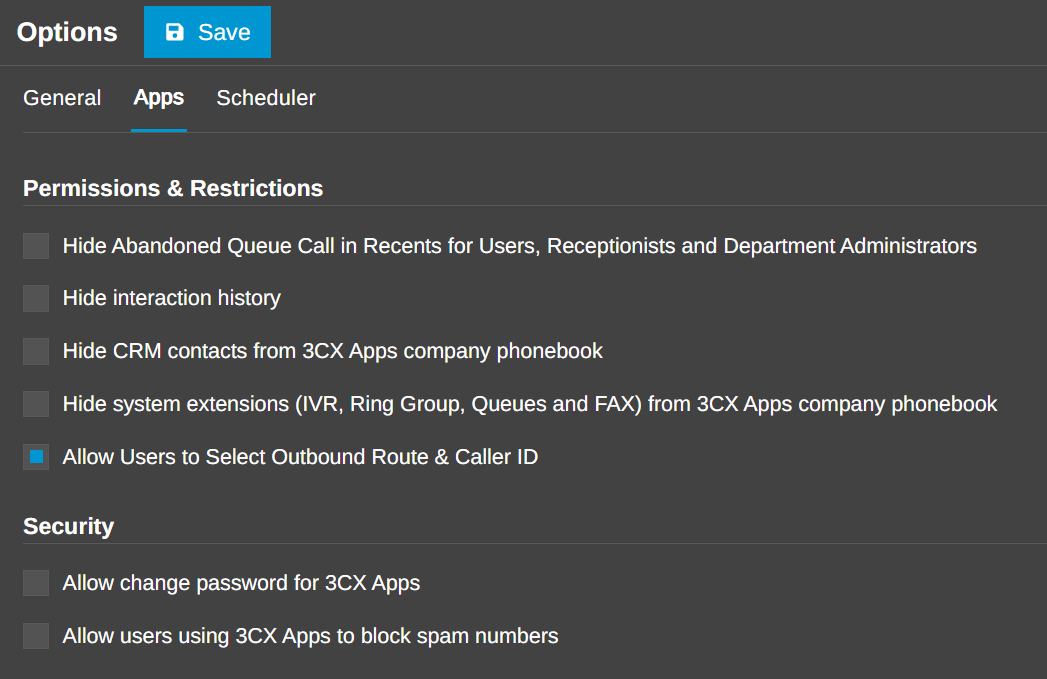
The feature is disabled by default. In the Admin Console, go to Admin > System > Options > Apps, enable "Allow Users to Select Outbound Route & Caller ID", and save the change.
Once enabled, eligible users will see the selector in supported 3CX apps. No new outbound rule is required for a DID-based selection.
Choose Your Caller ID Across 3CX Apps
Web Client and PWA
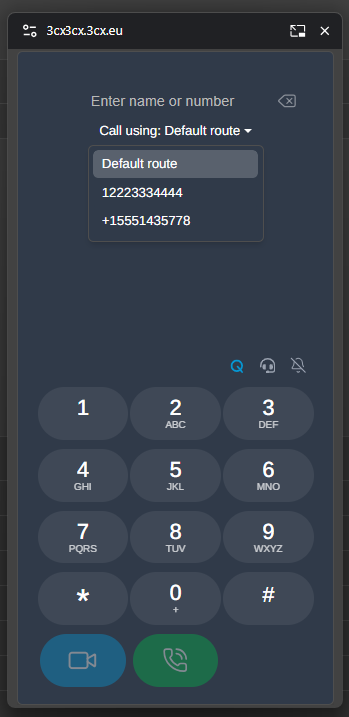
The dialer shows a "Call using" selector with Default route and the DIDs assigned directly to the user. The selector is available when starting a new call and during transfer flows.
Android and iOS Apps
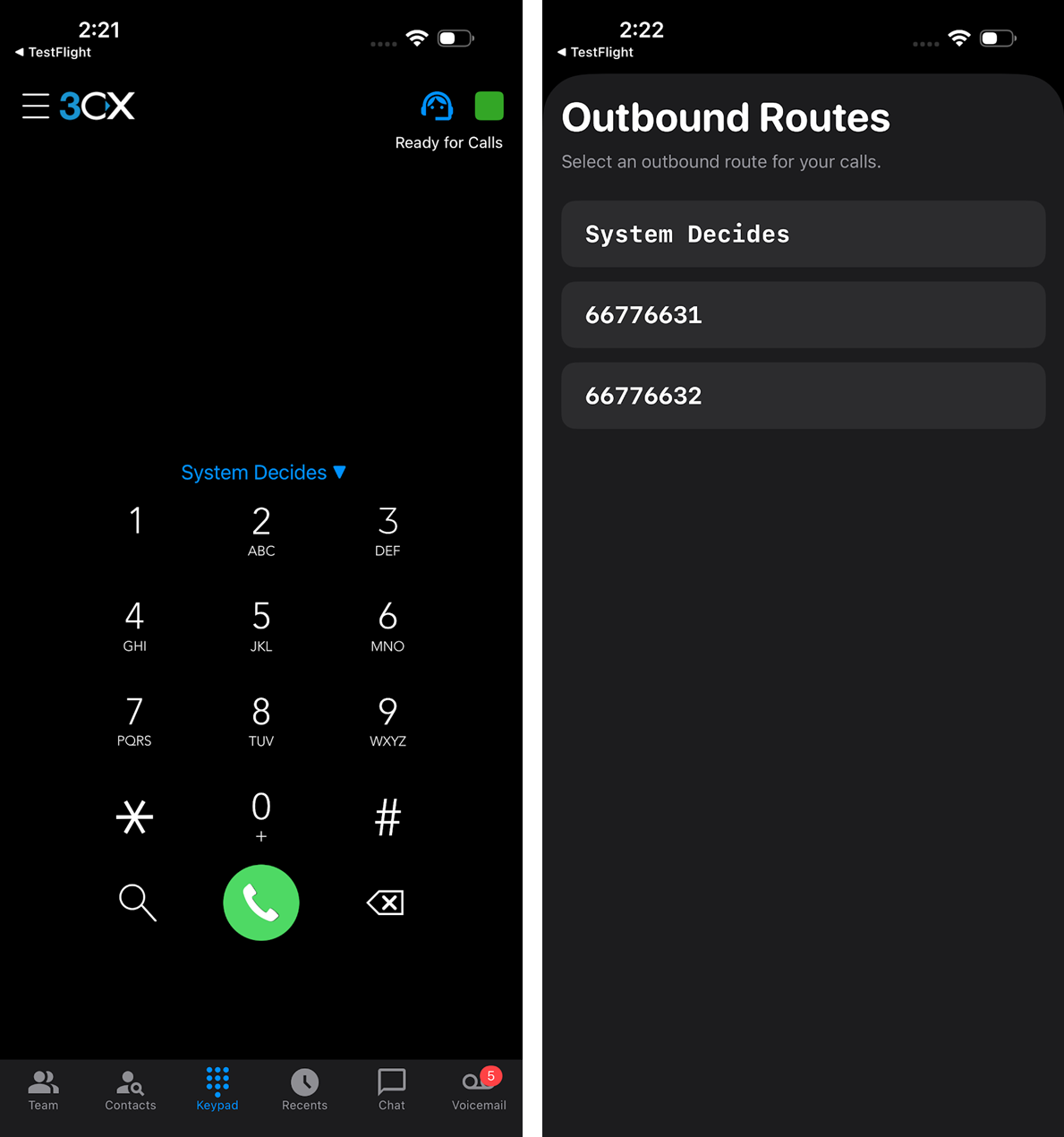
The latest Android and iOS apps provide the same choice from the keypad. The selection syncs across supported clients, so a user can make a choice in one app and continue with the same outbound identity in another until it is changed.
Which DIDs Are Available?
Only DIDs assigned directly to the user's extension appear in the selector. A DID assigned to a department, queue or ring group does not become selectable simply because the user is a member. This keeps the available choices tied to explicit individual assignments.
Before enabling the feature, review each user's direct DID assignments. The dropdown will reflect that assignment list.
Built-in Routing Safeguards
Emergency-number routing remains a higher priority than the selected DID and trunk. Blocked-country restrictions also continue to apply.
More Control, Without More Outbound Rules
User Selected Outbound Caller ID gives people a simple way to present the right business number for each conversation. Administrators enable one setting and manage direct DID assignments; users make the per-call choice, and 3CX handles the trunk matching automatically.
Join the Discussion
Join the 3CX discussion in our dedicated Partner or Customer Forums. Follow us on X and LinkedIn to stay-up-to date on latest news and feature releases.









 Copyright © 2026