





Configuring the display language of Aastra phones from the 3CX Management Console

Upgrading firmware of Polycom phones from the 3CX Mgmnt Console
Upgrading firmware of Cisco phones from the 3CX Mgmnt Console

In this article we explain how you can upgrade the firmware of one or more Aastra phones in your network from the 3CX Management console. In this example we upgrade an Aastra 6757i to the latest firmware. Pre-requisites Download the latest firmware available for your phone model. It is recommended to use 3CX Tested firmwares 3CXPhone System Version 9 SP4 and up is required [...]

Edit 16th September 2015: Please note that 3CX Phone System only works with MS Exchange Server 2013 and 2013 SP1 If you have enabled Exchange integration inside 3CX Phone System, with Outlook 2007/2010/2013 as an Email client you can take advantage of the "Play On Phone" feature. For details about enabling 3CX Phone System and Exchange Server Integration, please refer to the fo [...]

London, UK, 1st June 2010. 3CX (www.3cx.com), the specialist developer of software-based IP PBX phone systems for Windows™ announced today that it has partnered with leading UK and Global VoIP service provider Orbtalk (www.orbtalk.co.uk). The Orbtalk ISDN grade SIP Trunk has been approved to deliver optimised IP PBX solutions in conjunction with the highly successful 3CX [...]

3CX Phone System Version 9 features the ability to easily upgrade your IP Phone's firmware network wide. This is done using the Phone Provisioning node located in the "Settings" section. Pre-requisites Download the latest firmware available for your phone model. It is recommended to use 3CX Tested firmwares 3CXPhone System Version 9 SP4 and up is required You can upgrade firmwa [...]
3CX Phone System features the ability to easily change your IP Phone's LCD display language network wide or on a per phone basis. Pre-requisites: Download & install the available language packs for your phone model - Not all models require Language packs. It is recommended to use 3CX Tested firmwares - not all firmwares support language display changes 3CXPhone System Versi [...]
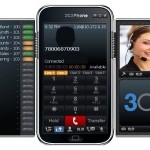
3CX’s popular free business soft phone does Unified Communications and becomes ‘Zero Admin’ London - November 30, 2010- 3CX today announced a new version of its popular free VoIP soft phone for Windows, 3CXPhone 5. New features added to 3CXPhone 5 include standards based video support, multiple SIP profiles, BLF and the ability to provision and manage all soft phone installa [...]

PLEASE NOTE: This blog post is only applicable for 3CX Phone System v12.5 and lower. 3CX Phone System includes functionality to easily set the Time Zone and DST (Daylight Savings Time) parameters on phones via provisioning. By default, 3CX Phone System is configured for US Eastern Time. You can manage Time Zone settings from the 3CX Management Console in the "Settings->Phone [...]

 Copyright © 2026