





The updates aim to make it easier to deploy, manage and scale AI with 3CX in V20 U10.
With the release of the standalone 3CX AI Server in V20 Update 10, the upcoming changes in 3CX aim to make Local AI more accessible and easier to install for everyone.
Reducing Complexity
The upcoming update for 3CX AI Server simplifies the following aspects:
- Firewall configuration
- GPU equipment procurement
- AI Server FQDN and SSL configuration
The Biggest Change Is The Connection Model
The most important upcoming change is architectural rather than cosmetic.
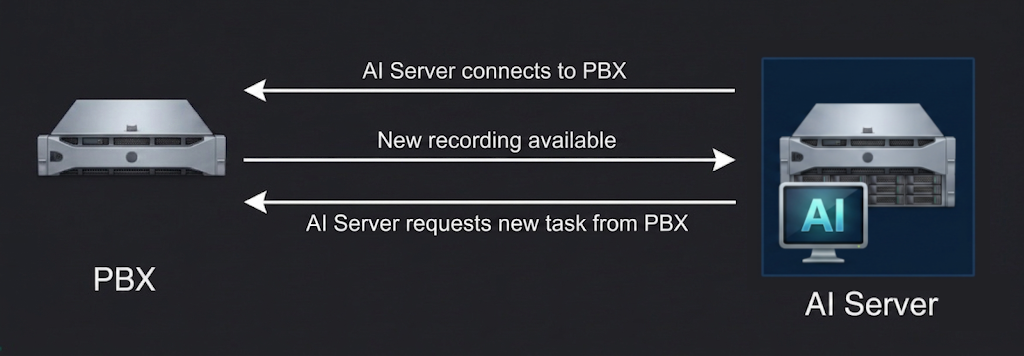
In short, the AI Server will behave like a client; it connects to the PBX rather than the other way around. This has several benefits, including:
- No SSL certificate needed
- No public FQDN requirement
- No manual firewall configuration
- Cleaner install flow, less prone to errors
These changes do not impact AI Server security since there are several layers of security 3CX uses to ensure trust.
macOS as an AI Server
One of the most useful upcoming updates will be the macOS path. Very simply put, you can buy a Mac Mini and use it as your AI Server.
This is a game changer because it no longer requires you to build a PC, choose a GPU and configure the hardware yourself. The minimum memory specification for the macOS-based AI Server will be 16GB (24GB recommended).
Cleaner Naming for Local AI
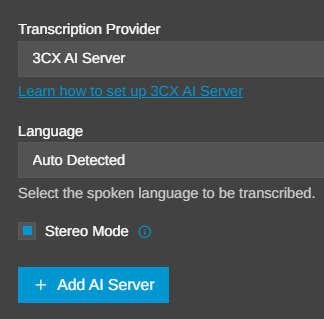
We've renamed Local AI from "3CX Transcription Engine (Installed Locally)" to "3CX AI Server". The new name better reflects its role. It doesn't just transcribe calls; it hosts multiple AI models and performs additional AI-powered analysis tasks.
Status & Monitoring Updates
With the addition of the macOS implementation and the architectural changes, we will also update the status and monitoring views for AI Servers.


The update will also show the server operating system with a simplified monitoring view. On macOS you will see both GPU and Apple Neural Engine (ANE) usage, while NVIDIA-based systems will display RAM and VRAM usage.
By monitoring useful server metrics such as Queue, Conversions and Max Conversions, administrators can quickly determine whether an AI Server is healthy, busy, stalled or undersized.
Multiple Connections
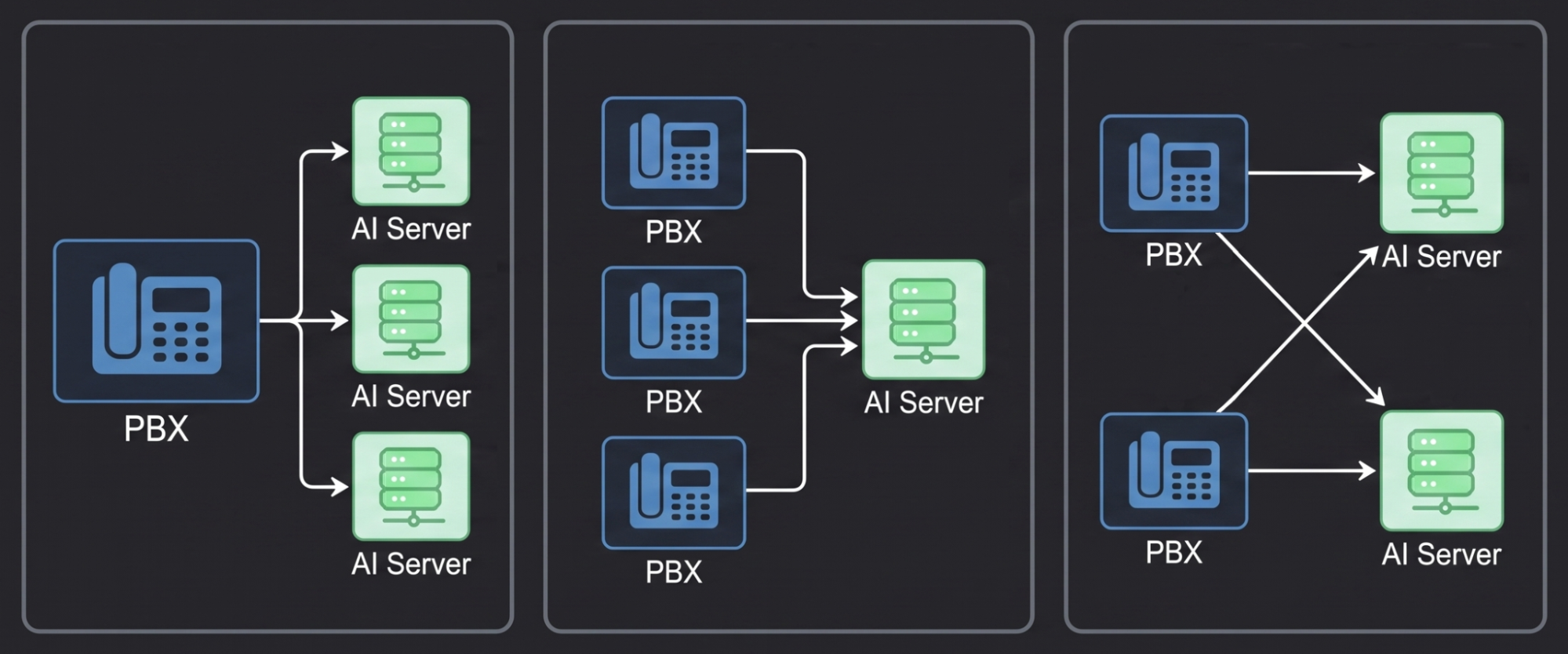
The flexibility of the new 3CX AI Server architecture extends beyond a single installation. With the updated connection model you can:
- Connect multiple AI Servers to a single PBX.
- Share one AI Server across multiple PBXs.
- Create a mesh of multiple AI Servers serving multiple PBXs.
This ensures your deployment can be tailored to your workload requirements.
One AI Server for All
The new update allows one AI Server to serve multiple PBXs. Instead of deploying a dedicated AI Server for every PBX, you can connect multiple systems to a single AI Server.
For example:
- You have PBX A and PBX B.
- PBX A already has an AI Server connected.
- PBX B does not.
Go to PBX B, select + Add AI Server, copy the generated installation command, and run it on the AI Server already connected to PBX A.
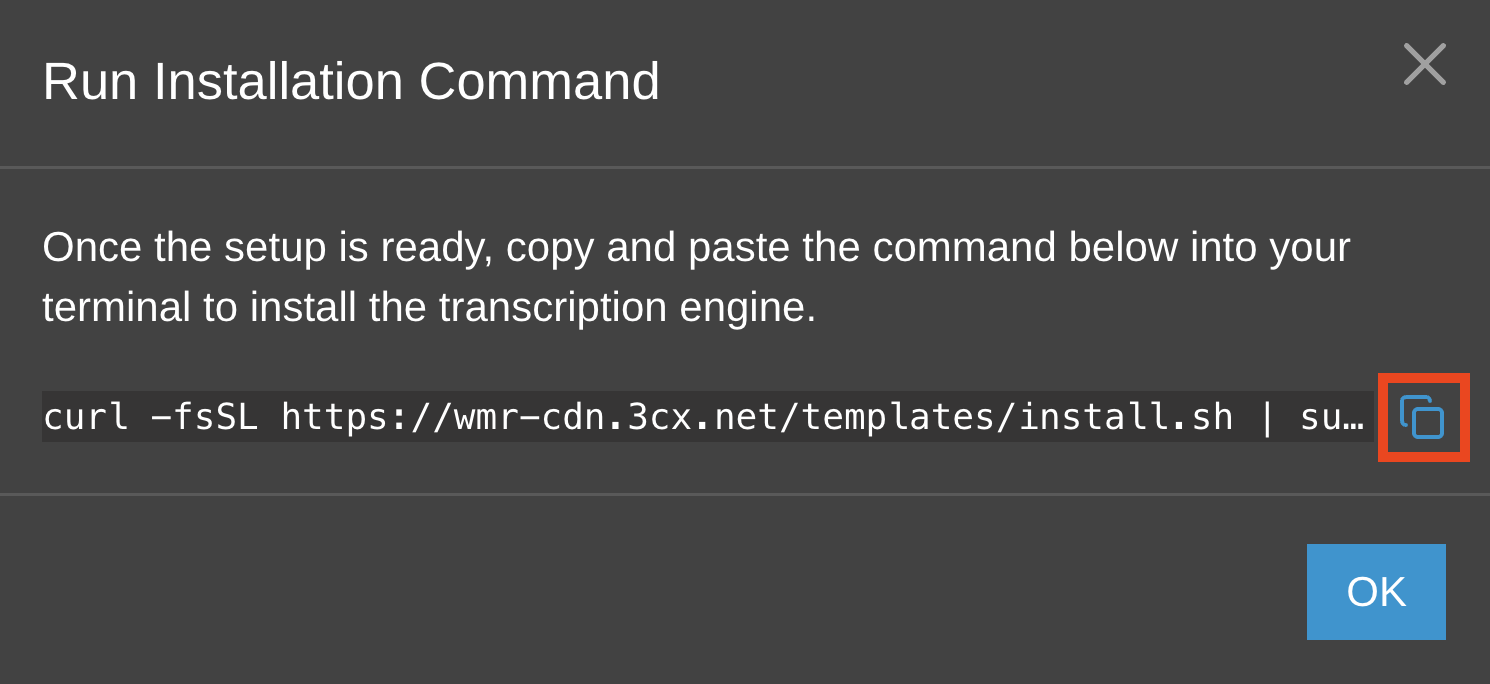
Both PBXs will then use the same 3CX AI Server for transcription.
Multiple AI Servers for One PBX
The limitation on the number of AI Servers connected to a PBX has been removed. In practice, the number of servers you connect will only depend on your available hardware, network capacity and workload.
NVIDIA or Apple
The new 3CX AI Server can be deployed on NVIDIA GPU-based systems or Apple Macs.
Apple hardware significantly lowers the cost of deploying Local AI, while NVIDIA GPUs provide the highest processing capacity.
- For medium workloads of 50k–200k monthly transcription minutes, a Mac Mini M4 16GB (24GB recommended) is a cost-effective choice.
- For workloads up to approximately 500k monthly transcription minutes, a Mac Studio M4 Max 36GB is recommended.
- For workloads above 500k monthly transcription minutes, an NVIDIA RTX 4090-based system provides the required capacity.
And of course you can take advantage of the 3CX AI Server multiplexing options to roll out the best combination of systems for your specific needs. See more about usage & costs in our Cloud vs 3CX AI Server Transcription post.
Latest AI Models
This release introduces updated AI models and backend improvements that increase processing speed while reducing memory usage, allowing you to get more from your 3CX AI Server hardware.
Join the Discussion
Join the discussion in our Partner Forum or Customer Forum. Follow us on X and LinkedIn to stay up to date with the latest news and feature releases.









 Copyright © 2026