


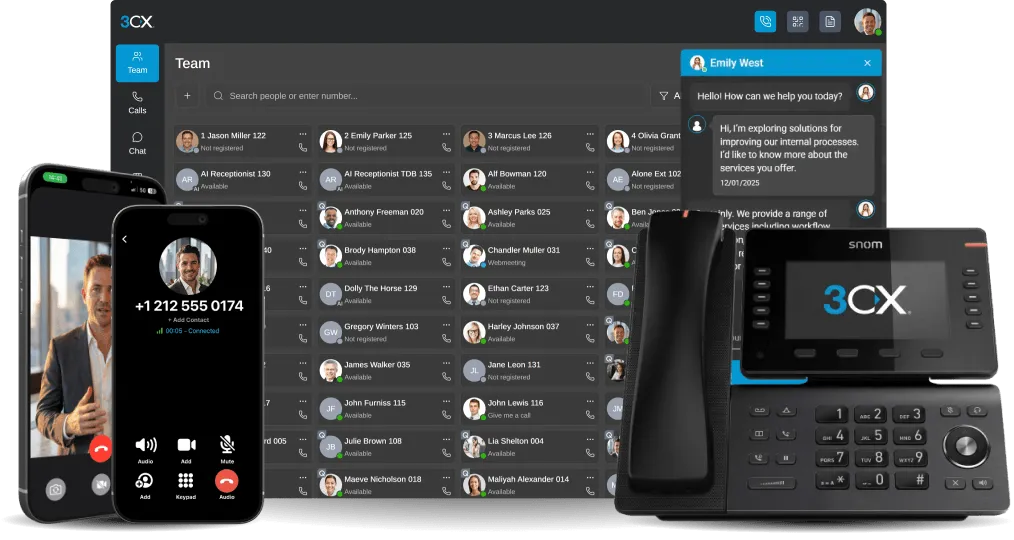


Grok Support, more efficient transcription, improved firmware management and quicker everyday calling.
3CX V20 Update 10 is out now. This is our biggest AI release so far. You can ask ChatGPT, Claude or Gemini about your phone system in plain language. Your AI Receptionist and AI Customer Service Agent are far more reliable, so your callers are always answered and handled properly. And you can run transcription and call summaries on your own Mac, with no per-minute cost and complete data protection.
We worked hard for admins and users too: phone firmware management from one page, choosing which number you call from, and a pop up dialer. Read on for a recap of everything in Update 10.
Get Answers from 3CX with MCP Support
Your customer service manager wants to know why so many calls were missed last Friday. Which queues were affected? When were calls abandoned? What needs investigating? Normally, answering these questions involves reviewing reports and comparing information.
With the new Model Context Protocol (MCP) support, you can connect an AI application such as ChatGPT or Claude to 3CX and ask questions about the call data you're authorised to access.
Instead of manually working through reports, you can use AI to analyse queue performance, identify patterns and help troubleshoot system issues. MCP respects existing 3CX permissions and uses OAuth authentication to control access.
This is just the beginning. More MCP capabilities are planned, opening up further opportunities to use AI for reporting, troubleshooting and administration.
More AI Provider Choice - Grok Added
It’s part of our strategy to add good AI providers over time and give you a choice so you’re never locked into one vendor.
From Update 10, your AI receptionist and AI agents can now run on xAI Grok as well as OpenAI, including answering from your knowledge documents. Test each one in turn - in our tests costs were similar - with your own callers, languages and questions, and keep the one that suits your customers best.
More Reliable AI Agents
AI has improved, and so have 3CX AI Agents. Update 10 makes the AI Receptionist and AI Customer Service Agent far more reliable, so your callers are always answered and handled properly.
Steadier on every call
- No lost calls if the AI is down. If your AI provider has an outage or your API key fails, calls go to a backup destination you choose, such as your support queue.
- Follows instructions better. Improved prompts keep agents on track and consistent.
- Finds the right person. Better directory search in large companies, even when the caller gets the name slightly wrong.
- Handles long calls. The AI condenses long conversations so it doesn’t lose track.
Customer Service AI Agent
- Answers calls, finds the answer in your documents and solves the problem in a few steps.
- Transfers to a queue, ring group or extension if it can’t help or the caller asks for a person. For example, “How do I reset my router?” is answered by the AI, and a billing dispute goes to your accounts team.
- Department managers can update the AI’s documents without waiting for the system owner.
- Supports PDF, TXT, CSV and Markdown. Markdown gives the best answers.
For Users: Quicker Everyday Calling
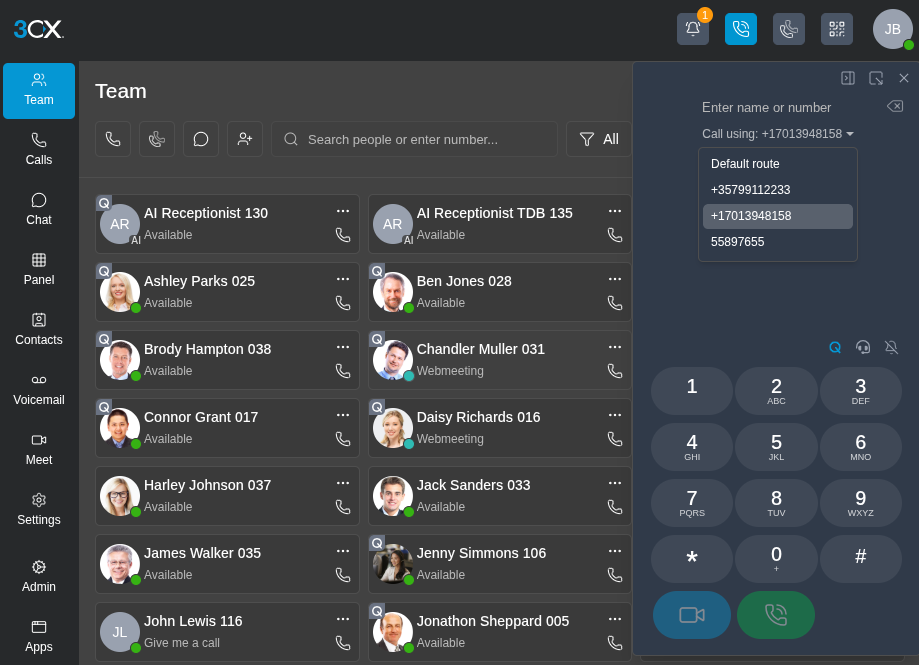
Update 10 makes the 3CX Web Client faster and easier to use every day. Here’s how:
- Choose the number you call from. Users pick which of their outbound numbers to call from, and the call goes out with that caller ID on that number's line. That's perfect for one person calling for two brands, or for both the UK and German offices. The admin turns this on.
- A pop up dialer that stays on top. The web client dialer pops out into a small window that stays on screen while you work in your CRM or helpdesk. It works in Chrome and Edge.
- Call summaries you can act on: Summaries now include a recap, notes and action items saying who does what and by when, and Admins can write their own summary prompt to set the length, format and focus. Transcripts are also more accurate at telling who said what, and sentiment results come back faster.
- Conference calls made easier. Press Conference next to the dialer, pick the people or type their numbers, and the call starts. There's no meeting to schedule and no merging calls one by one. The dedicated panel shows who's connected and puts participant controls in one place, so you can add, mute, remove or redial people during the call. See the conference call guide for details.
Run Transcription Locally on Your Mac Mini
The new 3CX AI Server - available in AI Edition from 8SC - runs transcription, call summaries and sentiment on your own Apple Silicon Mac or Linux server. Your calls never go to the cloud, and there's no per-minute cost. A Mac mini handles about 268,000 call minutes a month.
Setup is simple. The AI Server connects to 3CX by itself, so there’s no port forwarding, no firewall changes and no certificates to manage. Transcription supports major languages including English, German, French, Chinese, Spanish, Italian and Portuguese, with many more available.
Firmware Management
Full control over every deskphone. Update 10 puts phone and firmware management in one place on the new Phones page. Admins can use 3CX-validated firmware or upload the manufacturer’s own, pick the default version for each model, and assign a different one to any individual phone, including rolling back to an older version.
Updates can run automatically on a schedule, the Dashboard flags any outdated phones, and a phone can be moved to another user without losing its configuration or firmware. For setups the built-in templates don’t cover, custom phone templates let Admins adapt provisioning to their needs, and partners can reuse the same template across multiple customer systems.
SSO Here
Easier Deploy of softphone with Google or Microsoft SSO: No more hand holding users in configuration 3CX. Just download the app from the app store, have them login using their SSO credentials and everything auto configured. No need for QR code or provisioning file. Enter the 3CX server address and sign in through your browser. Requires Windows Softphone V5.8 and SSO enabled by your admin. It’s easier than ever to move from the officially deprecated electron app to the windows softphone.
Upgrade to V20 Update 10 Final
Open the 3CX Admin Console > System > Updates and follow the available update sequence.
Remember to check these things:
- Zendesk and Salesforce: Reauthorise the integration after upgrading.
- Onboard AI transcription: To use onboard AI transcription from Update 10, switch to the new 3CX AI Server before upgrading.
- Custom summary prompts: If you’ve customised the call summary prompt, it will be overwritten by the new default when you upgrade. Copy your prompt first so you can add it back afterwards.
- Update your 3CX apps, including Windows Softphone V5.8, to use the latest calling and usability improvements.
For the full list of changes, see the V20 change log.
Join the Discussion
Join the 3CX discussion in our dedicated Partner or Customer Forums. Follow us on X and LinkedIn to stay up to date on the latest news and feature releases.









 Copyright © 2026