





With Update 6, we introduced 4 new security roles, in addition to the 3 existing ones, making management of the system much simpler and more secure! Each user can now have one role, which will be valid in all the Groups the user is a member of. In the Version 18 Update 6 release, we went through these roles briefly and included some more details in the "Setup your team" manual. [...]
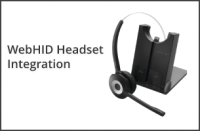
A background on the new Universal Headset Driver Recently we had to move our headset integration to the WebHID standard. This blog post explains the ins and outs of this new standard. What is WebHID Universal Headset Integration? First off, what is it? The WebHID Universal Headset Integration is a standard to allow seamless and generic bidirectional Computer Telephony Integrati [...]

Did you have SMS configured before Update 4 using Telnyx, Flowroute, Bandwidth or Twilio? SMS not working? Update 6? The past few days we’ve been receiving a lot of feedback in the Forums regarding the SMS configuration. We’re listening! More clarification was required. We gathered together the main gotchas and points that you need to follow to have your SMS provider working in [...]

In recent 3CX updates, you’ll have noticed several changes regarding IP Phones. These were necessary to strengthen system security and simplify the configuration process. Let’s break them down one by one. IP Phones Added Back to Supported Some supported IP Phones were marked by vendors as EOL. With no new firmware, these models were unable to keep up with the security updates i [...]

With the introduction of Hosted by 3CX, the 3CX SBC takes center stage. It’s the best way to connect your remote-site IP handsets and simplify your deployment. Here’s why! V18 Update 6, currently in Beta, allows you to set up a low-cost IP Phone and run the 3CX SBC on dedicated and StartUP instances. This removes the need for dedicated hardware on your remote site, solving supp [...]

When it comes to choosing the right SIP trunk provider for your 3CX deployment, opting for a preferred or supported provider is always recommended. Our teams make sure that each release of 3CX is thoroughly tested with the provider. Not only does this guarantee a faster and seamless setup, but if you ever need technical support with your trunk, our support team will be at hand [...]

JetPack CRM has been added to the list of 11 different 3CX developed and maintained CRM integrations that are easy and straightforward to set up. Perfect for any WordPress user, JetPack CRM is inexpensive and can be set up directly from the WordPress interface. Features include click2call straight from the CRM interface and journaling of calls and chat conversations. Check out [...]

3CX now has an extension in the Zoho Marketplace, making configuration even easier. Integration features include click2call straight from the CRM interface and journaling of calls and chat conversations. Check out the updated installation documentation for a simple step-by-step guide. Contact sync & call pop-up Impress your customers by answering their call with a personalized greeting. Calls from and to external numbers [...]

In order to provide valuable feedback and service to our customers, we are constantly analyzing the migration status/process of 3CX V16 (Debian 9) to V18 (Debian 10). We do this to identify common pitfalls/errors that could affect the upgrade process. During recent analysis, we have identified the two main issues that are responsible for systems failing to upgrade: APT being lo [...]

Linking your CRM system with 3CX saves agents’ time finding client records, allows for personalized welcome messages, and improves workflow timescales. 3CX supports a large number of CRMs out of the box. For other CRMs, we encourage administrators to integrate using the 3CX CRM Wizard. The wizard allows you to easily create templates to link 3CX with any REST API-supported CRM, [...]

 Copyright © 2026