





Expands ability for partners to offer 3CX SMB to their customers.
3CX V20 update 2 includes a multi-company/tenant capability allowing easy hosting of multiple companies on a single 3CX instance. This mode is ideal for smaller SOHO/SMB style businesses with up to 20 users and basic to moderate communications requirements. Rather than a dedicated instance - which requires ongoing management - companies can be configured as a department on a dedicated instance.
As security and computing requirements continue to grow for dedicated phone systems, smaller customers without complex requirements will sooner or later have to move to a multi-tenant solution for system management to remain viable.
Who Is This For?
The multi-tenant capability allows Partners, MSPs, VoIP providers and also companies with multi-company environments - such as virtual office services - to host smaller customers on a single 3CX instance.
If you'll be able to host - over time - at least 10+ tenants on the system, this is an ideal solution. If however, you can only host a few companies, this will pose a support and training burden for both you as a Partner and 3CX. To avoid this, where you have just a few customers needing multi-tenant capability, move them to 3CX SMB or another solution.
What Does the Multi-Tenant Capability Do?
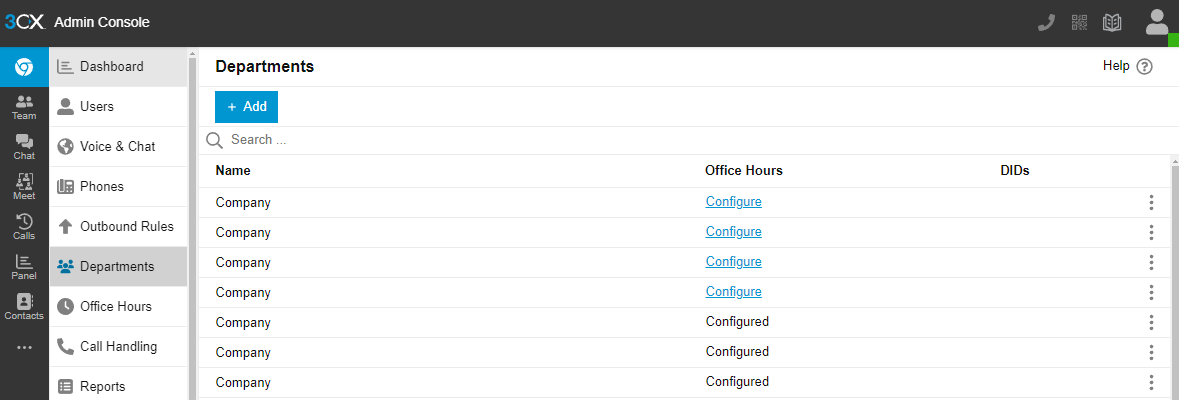
Essentially, the 3CX multi-tenant capability allows for separation of companies by using 3CX departments. Each 3CX department is dedicated to a single company. The multi-tenant switch makes the departments invisible from each other.
The 3CX SMB offering uses this methodology. In the same way, the 3CX multi-tenant capability gives partners the ability to offer 3CX SMB to their customers. More importantly, 3CX SMB capability has matured over the last 2 years allowing us to incorporate this experience in version 20.
Licensing
3CX multi-tenant is licensed in exactly the same way as a normal 3CX license, except that certain minimum requirements apply and you cannot use your NFR license for the multi-tenant version. The SIM calls licenses are spread out over the customers you configure and as you grow your multi-tenant system, you upgrade your license just like a normal installation.
In this Beta version, no licensing requirements have been enforced. So anybody can try out the multi-tenant feature with any 3CX license. In future a minimum license of 64 (or 32 - this is under discussion at 3CX) SIM calls will be enforced.
License Registration
3CX licenses have to be registered in the name of the customer/license owner. In the case of a multi-tenant edition the partner/MSP is considered the customer and the individual companies will not be considered 3CX customers. The multi-tenant license owner assumes all responsibility for customer communication. This will be reflected in the interface.
SIP Trunks
3CX multi-tenant supports all trunks including generic trunks. It's possible to take a single SIP trunk and assign DIDs to the various extensions and queues in the tenants. However, only a system owner has this capability.
If you wish to allow tenants to configure their own SIP trunks, then these SIP trunks need to be 3CX supported SIP trunks that support the “rinstance” parameter. By default, Group owners do not have the capability to configure their own SIP trunks currently. In the future this will be configurable on a system wide basis.
How to Set Up 3CX Multi-Tenant
To learn how to set up the 3CX multi-tenant feature, see this document.
Broadly there are two ways of creating tenants:
- Manually - simply create a department and then assign / create users in this department. It’s possible to assign the company owner Group ownership rights so the company can do its own system management.
- Programmatically - it’s possible to create tenants programmatically using the new 3CX XAPI configuration API.
Join the V20 discussion in our dedicated Partner or Customer Forums. Follow us on X and LinkedIn to stay-up-to date on further developments.









 Copyright © 2026