AI meets 3CX, 3CX does Teams and Admins control all!
V20 Update 2 delivers a host of new features that help companies get the most out of their 3CX install. Our focus is now on advancing our AI feature set, as well as beefing up 3CX enterprise features. Separately, we’ve greatly advanced our Windows softphone app as well as our iPhone app.
This Alpha version gives you a sneak preview but it's not yet ready for production. A Beta and Release version are planned to follow well before the summer break.
AI - OpenAI, Summary & Sentiment Analysis
3CX has fully embraced AI and in update 2 we’re giving you a taste of what’s to come. Watch this space for bigger announcements in regards to AI integration in 3CX by the end of the year.
OpenAPI - Whisper API Support
We’ve added support for WhisperAI - the Speech to text transcription from OpenAI. Now you can transcribe calls and voicemail without having to use Google Drive / Google Transcription.
Summary & Sentiment Analysis
Now all transcribed calls are also summarized with a sentiment score assigned. This allows you to see the sentiment of callers per call, for queues and ring groups.
New AI Reports

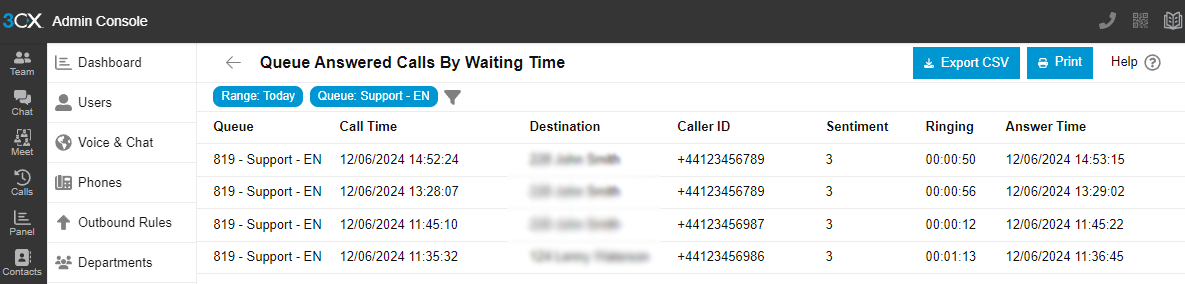
With summaries and sentiment scores stored for each call, many reports have now been enhanced with a sentiment score average allowing you to see the general sentiment of a particular queue, ring group or agent.
Microsoft Teams Presence Syncing
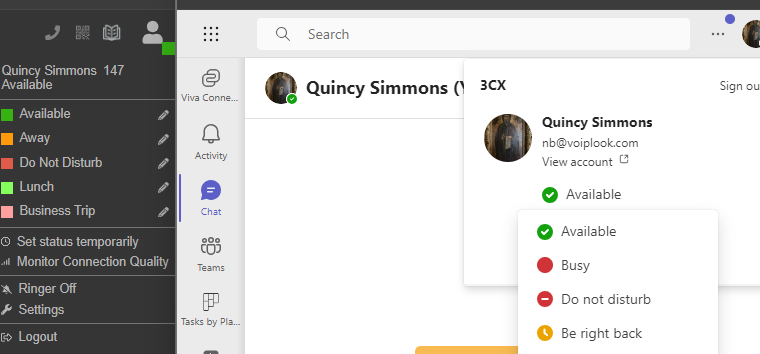
You can now sync Microsoft Teams Presence to 3CX or 3CX to Teams. You do not need to have Teams Direct Routing integration, just having Office 365 integration properly configured is enough.
Microsoft Windows Version of V20
V20 Update 2 will also mark the first official release of the Windows version of Version 20. The release was delayed purely because of workload, there is no agenda to avoid companies using Windows as a server. However in future releases of 3CX the Windows version will be tied to the enterprise edition of 3CX. You can download the Windows version here.
More Administrator Control
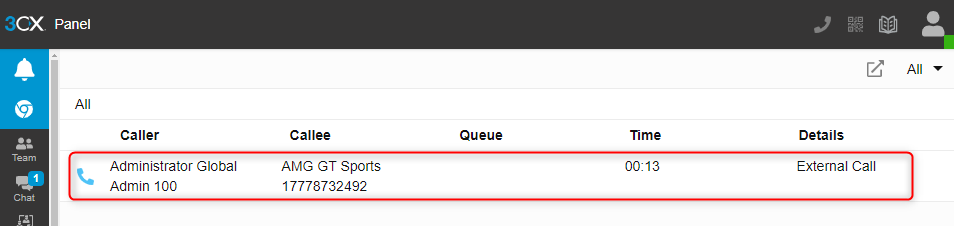
Granular per User Control of Call Information, Presence and Call Operations
Now you configure per user whether
- They can see called numbers of other users in the group
- They can HIDE their calls from other users in that group
- Whether presence of other users is shown or not (available, on a call, DND etc)
- They can do call operations or not. Call operations includes:
- Pickup
- Transfer & Divert
- Park & Unpark
- Intercom
- Pick up a call currently in the Digital Receptionist
Who’s Connected
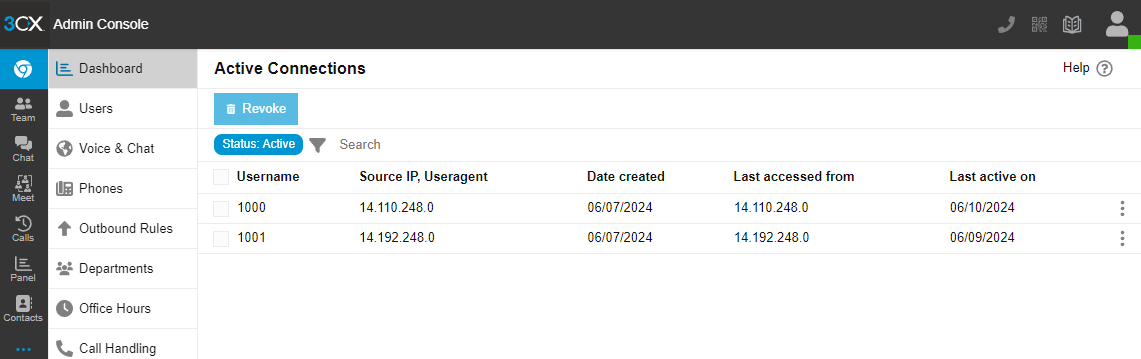
See who's connected to your PBX - check any active browser login. Review and terminate if needed. Currently only Web Client connections are shown but in future this will include application connections too.
Activity Log
The activity log is back allowing you to troubleshoot calls more easily.
High Priority Packet Setting for Better Voice Quality
For linux based SBCs we now set the traffic to "High Priority" which - if respected by the firewall - should noticeably improve the voice quality on busy networks. The biggest benefactors are the mobile apps on Wi-Fi, as it will stop the Wi-Fi router from buffering the voice packets and instead send them promptly.
Private Video Conferencing MCU
For companies and governments concerned about sharing their IP and Secrets with conferencing providers, it’s very important to ensure that all voice and video calls stay within the organization. In Update 2 you can now configure your own Video Conferencing Server, hosted and controlled by you, ensuring your organization is the only one to hear (or transcribe!) your calls. Learn how to configure a Video conference server (MCU).
Call Processing Scripts on SIP Trunk
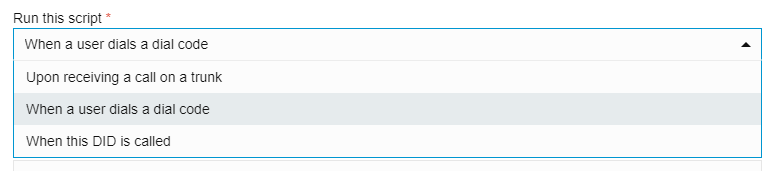
New in Update 2 is the ability to also run scripts upon receiving a call on a trunk. It is no longer necessary to first route the call to the CFD endpoint - instead you can trigger the script on an inbound call and do advanced call routing for calls. See these examples: “Call Processing Holiday“ and “Intercept Call and Route to a Destination”.
Queue Calls - Ability to Target Busy Agents
Prior to Update 2, 3CX would never target agents already on a call when delivering queue calls. In Update 2 it’s now possible to switch this behavior off and to have 3CX target an agent regardless of whether they’re on a call. No further logic is applied, it simply does not check whether the agent is on a call. So you have to choose your queue strategy accordingly, because if most of your agents simply ignore the call it will increase wait time.
Also: you have to switch on “Accept multiple calls” for the extension located in Call Forwarding for profile Available & Available 2.
Coming Soon - Multi Tenant and Configuration API
Coming soon with Update 2 is the new multi tenant capability and integration configuration API. This will be the subject of a separate blog post in the coming week.
How to Get Update 2 Alpha
From the admin console click on the latest update: "New 20.0 Update 2 Release."
3CX Windows Installer found here:
https://downloads-global.3cx.com/downloads/3CXPhoneSystem20.exe
3CX Guide on how to install Windows here:
https://www.3cx.com/docs/manual/phone-system-installation-windows/
3CX ISO found here:
https://downloads-global.3cx.com/downloads/debian12iso/debian-amd64-netinst-3cx.iso
3CX Guide on how to install Linux here:
https://www.3cx.com/docs/manual/installing-debian-linux-pbx/
View the complete changelog here.
Join the V20 discussion in our dedicated Partner or Customer Forums. Follow us on X and LinkedIn to stay-up-to date on further developments.