



In this example we will demonstrate how to make a conference call using a Yealink T21/T22/T26. Conference Call Make or Answer a call. Press the "Conf" soft key and dial the number of the caller you wish to add to the conference call. Press "Send". When the caller answers the call, press the "Conf" soft key. The caller will be added to the conference. While in a conference call [...]

Great weight is given to the reliability of a business’s phone system—especially when the system is supporting a multi-location animal hospital. At any time that the lives of our four-legged (or feathered, scaled …) friends are on the line, health-related communication is a necessity that mustn’t be jeopardized by an outdated phone system. It is for this reason that the Animal [...]
In this example we will demonstrate how to make a conference call using a Yealink T19P. Conference Call Make or Answer a call. Press the "New Call" soft key. The first caller will be put on hold. Dial the number of the caller you wish to add to the conference call and press "Send". When the caller answers the call, press the "Conf" soft key. The caller will be added to the con [...]

The majority of today’s businesses are accustomed to web conferencing, a unified communications feature leveraged to host conferences and unite internal and external stakeholders. In fact, Transparency Market Research revealed that the global video conferencing market is predicted to reach $6.40 billion in the next five years—a great revenue leap for the market. Perhaps, this g [...]
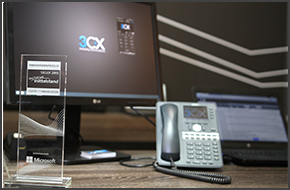
MUNICH, GERMANY, 27 MARCH 2015 - 3CX, developer of the next generation software PBX 3CX Phone System has beaten the competition to win the award for the "Most Innovative Product" in the category of Unified Communications with 3CX WebMeeting. The award ceremony was held at this year's CeBIT, in Hannover, Germany, one of the largest IT expos globally. The award was collected by 3 [...]

With 3CX being the forerunner in the adoption of WebRTC technology, along with the buzz that's going on around it, 2015 is proving to be a very exciting year! 3CX recently attended CeBIT 2015, in Hannover, Germany where we did live demonstrations of both 3CX Phone System and 3CX WebMeeting. During our visit, 3CX CEO Nick Galea was invited to talk about WebRTC and Cloud Technolo [...]

You’ve spent all winter stifling your business’s potential for growth by operating on an outdated PBX. Let the transition to spring inspire you to nurture your company’s communications just as April showers do May flowers. If you want to see your business blossom this season, you’ll need a phone system with the flexibility to support collaborative productivity. The first step i [...]
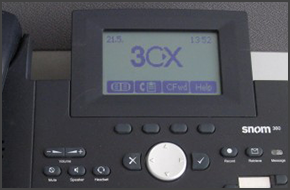
In this example we will demonstrate how to make calls using a Snom 360. This procedure stands for Snom 320/360/370. Making a Call Dial the number you wish to call using the keypad and press “OK” (check mark). The phone will dial the number and your call will be connected. [...]
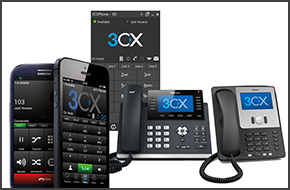
Softphone technology is meant to provide the utmost ease of use; after all, productivity lulls won’t be reduced if employees can’t figure out how to use the phone system’s functions. A comprehensive interface that provides straightforward operation is imperative to the configuration of softphones. If you’re looking to upgrade your business communications with softphones, make s [...]
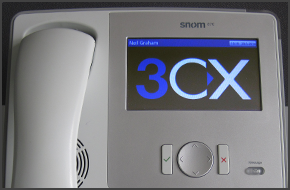
In this example we will demonstrate how to make calls using a Snom 870. Making a Call Dial the number you wish to call using the keypad and press “OK” (check mark). The phone will dial the number and your call will be connected. [...]

 Copyright © 2026