





New release brings more meeting control for co-hosts & new mosaic view. The latest update to the 3CX Video Conferencing apps for Android and iOS introduces a new mosaic view allowing you to choose which participants you want to see and pin them - up to 5. Additionally, co-Hosts get some new control functions previously enabled to hosts only. They can now remove participants [...]

More v18 features returned including caller ID exceptions. The first update for V20 is available. Not only does it introduce new functions and a new CRM it also brings back some V18 features which hadn’t made it to the final release. Furthermore, we’ve made drastic improvements to the backup and restore capability. 50% Faster Backup & Restore = Improved Failover We’ve optim [...]
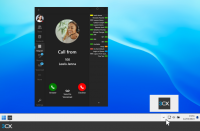
New Windows App adds hotkeys and minimize to system tray. Two features from the legacy Windows softphone were the ability to minimize the softphone to system tray and hotkeys - this latest release brings these popular features back! Minimize to System Tray & Never Miss a Call This latest version continues to work in the background ensuring you’re notified of all incoming ca [...]

Control calls and more with the powerful .NET core API. With V20, we’ve updated the Call Control API for Linux - Windows to follow soon. Just like V18, it requires the application to be installed on an actual 3CX instance. A web version of this API is in the works and will be available soon. What’s New in the Call Control API for V20 The Call Control API has been improved compa [...]

Process calls based on caller ID, DTMF input and route. V20 includes the ability to process calls using a call processing script. A call processing script is similar to a script created with the CFD, however a call processing script is both more powerful and more efficient as you can edit and check the code yourself. Use call processing scripts for: Call Routing based on time, [...]

Firmware updates for Yealink, Snom, Grandstream & Fanvil The latest IP Phone firmware updates for Yealink, Snom, Grandstream and Fanvil have been released, and are fully tested with V20 and V18. These updates come with a number of bug fixes and enhancements, including added router function and HTTPS UI, time zone and STUN resolver fixes, phonebook improvements, and more. Fi [...]

Taking control of your business communications has never been easier. More than 2 years in the making, on a journey that started nearly 20 years ago, today’s V20 Final release signals the future of 3CX - and heralds a new dawn for global business telephony. 3CX architecture has been fully re-designed from the ground up, delivering so much more than any typical new version relea [...]

RC2 adds more settings for calls & audio 3CX V20 is just around the corner and our softphone team is working full steam ahead to finalize the new Windows Softphone for the release. With RC2 we’ve added the ability to launch calls in your CRM or any external app, as well as to set your default microphone or speaker. Launch Calls in your CRM RC2 introduces the new “External A [...]

V20 finish line in sight. Release Candidate 3 has gone as expected with no major issues reported. A small number of bugs were found - fixes for which are included in RC4. With this release, we’re on track to cross the V20 finishing line in the next few days. Watch this space! Fixes & Improvements Remote Stun Custom DECT failing to show next steps of the wizard when creating [...]

Adds Hot Desking, FXS, Bridges and Teams support. We’ve added more of the remaining V18 features into another release candidate for V20. The only major feature not currently in V20 is “Scheduled Reports” - this will be redesigned and become available in Update 1. If we don't find any major issues, V20 will be released in the coming weeks. Here are the top features explained. Co [...]

 Copyright © 2026